
Replacing the POA-LMP107 lamp

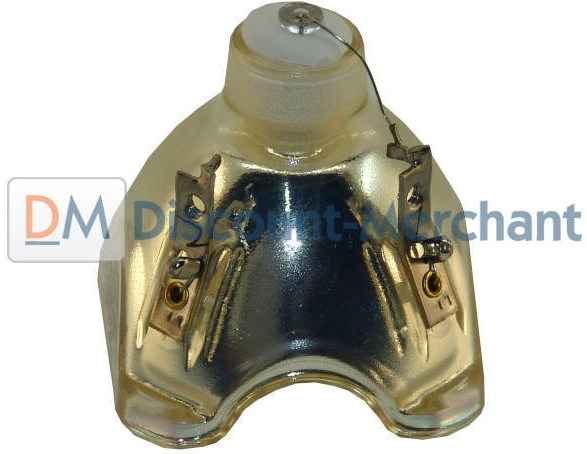
Sanyo POA-LMP 107
A yellow flashing light on your projector is a warning that your Sanyo POA-LMP107 (service parts no 610 330 4564) lamp is approaching its end of life. Replace the lamp immediately when this flashing yellow lights appears.
Projectors using the Sanyo POA-LMP107 (610 330 4564) lamp
Sanyo PLC-XE32
Sanyo PLC-XW56
Sanyo PLC-XW50/PLC-XW55
The Sanyo POA-LMP107 (service parts no 610 330 4564) should last between 2,000 to 3,000 hours before it needs to be replaced. Be sure to purchase an authentic version of this lamp bought from a verified source. When you purchase from a guaranteed supplier you’ll be getting a lamp specifically manufactured to meet the specifications of your projector.
The cheaper counterfeit models may be tempting since they are lower in price but they can end up costing more in the long run, especially when they damage the sensitive mechanisms in your Sanyo projectors.
Scroll down for links to step-by-step instructions on replacing the Sanyo POA-LMP107 (610-330-4564) lamps for Sanyo PLC-XE32, Sanyo PLC-XW56 and Sanyo PLC-XW50/PLC-XW55 projectors.
Sanyo Lamp Replace Indicator
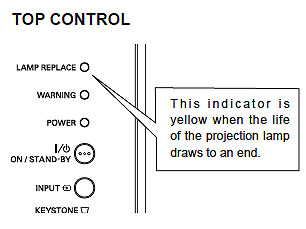
Lamp indicator for Sanyo
When the lamp life is used up and at 0 hour, the Lamp replacement icon will appear on screen, indicating that is it’s urgent to replace the Sanyo POA-LMP107 (service parts no 610 330 4564) lamp.
You must wait for 90 seconds after changing Lamp Mode before you can access this option again.
For step-by-step instructions on replacing your Sanyo POA-LMP107 (610-330- 4564) lamp, click on your model listed below
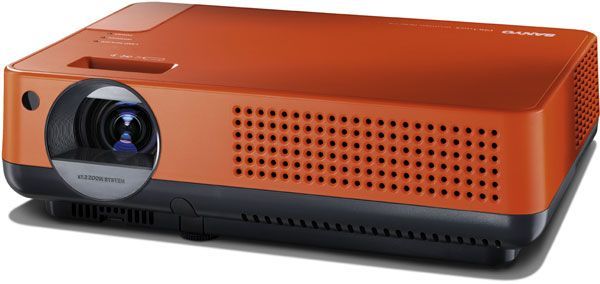
Sanyo PLC-XE32 projector
Sanyo PLC-XE32 projector
Click here for step-by-step instructions on how to change the Sanyo POA-LMP107 (service parts no 610 330 4564) for the Sanyo PLC-XE32 projector.
Sanyo PLC-W56 projector
Sanyo PLC-XE56 projector
Click here for step-by-step instructions on how to change the Sanyo POA-LMP107 (service parts no 610 330 4564) projector lamp for the Sanyo PLC-XE56 projector
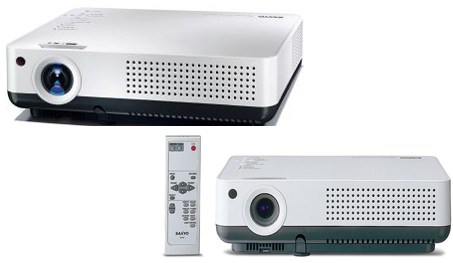
Left: Sanyo PLC-XW50. Right: PLC-XW55
Sanyo PLC-XE50 and PLC-XE55 projector
Click here for step-by-step instructions on how to change the Sanyo POA-LMP107 (service parts no 610 330 4564) lamp for the Sanyo PLC-XE50 and PLC-XE55 projector.
Leave a Reply