Replacing the Panasonic PT-50LC14 TV lamp
 Shelagh McNallyPosted on
Posted in FixYourDLP, Projector Lamp Replacement Guides, Rear Projection TV Lamp Replacement
—
No Comments ↓
Shelagh McNallyPosted on
Posted in FixYourDLP, Projector Lamp Replacement Guides, Rear Projection TV Lamp Replacement
—
No Comments ↓ 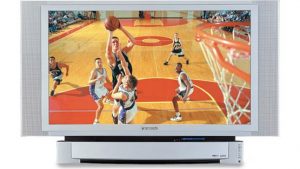 Install a replacement lamp in the Panasonic PT-50LC14 TV using this step-by-step guide.
You’ll need the Panasonic TY-LA1000 lamp to start when your Panasonic PT-50LC14 TV lamp needs replacing.
End of life warning signs
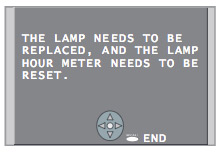 When the Panasonic PT-50LC14 TV lamp has reached end of life, the LAMP indicator light will be lit and a warning sign will appear on screen.
Shop for this lamp on Amazon sold by these authorized distributors:
- Original Philips Lamp/Bulb/Housing for Panasonic TY-LA1000.
- Comoze Lamps Compatible Panasonic TY-LA1000 Replacement Lamp w/Housing


Installing the new lamp
Before replacing the Panasonic PT-50LC14 TV lamp projector lamp follow these important safety tips:
- Turn power off,
- Wait until power indicator stops blinking red
- Unplug the power cord from the wall outlet.
- Wait at least one hour for the lamp to cool before trying to change it. These lamps operate under high heat and there is a risk of getting badly burned it. Let the lamp cool off!
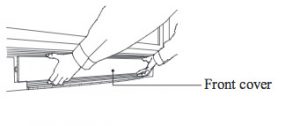 To remove the front cover, please your fingertips under the front cover and gently pull it away from the body of the TV.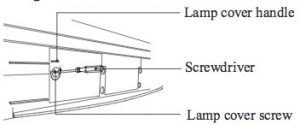
Loosen the Lamp cover screw to remove. Use the handle to remove the cover.
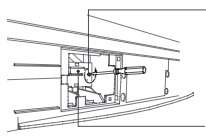 Loosen the screw holding the Panasonic TY-LA1000 Using the wire handle, gently pull the lamp out of your RPTV.
Note: The used Panasonic TY-LA1000 projector lamp contains mercury and should be properly recycled. Don’t throw it into regular garbage.
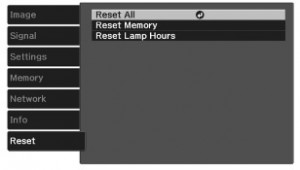
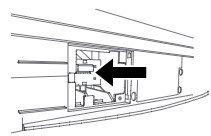 Insert the new lamp unit paying close attention to the direction of the new lamp. Press on the arrow mark making sure insertion is correct. Tighten the lamp unit/cover screw. Reset the lamp timer following the instructions that came with your new lamp.
Tips for a longer lasting Panasonic PT-50LC14 TV projector lamp:
- Keep your air filters clean to avoid overheating the projector.
- Every 24 hours, turn off the projector and let it stand for 1 hour
- Make sure there is enough airflow around the PT-50LC14 projector particularly if it’s been permanently mounted.
- Learn more with Top tips for extending DLP projector lamp life.
Why invest in an authentic projector lamp
The Internet has been flooded with generic projector lamps claiming to be “compatible” with Panasonic PT-50LC14 projector. For the few dollar you save, these projector lamps bring more problems to the table.
7 reasons to avoid generic lamps:
- – damages sensitive electronics
- – shorter lamp life than original lamps
- – no guarantee or refunds
- – no safeguards to protect your eyesight
- – created with toxic materials
- – prone to explosions
- – installing a generic lamp voids your projector’s warranty.
Invest in authentic. Don’t be fooled. How to recognize an authentic projector lamp.
 Adding multimedia can bring your worship to a new level. Here’s how to find the right church projector for your congregation.
 Lumens
 Resolution
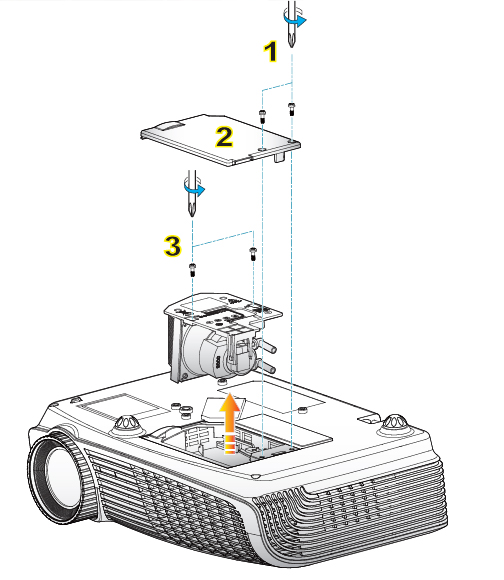
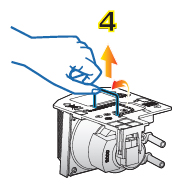
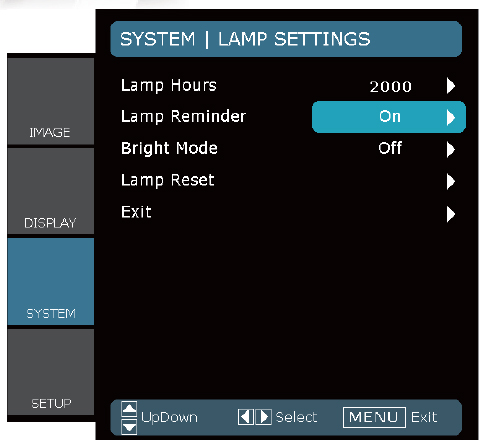
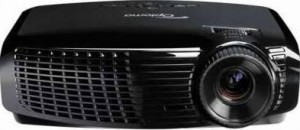 This guide walks you through installing a replacement Optoma Home Theater HD2200 projector lamp.

 Learn how to keep a healthy classroom when using a projector.
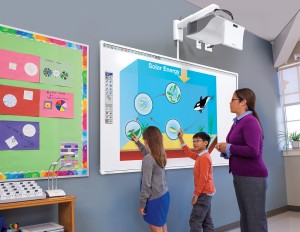 Distance and light
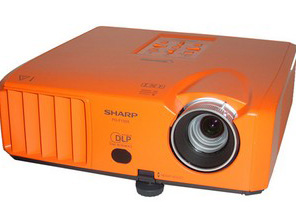 Change the Sharp PG-F150X projector lamp using this step-by-step guide.


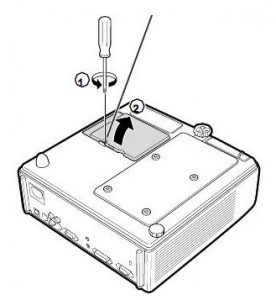 The Sharp PG-F150X projector operates using high temperatures and you can burn yourself badly if you don’t allow the projector to cool down. If should be cool to the touch before installation.
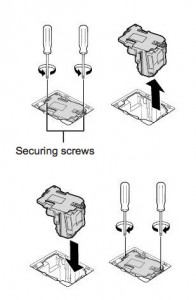 Remove the screws holding the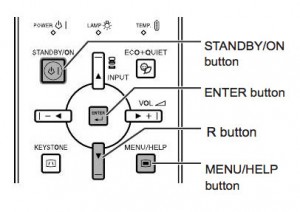
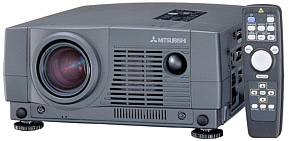 This guide helps you replace the Mitsubishi LVP-XL1U projector lamp.


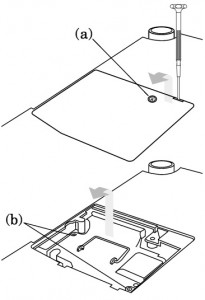 The lamp cover is found underneath the Sanyo LP-Z2 projector. Gently turn it upside, making sure to protect the top of the projector. Using a screwdriver loosen the screw holding the cover in place. Put the cover to one side.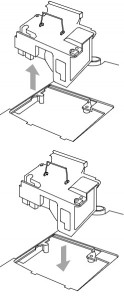
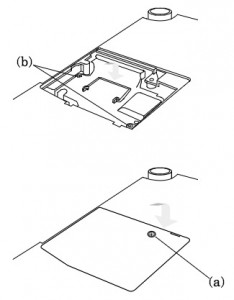 Once the lamp is in, tighten the screws on the Lamp Assembly.
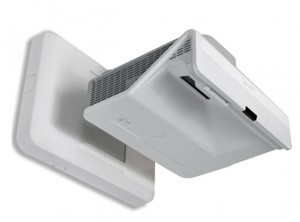 Don’t stress over needing to change your SMART Board UF55 projector lamp. Our guide shows you how.
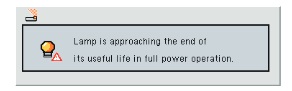 The SMART Board UF55 is an integral part of the SMART Board 600i3 Interactive Whiteboard series. When it’s time to replace the projector lamp, you’ll see a warning message appear on screen. It uses the


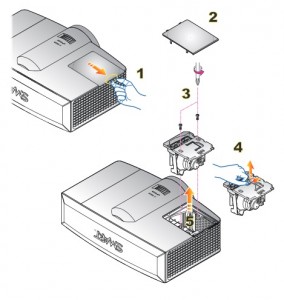 Steps to remove the old projector lamp
 Learn the warning signs of digital eye strain and how to protect your child’s eyesight.
 When staring at a computer screen, tablet or cell phone, we tend to blink less. Since our eyes work harder to see thing closer than in the distance, sitting too close to the small screens can lead to muscle fatigue. Over time the eyes get weaker, more easily tired and strained. This can cause CVS digital eye strain.
 The AOA has put out guidelines for both the classroom and at home to help prevent or reduce digital eyestrain: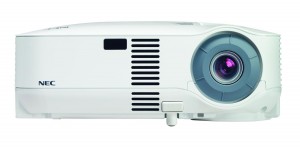


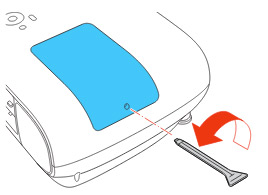
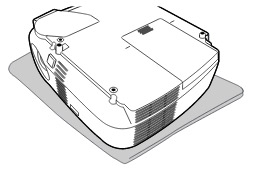 1. The lamp cover is located on the bottom of the projector. Turn it over onto a soft surface. Loosen the lamp screw.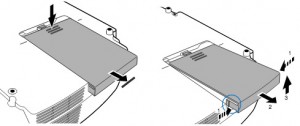
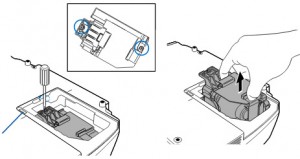 3. Loosen the two screws holding the
 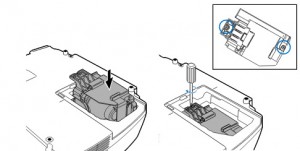 5. Gently push the lamp into the projector. Tighten the two screws.
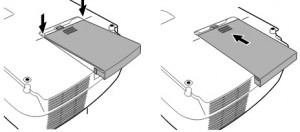 6. Re-attach the lamp cover by sliding the cover back on until it snaps into place. Tighten the screw on the cover.
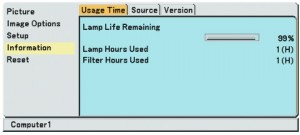 Reset the lamp timer:

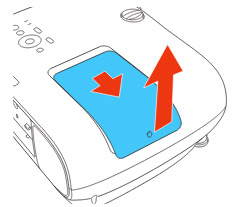
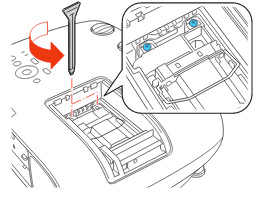 Loosen the two screws holding the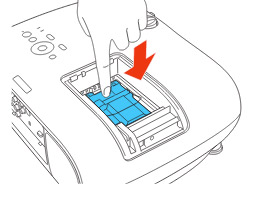
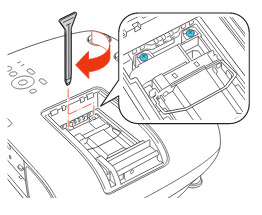 Tighten the screws on the new