We're now Screen and Projector! For updated content, visit ScreenAndProjector.com and follow @screenandproj on social media!

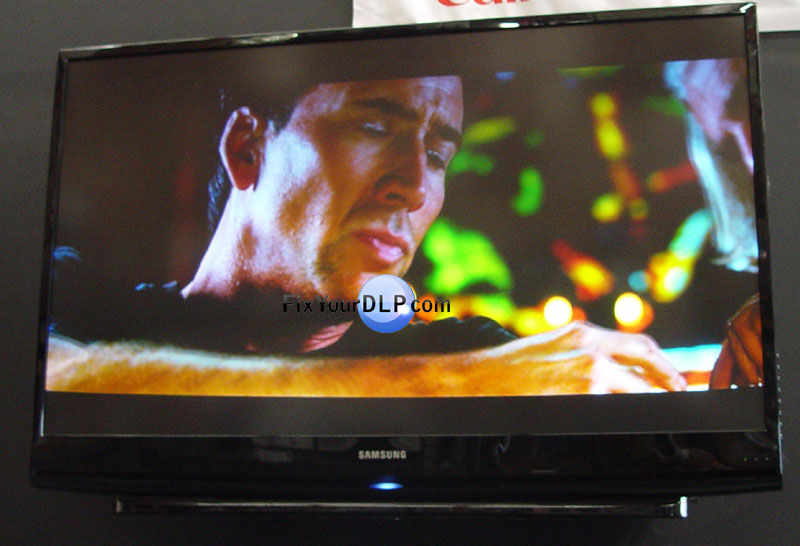
The Samsung HL-S4266W 42″ HDTV DLP TV is compact and light in weight. The design is of superior quality. Maximum resolution is 1280 X 720. The picture is lifelike, sharp. The stunning color, contrast and clarity of the Samsung HL-S4266W is astonishing. The superior speed of the DLP chip used in the set, makes it ideal for gaming, watching sports and video.The Samsung HL-S4266W provides a display of 42” diagonal with an aspect ratio of 16:9. It is relatively very light in weight and is just 13” in depth. This flatness of the set is a very useful feature in places where space is a constraint. The DLP chip used is faster than any HDTV technology can be combined with Samsung’s Cinema Smooth giving deeper, richer colors and smoother images making it more realistic.

Samsung’s Digital Natural Image Engine (DNIe) sharpens and clears the image as much as possible irrespective of the source signal. Samsung’s Cinema Smooth function makes viewing DVD’s much better by giving a clearer picture. Cinema Mode Color Adjustments adjust the colors by matching them closely with production standards. This gives more accurate colors and original skin tones in movies. The colors can also be adjusted to suit the way you want them by using My Color Control.

Game Mode can be used to enhance dark areas, sharpen and speed up the image processing and also enhance the sounds.. The viewing can be adjusted by using 4 preset modes: normal, wide, zoom 1, zoom 2 which enlarge the image without making it look unnatural.

Much easier on the wallet is the first description of the Sony KDS-60A2000 SXRD that I can provide to catch the readers attention. This 60-inch 1080p model is somewhere about $325 cheaper than the last 50-inch model. Even then compared with the $3500+ price tag the decrement in price is still a small one which may lead you to feel a little pinch. Sony however does not seem to have made any changes or reduced any services to compensate for the decline in price. 

The maximum resolution offered is of 1360 X 768. The black levels are amazingly low and the TV provides a much better contrast compared to the earlier versions. The colour point s of the Sony KDS-60A2000 SXRD are off and are certainly not accurate. The detail level is very disappointing in spite of the provision of the provision of a digital enhancer and the edge enhancer. A 1080p input has been included in the Sony KDS-60A2000 SXRD which is a very welcome addition. 

The menus and their operations remain quite similar to the earlier versions. There are a various number of added adjustments which can be made through the menus. Noise reduction level can also be adjusted through the menus. The remote is much bigger than the earlier ones provided by Sony. Backlight buttons are missing. The placements of the channel and volume buttons make them considerably hard to reach from your normal hand position. A cable slot is also absent in this version.

All in all the Sony KDS-60A2000 SXRD is not such a bad deal.

The Hitachi 50VF820 has a wide anti reflective screen and side mounted stereo speakers. The depth of the set is less than 17” (16.75” to be precise) and is a very good option for people having space constraints. Highly sharp and detailed images are provided at the maximum resolution of 1280 X 720. Dynamic Contrast helps to deliver richly colored and crisp pictures. Temperature can be adjusted for four colors and along with day and night settings can be saved to adjust automatically.

The Hitachi 50VF820 offers plasma like appearance. If you are looking for an option to the plasma TV’s this may prove to be a fairly good deal. 40 watt, 3 way speaker system has been given. Surround sound can be created using the Hitachi 50VF820’s internal speakers or the TV’s speakers can be used as in a home theater system. The cable card slot is an important inclusion for cable TV subscribers. The remote has a very simple design and a straightforward layout which makes it very user friendly.

The Hitachi 50VF820 has 2 HDMI ports and 2 component-video inputs. Simply put the Hitachi 50VF820 gives the user the opportunity to enjoy the clarity and crisp pictures of the plasma TV, by having to pay much less. Going with the performance of the previous models, the Hitachi 50VF820 is certain to give quality and great performance every time you turn it on! This makes the Hitachi 50VF820 an easy to use, fully featured and moderately priced option for most users.

Discount-Merchant.com is among the nation’s largest plasma and LCD TVs replacement parts providers. If you need replacement PCBs, remotes, outer cases, stands, or anything else related to Plasma and LCD TV’s, visit Discount-Merchant.com.

The Samsung HL-S5679W has three light emitting diodes mounted on one chip instead of the ultra high pressure lamp it had earlier. These LED’s are far cooler hence cool down time is less. Also the time required for on and off is a lot lesser. These LED’s are said to last the life of the TV hence no replacement is required. The accuracy of the color points is remarkable. Though red color is a little saturated, blue and green colors are perfect.

The Samsung HL-S5679W is very esthetically designed. The glossy black finish is easy on the eye as well as stylish. The remote design is much better but reading the functions of all the really small buttons is a tedious task. Make sure that the centre of the screen should be at eye level when sitting on the couch. Even a slight change in the level results in decrease in light level. The effect on brightness would be slightly lesser for horizontal level.

The black levels are very high. The Samsung HL-S5679W like most other HDTV’s offers very less contrast. A feature that changes the black levels and the light output would be a good addition. The cost of the Samsung HL-S5679W is something to consider as it is already more expensive than any other TV of its size. The detail levels which can be obtained are very admirable. The noise reduction is also one feature that is worth mentioning. Overall the Samsung HL-S5679W offers really high quality viewing.

observacion 915P061A10

MITSUBISHI 915P061010


Lampara Original : Osram P-VIP 150-180 / 1.0 ASP

Lampara Reemplazo: Osram P-VIP 150-180 / 1.0 E22h

Base del Portalamparas 1091A730383777

Cubierta del Portalamparas 51.L8802

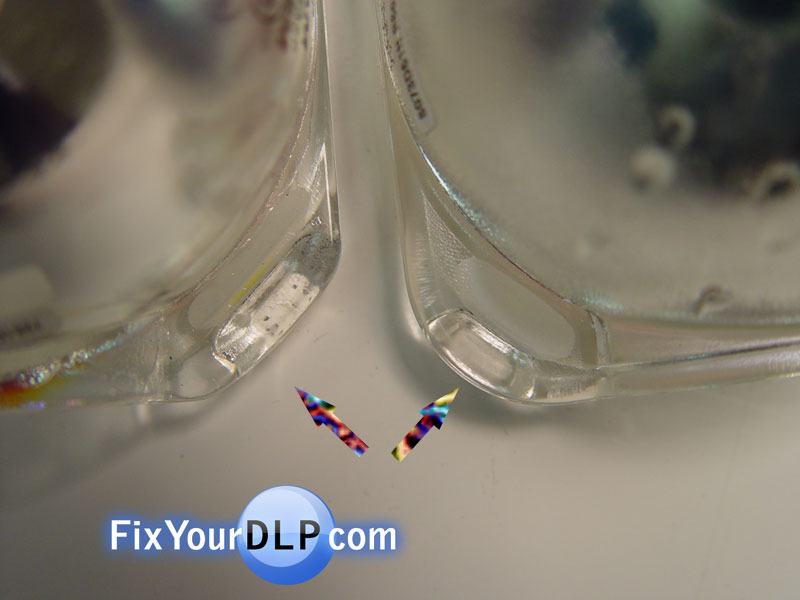
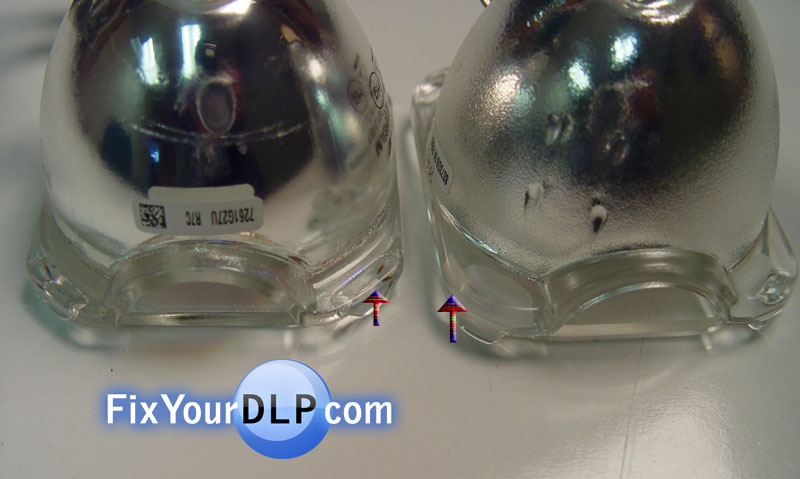
Al intentar sustituir de lampara , para el portalamparas Mitsubishi 915P061A10 me encontre que las lamparas son casi iguales , pero al tratar de instalarla no fue facil ya que en apariencia fisica asi se ven y esto fue lo que encontre:

Lampara original : la terminacion es de forma mas cuadrada en sus orillas y mas delgada en lo alto donde se fija con la base del portalamparas .

Lampara reemplazo: su terminacion es esferica y un poco mas grande y su orilla mas gruesa.

En esta serie de fotografias te muestro estas diferencias .

Mitsubishi 915P061010 Diferencia en BordesMitsubishi 915P061010 Diferencias en Altura

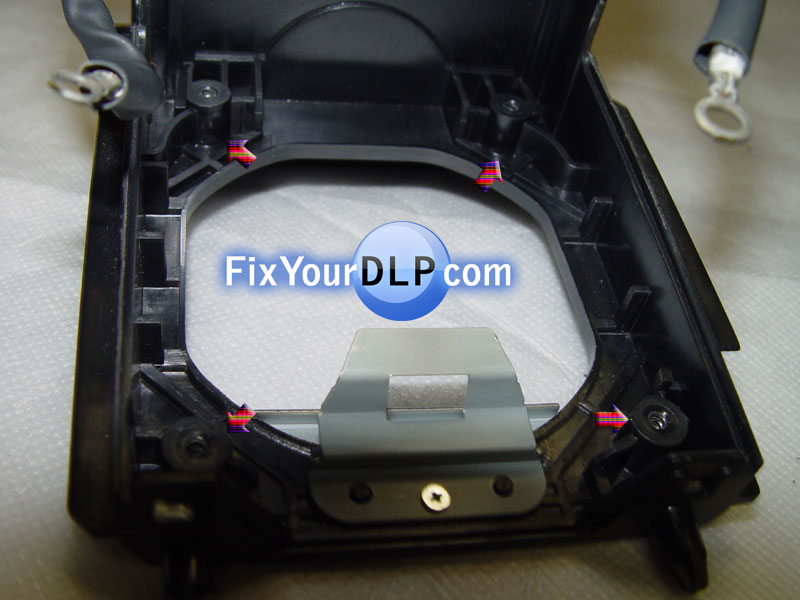
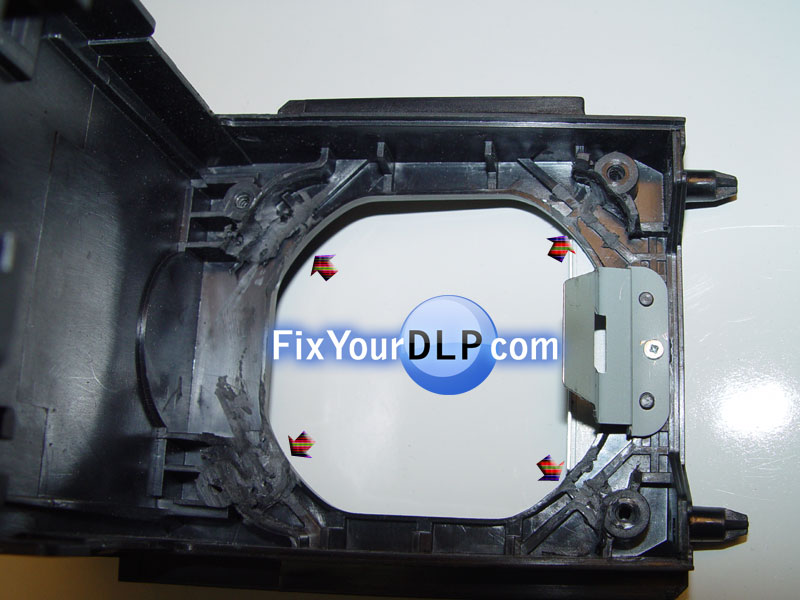
Para poder instalar la lampara me genero problemas que se solucionaron haciendo uso del Dremmel para efectuarle un rebaje en los 4 bornes internos y poner tornillos del mismo grueso pero mas largos para poder fijarla la lampra en su sitio.

Mitsubishi 915P061010 Base Portalampara Sin RebajeMitsubishi 915P061010 Base Portalampara RebajadoMitsubishi 915P061010 Portalamprasa Rearmado

Mitsubishi 915P061010

Finalmente quedo solucionado el problema , pero considerando que este no es un trabajo facil me contacte con la gente de DM para ve si ellos tenian un Portalamparas para este tipo de lampara y su repuesta fue bastante alagadora ya que estan por sacar al mercado un portalamparas equivalente para esta lampara e instarla sin ningun trabajo extra , asi que estaremos pendientes.

This mini-guide should enable you to view and reset your TV lamp hour counter.  It’s always a good idea to reset this counter when changing lamps.

Make sure the TV is on and:
1) Press and hold the Menu button on your TV SET
2) Press and hold the Menu button on your REMOTE CONTROL (at the same time)
3) Continue holding BOTH buttons down for 5 seconds or until the Service Menu pops up
4) Release the MENU button from your REMOTE CONTROL, then release the MENU button from the TV Set.
5) Press and hold ENTER (or OK) on the TV Set, then:
6) Press and hold MUTE on the REMOTE CONTROL (while still holding down the ENTER button on the TV SET
7) Holding both buttons down should lead to the Lamp Life Hours screen to pop up.
8) Release the MUTE button the REMOTE CONTROL, then release the ENTER (or OK) button on the TV Set.
9) Come back to this blog and post your HOURS on our site 😉
10) Now press SELECT, then SELECT again to confirm the reset of the counter

** If the procedure above does not work swap steps 5 & 6.

** For a few special models (including 44SZ8D), you might have to change step 5 to:
5a) Press Enter on the TV Set to enter the Position Adjustment Screen
5b) Press and hold Enter on the TV Set (the TV should go back to the main Service Menu, continue holding Enter) and now also hold down the MUTE button on your REMOTE CONTROL.  After about 5 seconds, your Lamp Life Counter should pop up.

Tagged with: , , ,

TV DLP SAMSUNG HL-T576S

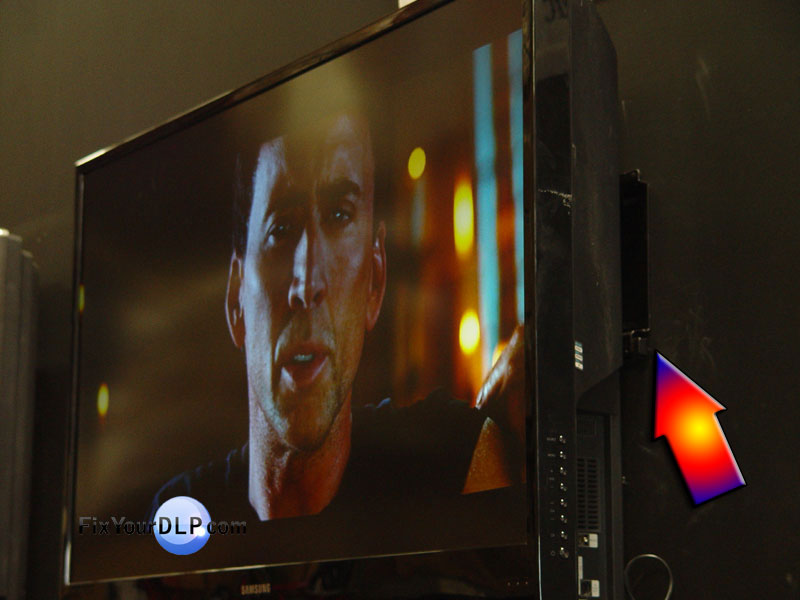
COLGADA EN LA PARED????

SI!!! EN EFECTO ASI ES , OTRA VEZ SAMSUNG HL-T576S , (utiliza el portalamparas BP96-01795A ) ROMPE CON LO TRADICIONAL Y VA MAS HAYA QUE LOS DEMAS , MIRALA COLGADA

ADEMAS TE OFRECE LO MAS AVANZADO EN LA TECNOLOGIA DE PROYECCION (DLP) CHECA ESTOS DATOS:

  • 50″ UltraSlim DLP HDTV
  • 1920 x 1080-pixel resolution; 10,000:1 Contrast ratio
  • 45.5″(W) x 30.4″(H) x 12.3″(D) 62.4 Lbs.
  • Connections: 3 HDMI, 2 S-Video, 2 Composite, 2 Component Video Input, 2 RF input, 1 DVI Audio input, 1 Video Out, 1 USB, 1 PC in (mini jack)
  • Two stereo speakers, 10 watts apiece (20 watts total); SRS TruSurround XT virtual surround
  • Portalamparas BP96-01795A (P132W)
  • Lampara , foco y/o Bulbo de proyeccion Philips UHP 132-120w 1.0
  • Control Remoto

Samsung es el líder mundial en crear sistemas de proyeccion ligeros que combinan la tecnología del DLP HDTV de Texas Instruments. En el sistema de proyeccion ultradegado de cine , Samsung reúne la óptica de alta tecnologia para crear unas imagenes brillantes que son más realistas y mucho más cercanas a una película. Ahora en su sexto año de la evolución, el sistema de proyeccion ultradegado de cine de Samsung entrega la alta resolución de la definición 1080p con alto contraste y brillo, con bordes bien definidos y detalles agudos.

Samsung emplea un chip desarrollado por Texas Instruments(MR) llamado DMD (Digital Mirror Dispositive >>inventado por Larry Hornbeck de Texas Instrument) Dispositivo de Espejos Digitales. (Datos tomados de su link: DMD TEXAS INSTRUMENTS“en Ingles” por si quieres mayor informacion sobre este tema)

Este Chip contiene millones de microespejos que se swichean en un promedio de 15,000 veces por segundo , produciendo una imagen bien definida y libre de defectos , sobre todo en imagenes en movimiento donde ud. Notara esta mejora con colores mas profundos y vivos que son los mas proximos a una pelicula.

la velocidad de la conmutación de 16 microsegundos elimina virtualmente la falta de definición en movimiento ;En el modo de juego se optimiza con esta tecnologia , así que los jugadores se maravillarán con una acción mas realista. Los puertos digitales estan llenos de connectividad.

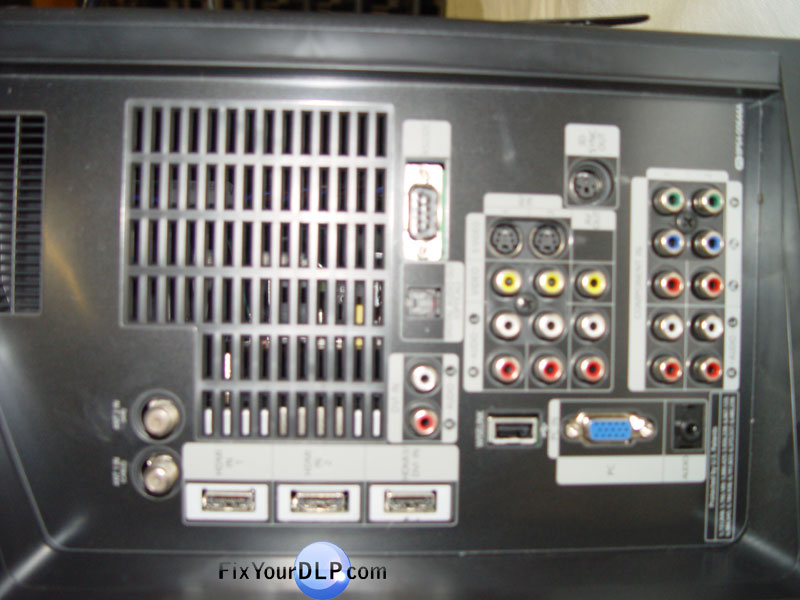
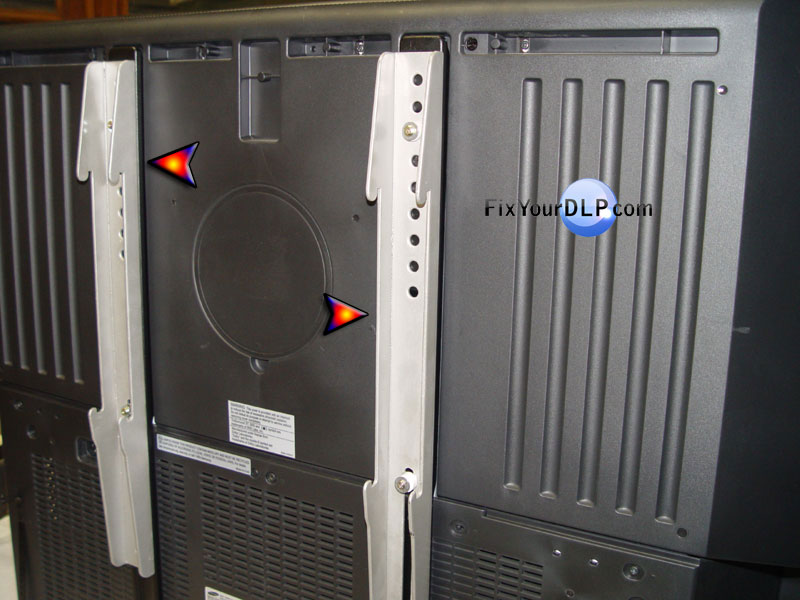
Aqui te muestro unas imagenes de la parte posterior de este TV DLPSAMSUNG HL-T576S sin los soportes , asi la utilizaras sobre un mueble , pero si la quieres en la pared , deberas ponerle los soportes para colgarla y……….. !!! mirala en tu pared favorita.

Los puertos HDMI , permiten la mejor conectividad digital de los videojuegos y otros. Sus entradas le permiten conectar cualquiera equipo ,asi como los de ultima generacion , cajas de Cable/Satellite, DVD BLUE RAY , DVD Y OTROS MAS.
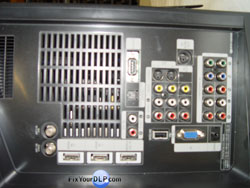
Samsung HL-T5076X Area de conecciones

SRS TruSurround Samsung HDTVs : ESTA EQUIPADO con la mejor tecnología en audio que puede ofrecerce en calidad de sonido. Incluso al ver difusiones regulares, los altavoces de Samsung no se ven pero se sienten , como si se haya traído el teatro adentro y en vivo.

Si buscas el foco , bulbo y/o lampara de proyeccion Philips UHP 132-120w 1.0 aqui encontre los mejores precios.

http://www.discount-merchant.com/Samsung-Lamp-Code-BP96-01795A-Replacement-DLP-Lamp-p/samsung-bp96-01795a_lamp_oem.htm

Si necesitas el portalamparas BP96-01795A completo ;

http://www.discount-merchant.com/Samsung-BP96-01795A-Lamp-Enclosure-p/samsung-bp96-01795a_lamp_enc.htm

Checa esta empresa no solo tiene la lampara BP96-01795A , tiene mas lamparas y partes . Tambien tienen servicio de envio directo de Lamparas y partes a tu domicilo y en todas las ciudades del mundo.

http://www.discount-merchant.com/

 

Mitsubishi 915P043010 v.2

MITSUBISHI

915P043010


Si solo requieres comprar la lampara para este portalamparas visita DM

Lampara Philips P22 UHP132 / 120w 1.0
uhp132120W

uhp1321120.1

132/120w1

120/132w 1.0

uhp120/132w 1.0

120132w1.

1201321

P22 132-120W 1.0

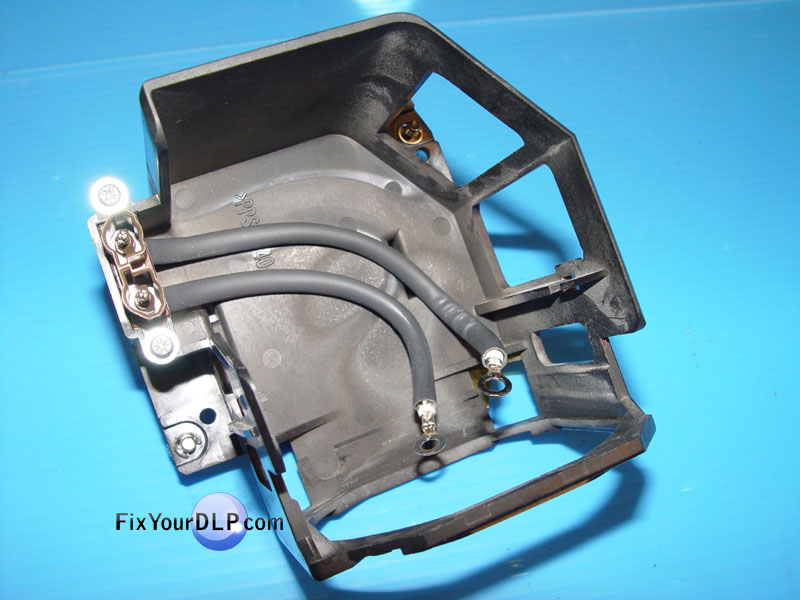
Portalamparas >PPS-GF-40<


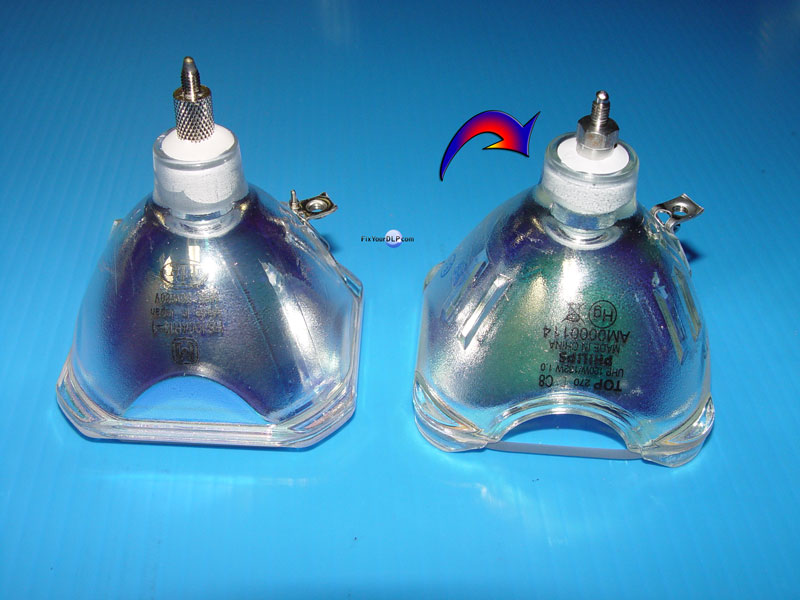
Reemplazo de lampara o foco original , por un Philips UHP 132/120 w 1.0 de Nueva Generacion


Comentario: La intencion de la presente guia es solo mostrarles que facil es reemplazar la lampara

Ud.requiere para este reemplazo : pinzas de punta , desarmador Philips (de cruz) y desarmador chico plano.

Apoyo visual mediante la siguiente secuencia de fotografias , si desea agrandarlas , dar click sobre la fotografia deseada.

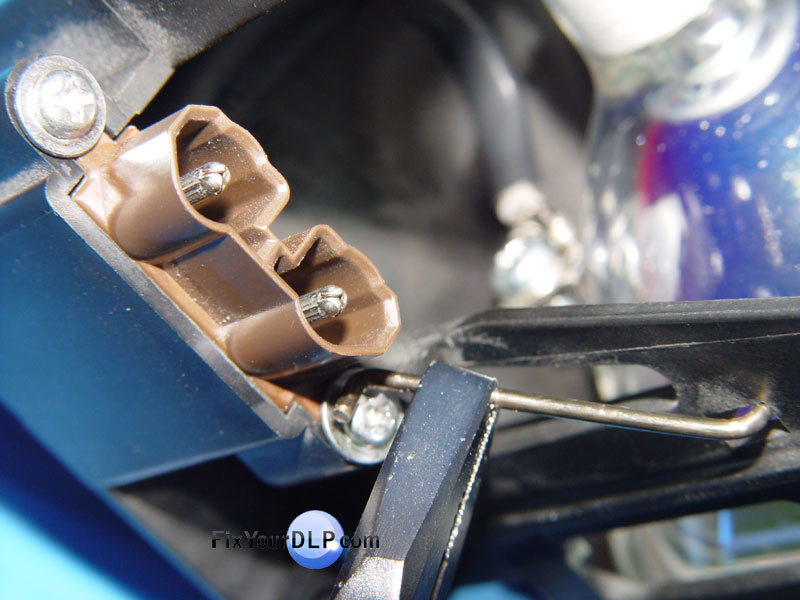
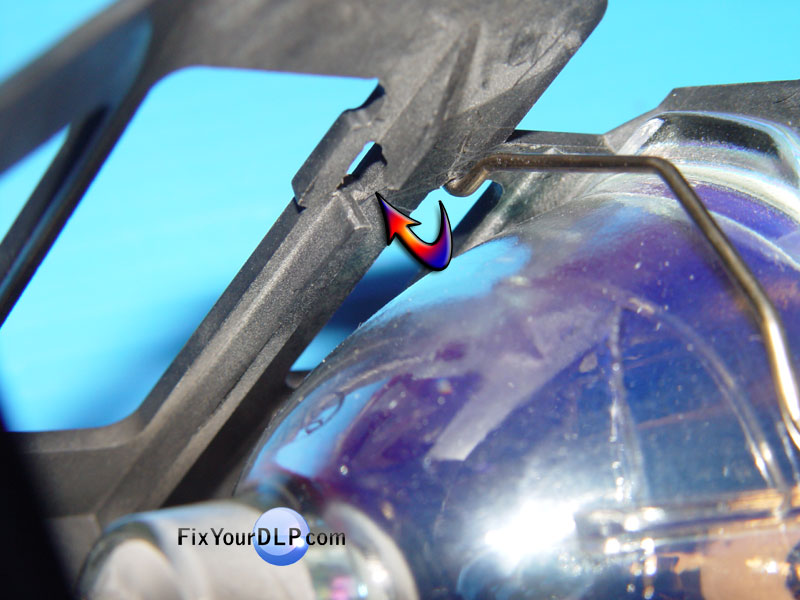
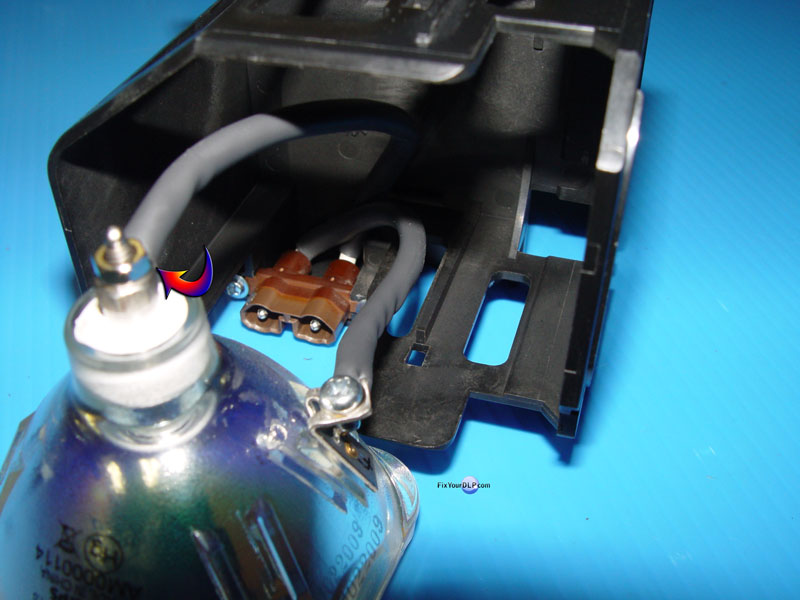
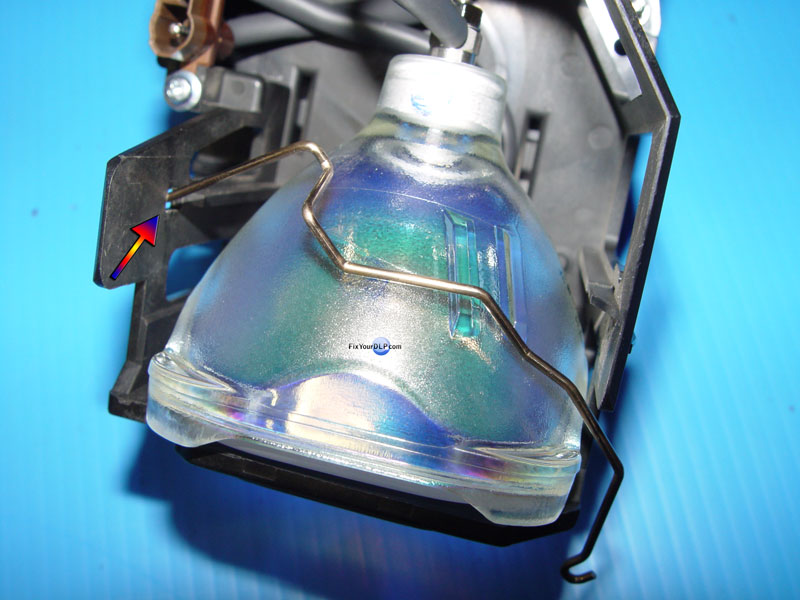
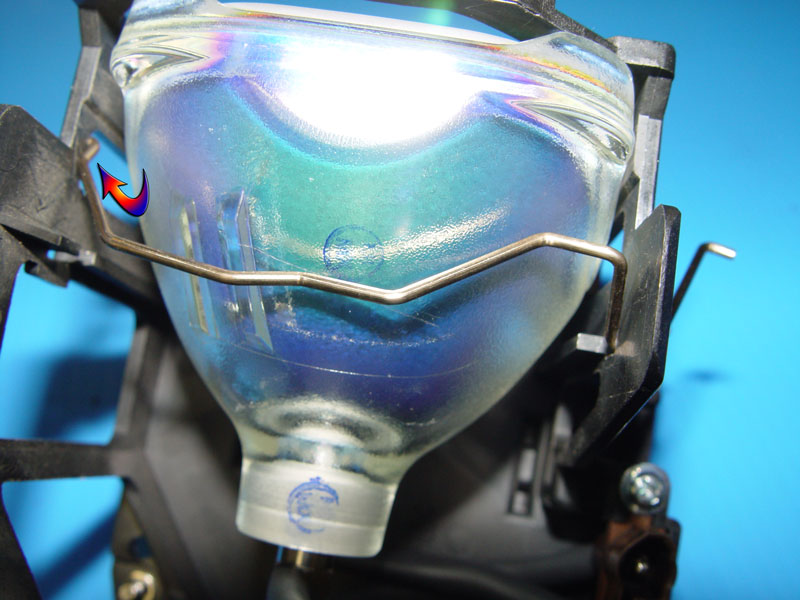
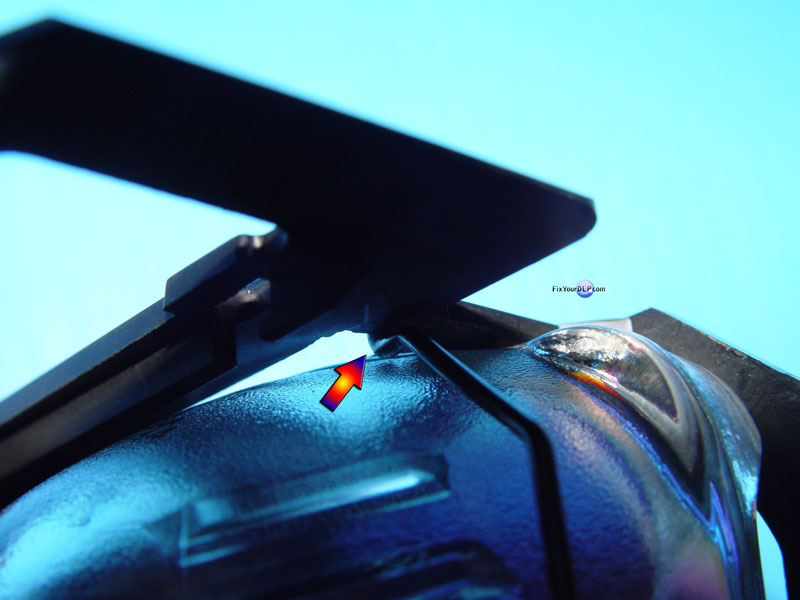
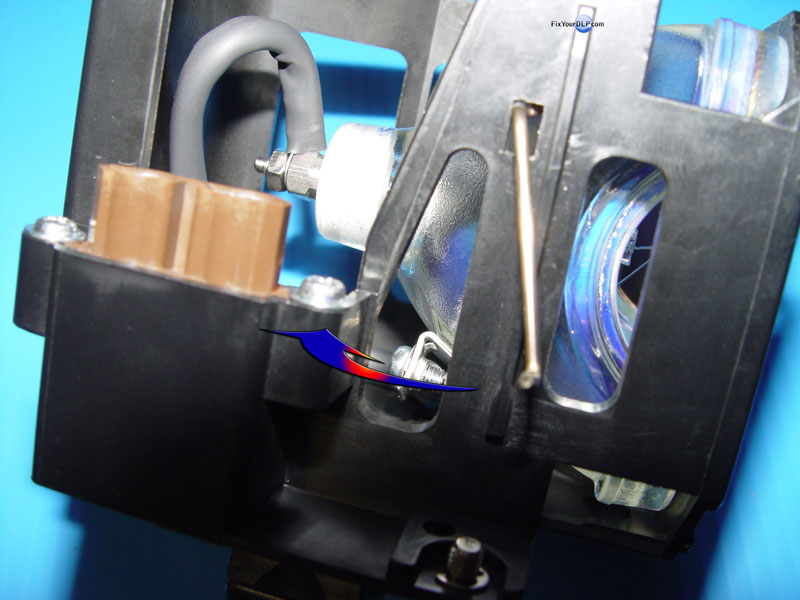
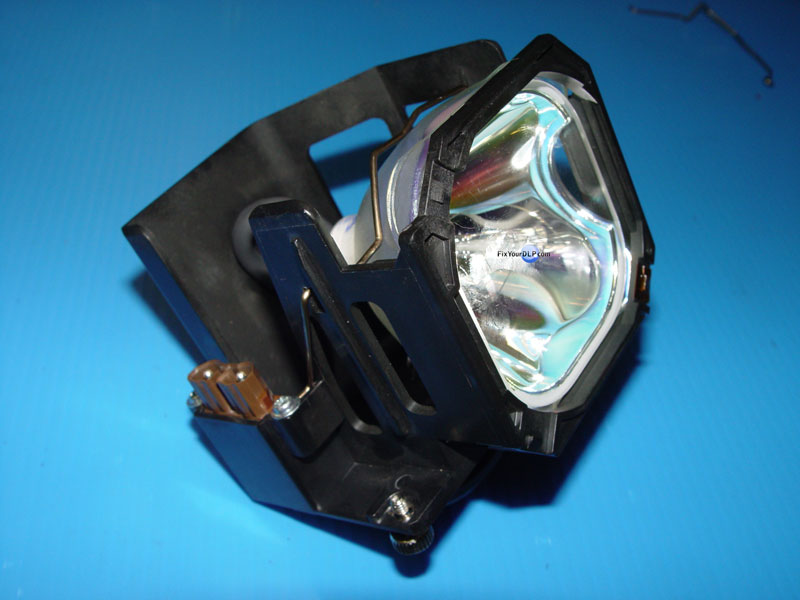
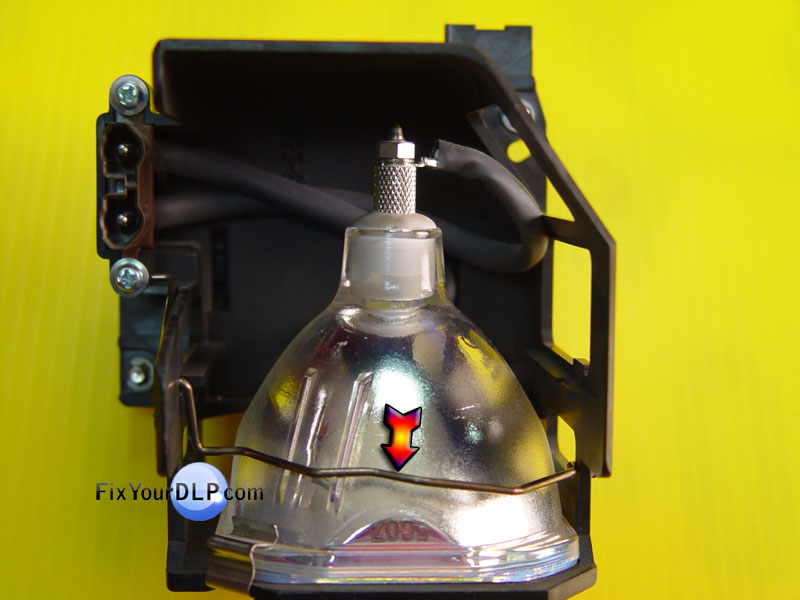
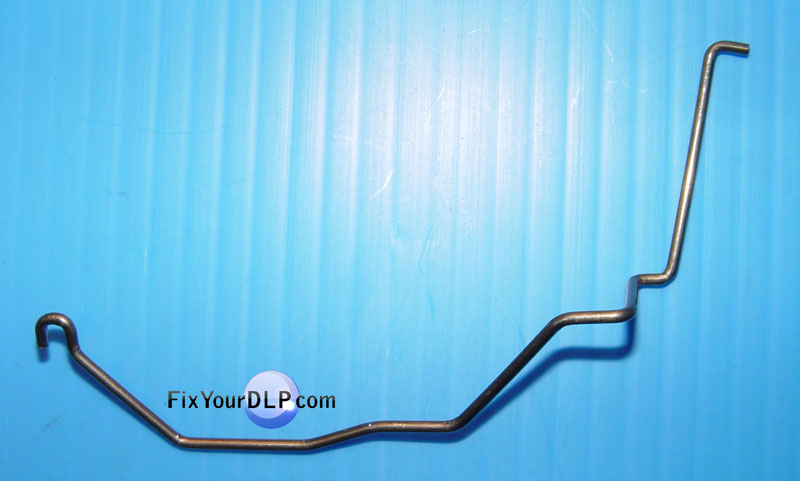
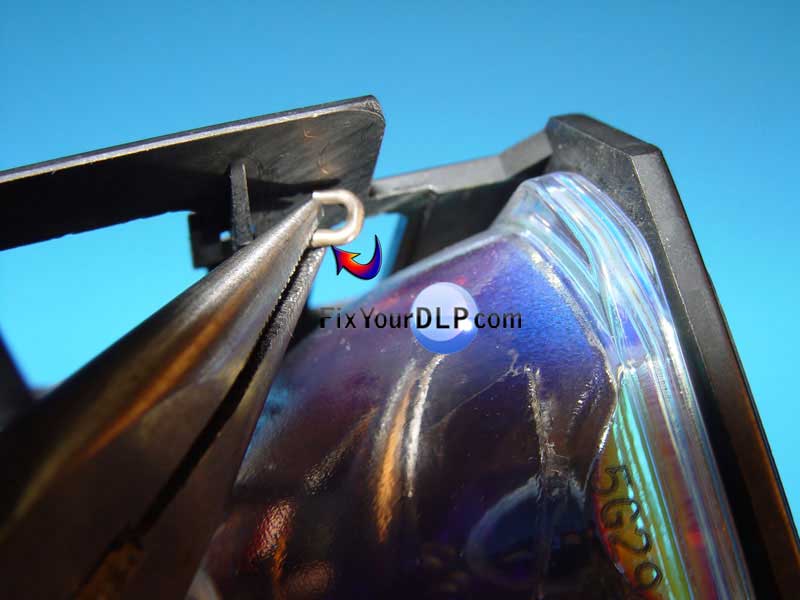
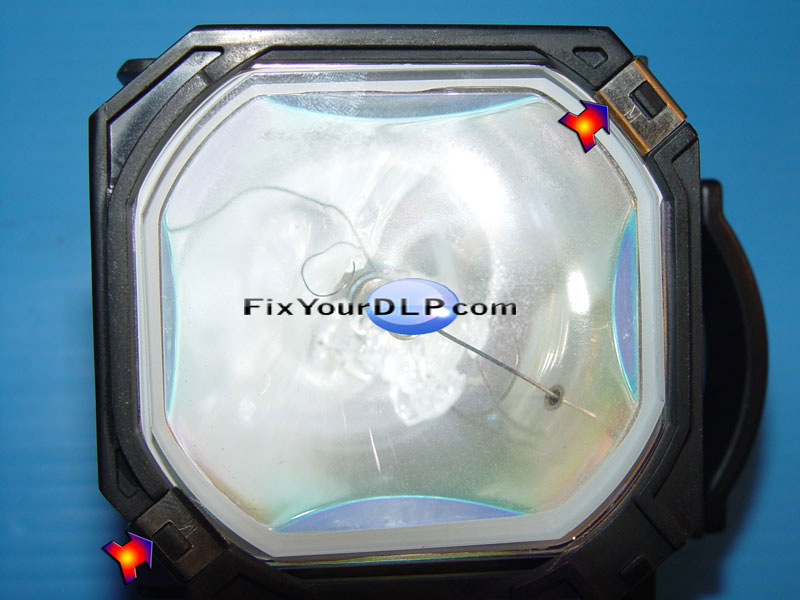
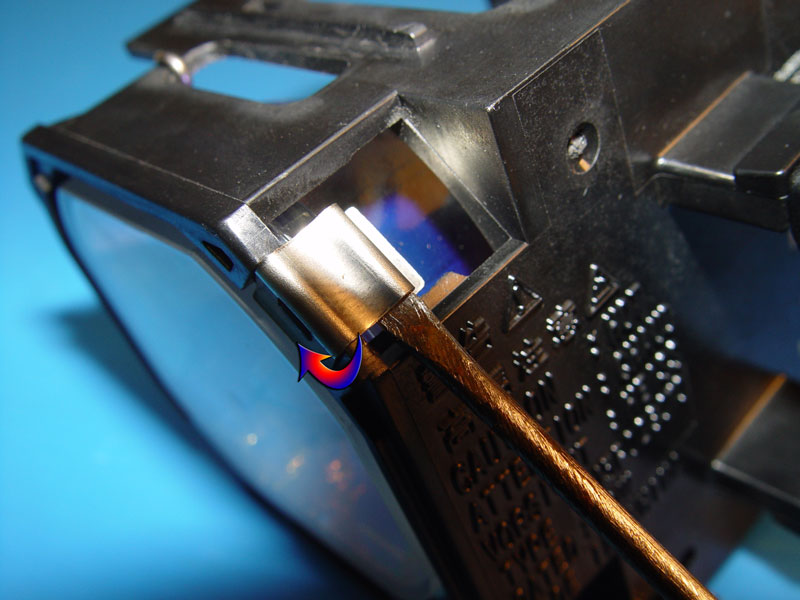
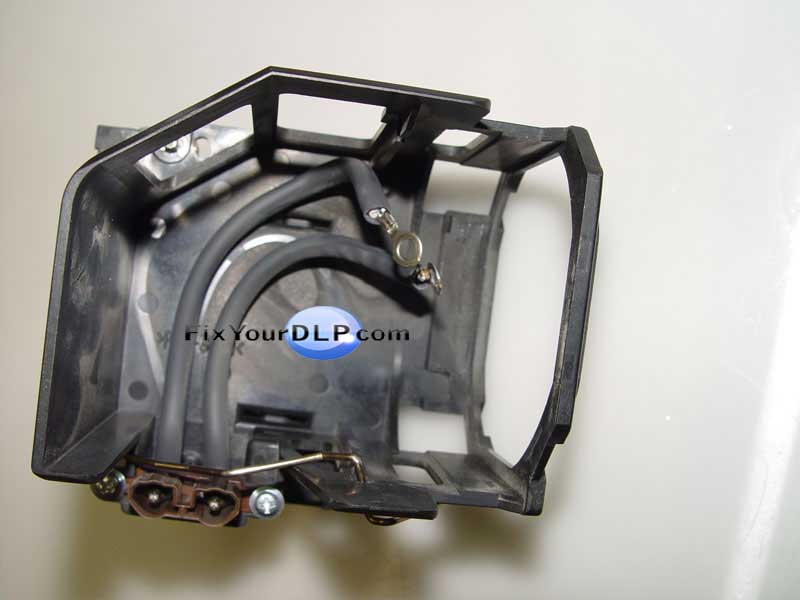
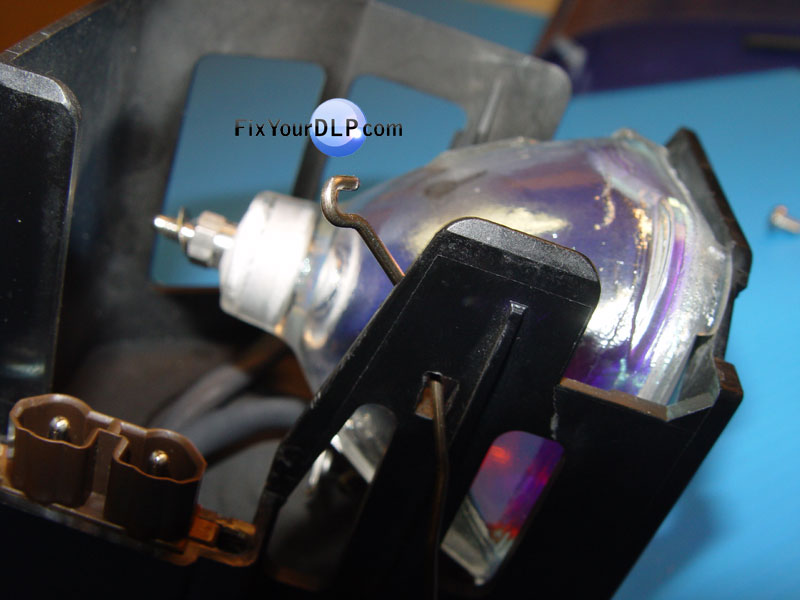
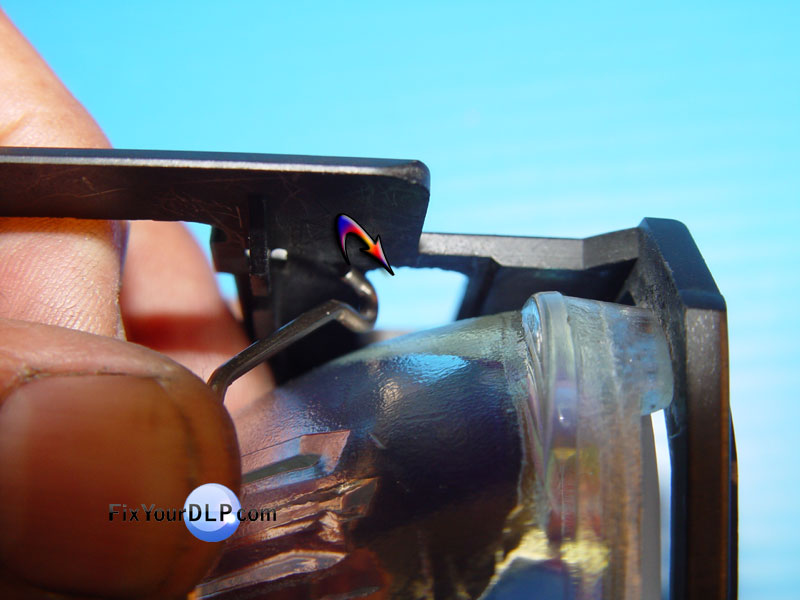
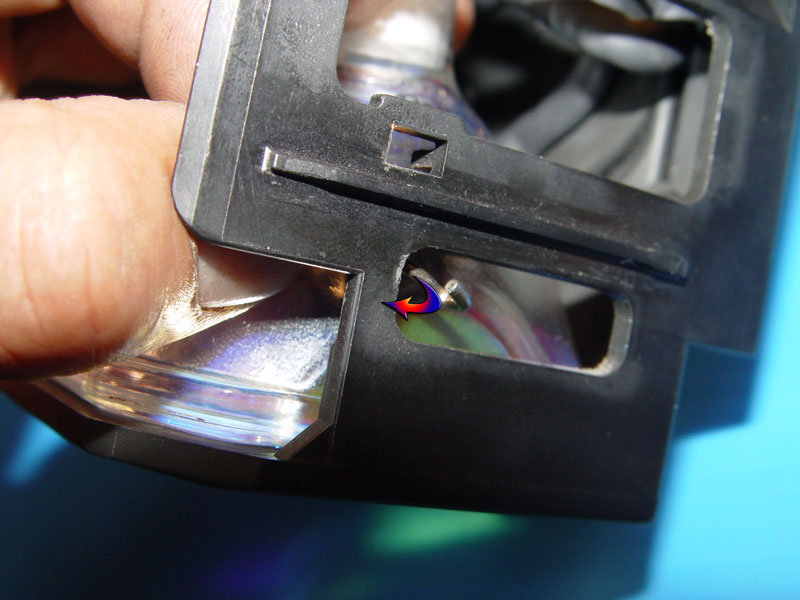
1.-) Retirar con las pinzas de punta , el extremo del seguro de acero fija-lampara o foco, sacandolo de su cavidad , enseguida en el otro extremo del seguro de acero , sacar el gancho de la cavidad para poder retirarlo.

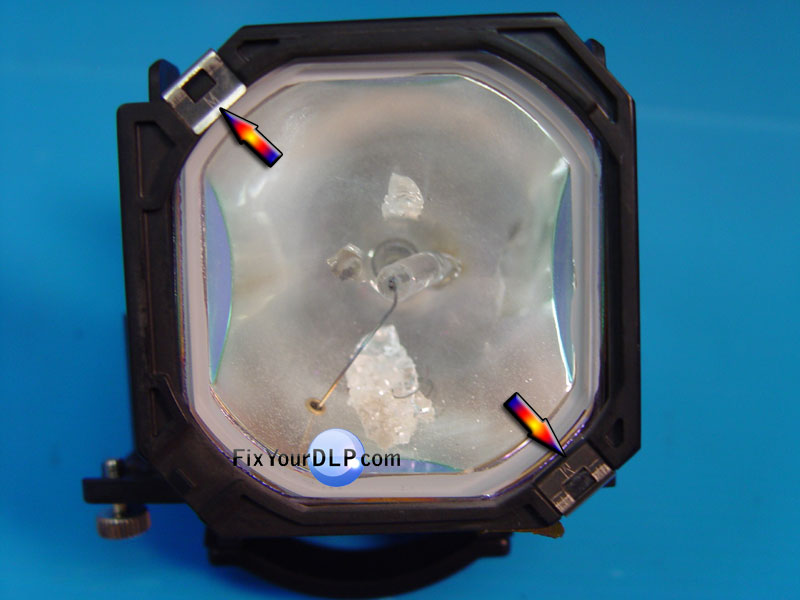
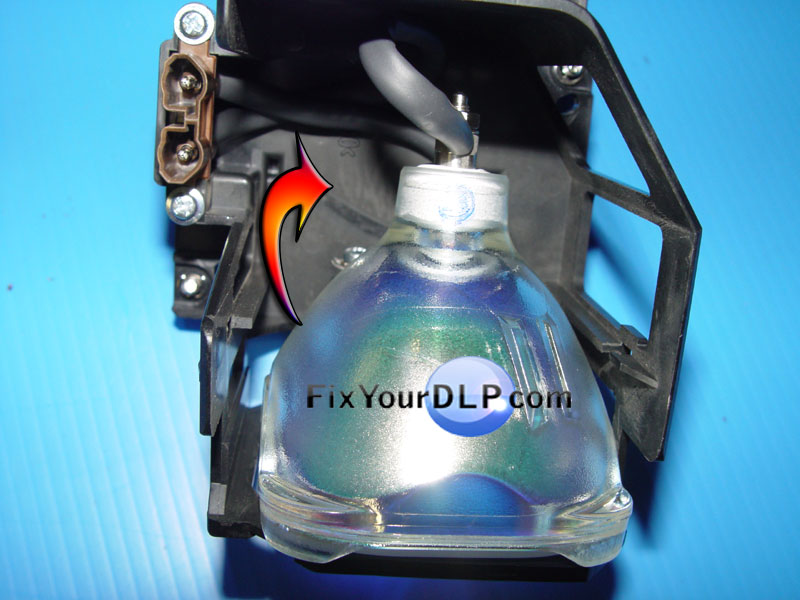
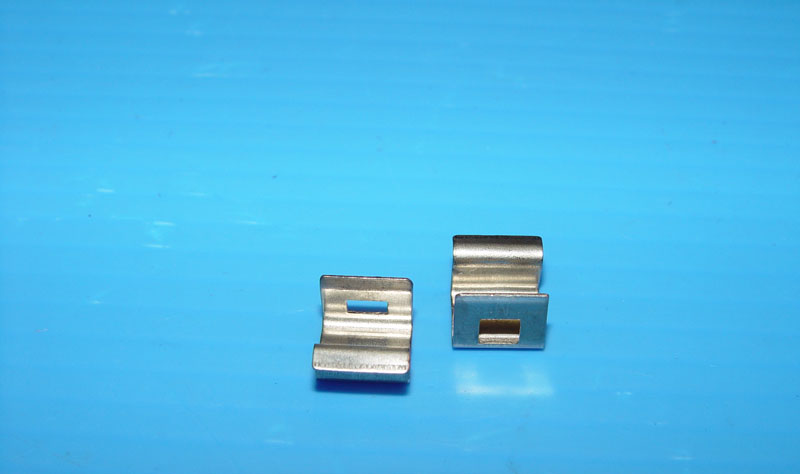
2.-) Quitar los (2) clips-sujetadores del portalamparas empujandolos con el desarmador chico plano.

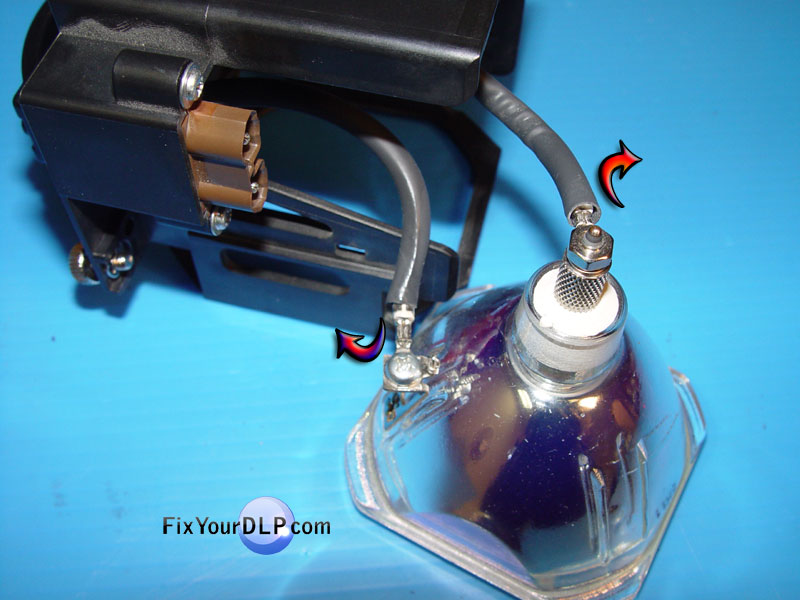
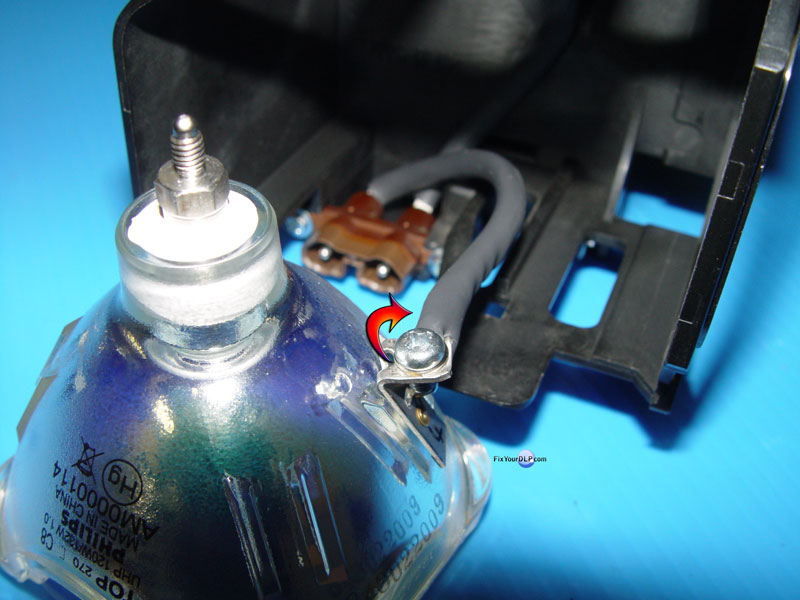
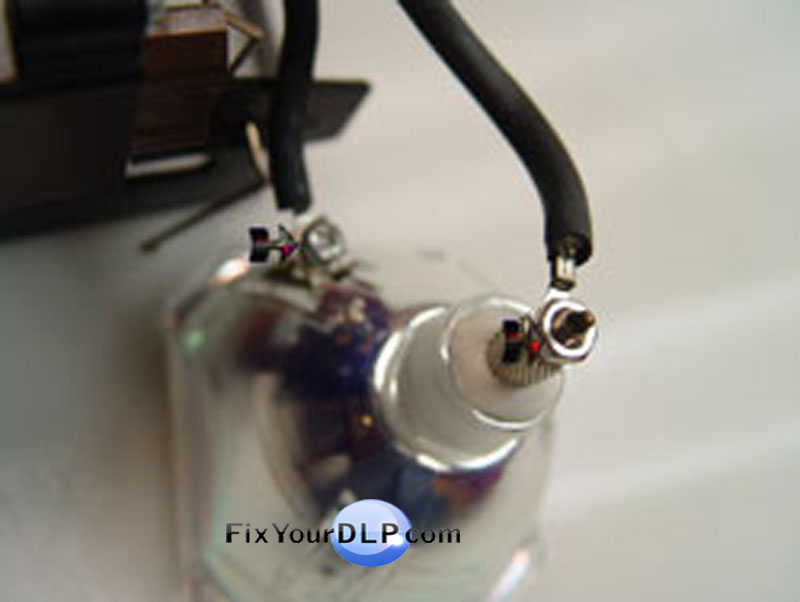
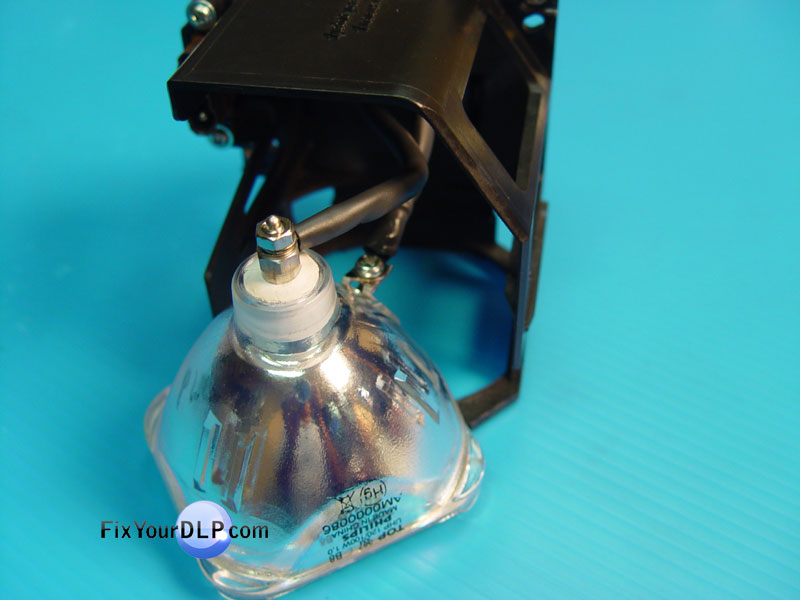
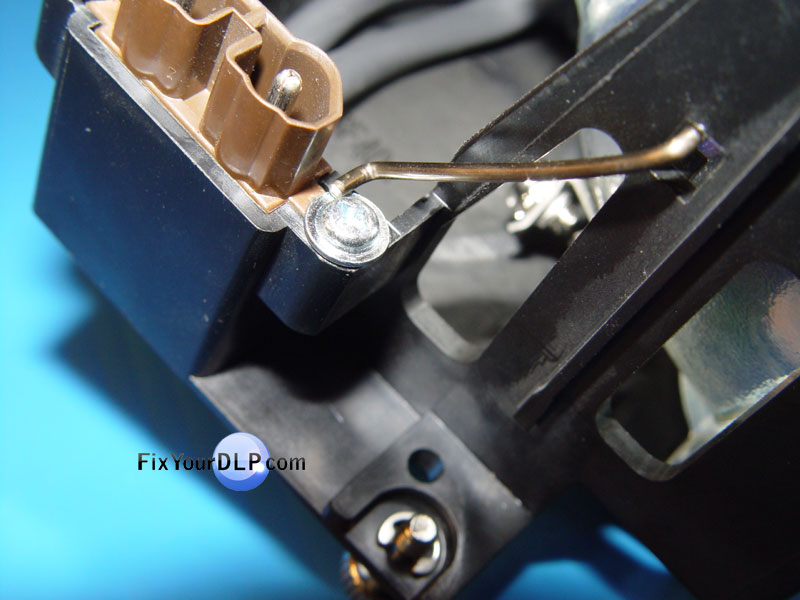
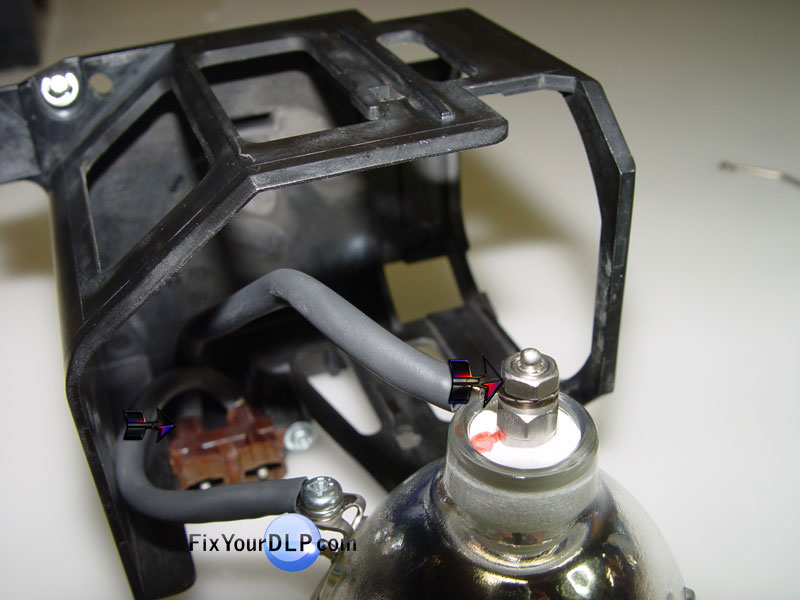
3.-) Quitar el tornillo y tuerca de los bornes de la lampara, para desconectar los cables.

4.-) Conectar nuevamente los cables en los bornes de su nueva lampara Philips uhp132/120 w 1.0 conectando primero el cable corto, despues el cable largo y apretando firmenente el tornillo y tuerca.

.

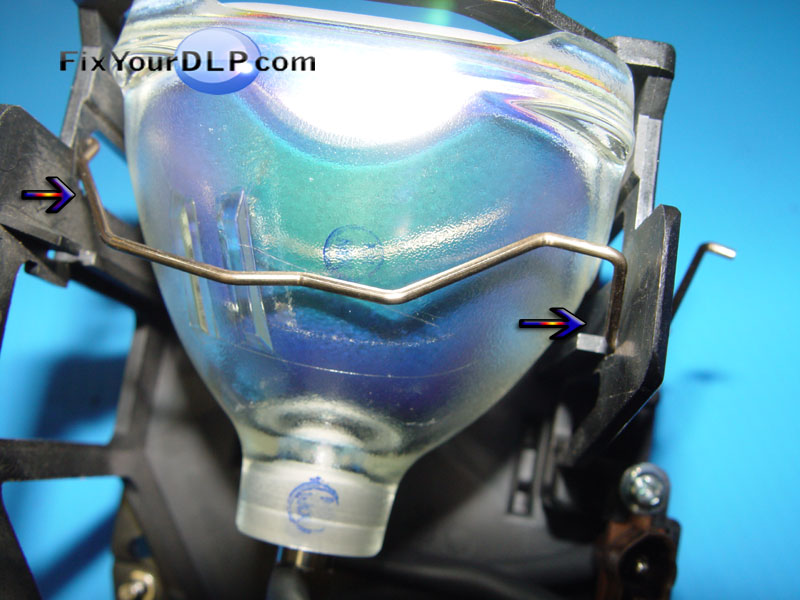
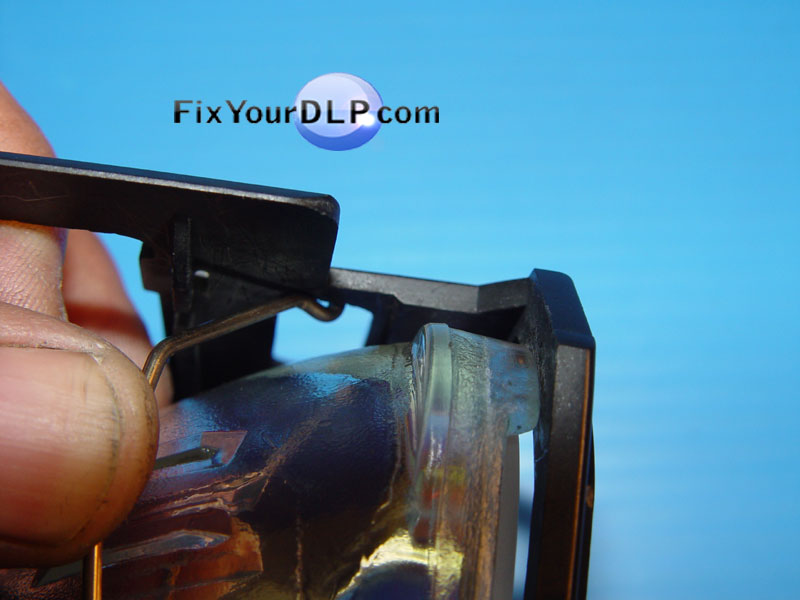
A.-) Poner su foco y/o lampara nueva Philips uhp132/120w 1.0 dentro del Portalamparas PPS-GF-40 y enseguida pasar el clip fija-lampara entre la cabidad correspondiente,siguiendo la secuencia de fotos a fin de fijar correctamente el Seguro de Acero.

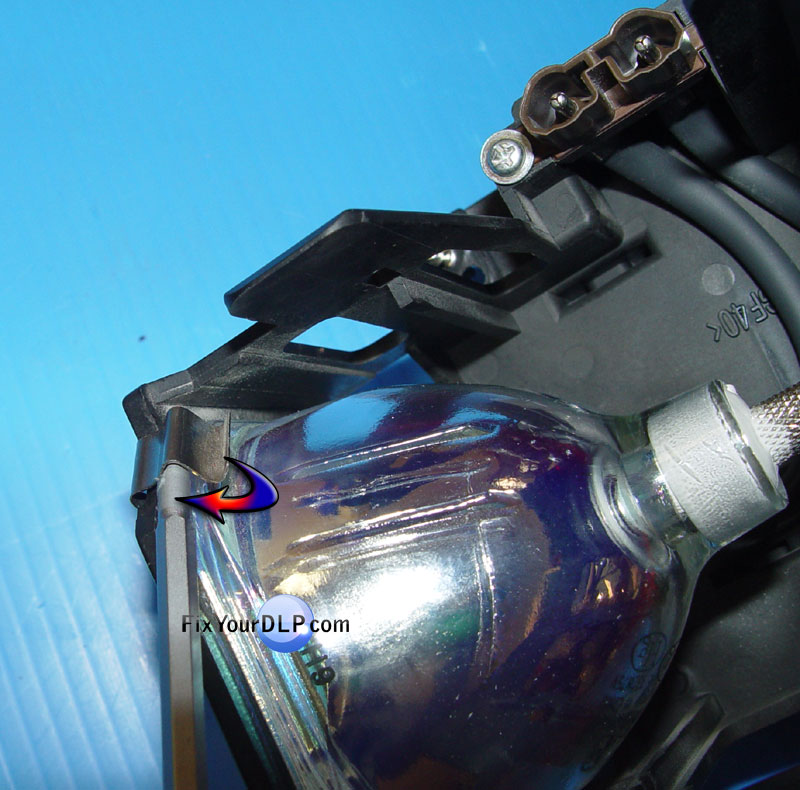
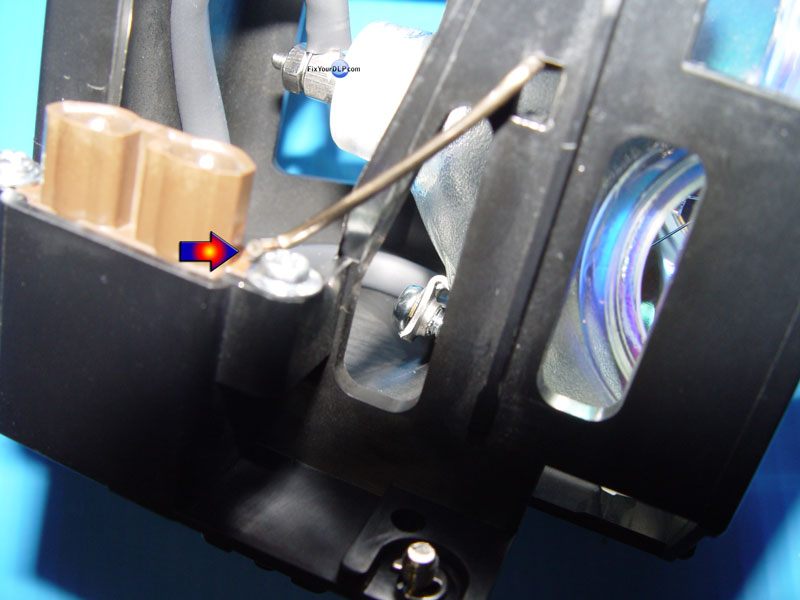
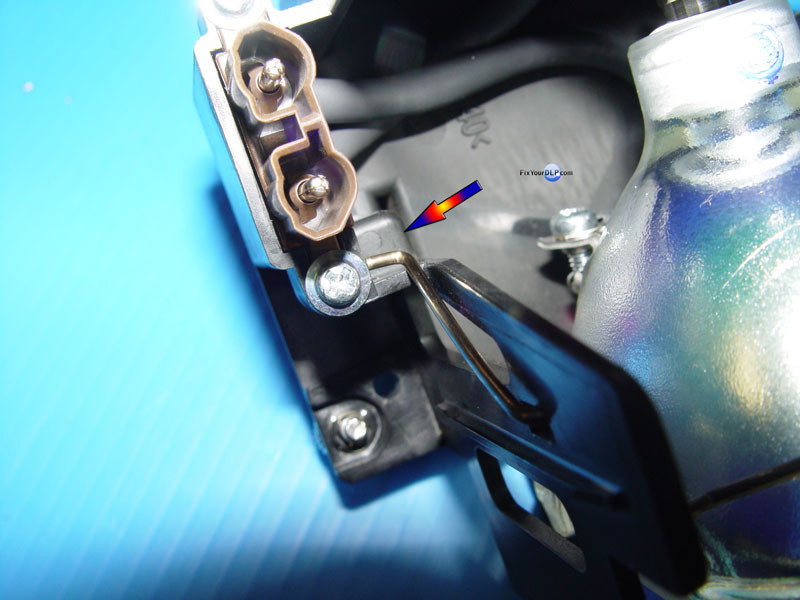
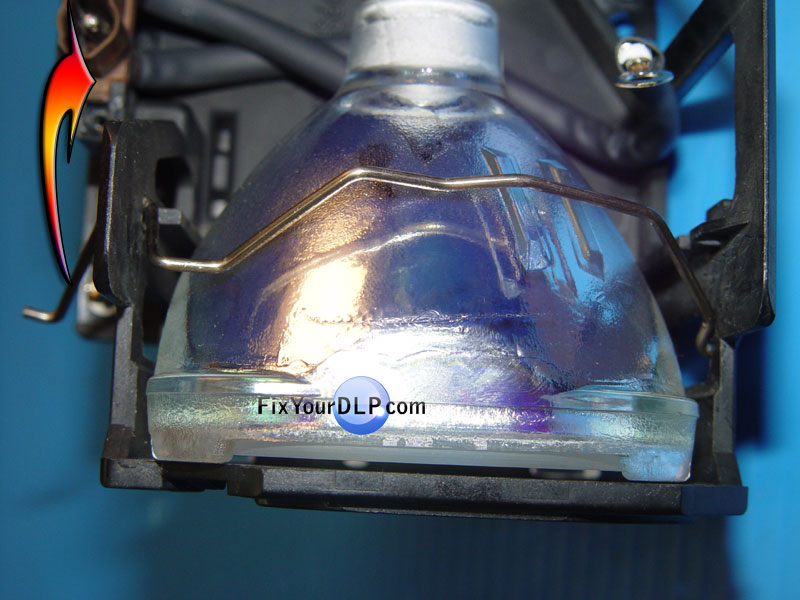
B.-) Con el gancho en su posicion enseguida pasaremos a fijar el otro extremo del seguro de acero fija-lampara , empujando el extremo del seguro pasandolo sobre el tornillo y este a su vez tomara su posicion final debajo del tornillo y en su cabidad .

C.-) Con este cambio de lampara nueva Philips uhp132/120w 1.0 como notara , ya no utilizaremos los clips sujeta-lampara , quedando lista y rearmada nuevamente.

Mitsubishi 915P043010

Si necesitas comprar la lampara o foco o el portalamparas completo visita DM

Si necesitas otras partes para tu Mitsubishi visita Discount-Merchant

Si requieres partes , lamparas, portalamparas y todo lo relacionado con tu TV-DLP visita Discount-Merchant


MITSUBISHI 915P028010

MITSUBISHI

915P028010


Si unicamente andas buscando la lampara para el Portalamparas 915P028010 visita Discount Merchant


Lampara , foco , bulbo Philips UHP 120 / 100 w 1.0 P22

uhp120100 1.0

uhp120100w 1

120/100w1.0

uhp120/100w 1.0

P22 120100 w 1.0

120-100w 1.0

Portalamparas >PPS-GF-40<


Reemplazo de lampara o foco original , por un Philips UHP 120 / 100 w 1.0 de Nueva Generacion


Comentario: La intencionalidad del presente , es demostar cuan facil resulta el reemplazo de la lampara dañada

Ud.requiere para este reemplazo : pinzas de punta, desarmador Philips (de cruz) y desarmador chico plano.

1.-) Retirar con las pinzas de punta , el seguro de acero fija-lampara o foco, sacando de su cavidad el gancho del seguro de acero fija-lampara , para liberarlo.

2.-) Enseguida quitar los (2) clips sujetadores del portalampara empujandolos con el desarmador chico plano

3.-) Quitar el tornillo y tuerca de los bornes de la lampara, para liberar los cables de esta .

REARMADO

A.- )Poner en los bornes de coneccion de la lampara o foco nuevo, sus cables , conectando primero el cable corto, enseguida el cable largo y apretando firmente su tuerca , introducir su lampara nueva Philips UHP 120 / 100 w 1.0 dentro del Portalamparas PPS-GF-40

B.-) Enseguida pasar el seguro de acero fija-lampara entre la cabidad correspondiente, inclinandolo un poco a fin de insertar su gancho en la cabidad siguiendo la secuencia de fotos

C.-) Con el gancho en su posicion enseguida pasaremos a fijar el otro extremo del seguro de acero fija-lampara ,empujando el extremo del seguro pasandolo sobre el tornillo y este a su vez tomara su posicion final debajo del tornillo y en su cabidad .

Con este cambio de foco y/o Lampara Philips UHP 120 / 100 w 1.0 ya no utilizaremos los clips sujeta-lamparas quedando lista y rearmada nuevamente.

MITSUBISHI 915P028010 PORTALMAPARAS


Mitsubishi 915P028010

Tienes dudas o preguntas para el reemplazo de lamparas visita: http://guides.fixyourdlp.com/guides.php

Si necesitas comprar la lampara de reemplazo para este portalamparas visita Discount_Merchant

Si requieres otras refacciones o portalamparas completos vista DM ellos tienen entrega directa a tu domicilio en cualquier Pais.


SAMSUNG_Medidor de tiempo lampara

Samsung DLP TVs.

Esta es una guía rápida de referencia para mostrarle cómo reajustar el medidor o contador de horas de su Samsung DLP TVs.

Este es un consejo importante para controlar el uso y vida util de su lampara , al cambiar su lampara usada por una nueva , Ud. deberá poner el contador de Horas a "cero" (RESET)

Reajustar el contador es un procedimiento muy sencillo

Comience con la TV apagada.

Apunte su control remoto a la TV.
Presione en esta secuencia las teclas: ((Mute)) + ((1)) +(( 8)) + ((2)) + ((Power.)) MUTE 182 POWER.

<Algunas TV se podra accesar al modo de servicio con la tecla MENU 182 POWER>

Por esto, quiero decir, primero presione el botón de mute en su control remoto, luego sueltelo. Enseguida presione y suelte rápidamente los botones 1 (1), ocho (8), dos (2), luego presione el botón de Power. Debe hacer eso en secuencia muy rápidamente.

Espere un momento a que su TV se encienda nuevamente , una vez encendida le presentara en pantalla varias alternativas de menus de servicio.

Importante no acceda a ninguna , UNICAMENTE al menu de "Opcion" (OPTION)

Seleccione 8 OPTION: posicionandoce sobre esta ,mediante el cursor de su control remoto y dele "ENTER" enseguida se mostrara una pantalla con informacion sobre su lampara:

LAMP LIFE: Aqui le muestra la informacion sobre cuantas horas ha trabajado su lampara.

LAMP CLEAR: Esta es la opcion que Ud. debera modificar ……?COMO?…….. posicionece sobre LAMP CLEAR mediante el cursor de su control remoto y dele ENTER , ahi se pasa a la siguiente ventana con esta informacion: LAMP CLEAR OFF…. y con el cursor (flecha a la derecha) debera cambiar a la accion deseada , en este caso "CLEAR" , enseguida dele un ENTER Y……. !!LISTO!!……Al salir de esta accion <Menu-Enter> el sistema le mostrara informacion actualizada , en este caso "0" horas

Para regresar cualquier venta anterior , apriete la tecla MENU y esta siempre lo regresa a la accion anterior.

Para abandonar el menú de servicio, presione EXIT o simplemente apague la TV (¡recuerde no encenderla inmediatamente después!). Siempre permita a su DLP TV tiempo de enfriarse antes de encenderla otra vez. Creo que dos minutos aproximadamente son suficientes.

Join the discussion on Facebook! All your questions, answered! The Screen & Projector Group