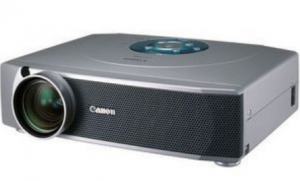
Install a replacement Canon LV-7355 projector lamp

 How to replace the Canon LV-7355 projector lamp
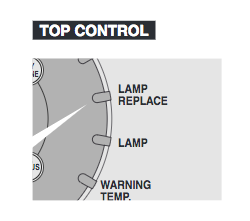 When it’s time to replace the Canon LV-7355 projector lamp the LAMP REPLACE indicator will light yellow.
Other indicators may include a faded picture or a poor coloring. Replace the lamp immediately
Invest in authentic
Be sure to always install an authentic Canon LV-7355 projector lamp. Avoid counterfeits — even if the price seems like a great deal. They will cost you more in the long run. Reasons to avoid them:
- shorter life
- no safety guards to protect your eyesight,
- are prone to explosions inside projectors
- can damageyour projector optics beyond repair
- have carcinogenic materials
Find this lamp on Amazon sold by these authorized dealers:
- CANON LV-LP11 Projector Replacement Lamp with Housing
- Projector Lamp LV-LP11 130-Watt 2000-Hrs UHP (Replacement)


Install the projector lamp
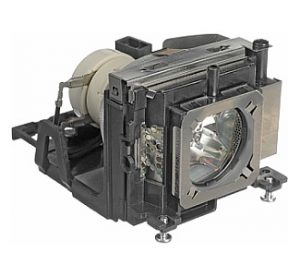
Your Canon LV-7355 projector uses the Canon LV-LP11 projector lamp.
NOTE: The Canon LV-LP11 contains mercury and should be properly recycled. Don’t throw it into regular garbage.
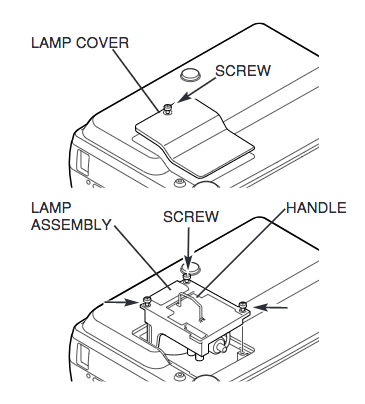
- Unplug the electrical cord on the Canon LV-7355 so there is no chance the projector could get turned on during the installation.
- The Canon LV-7355 operates under high temperatures so give it at least one hour to cool down before opening the projector to change the projector lamp.
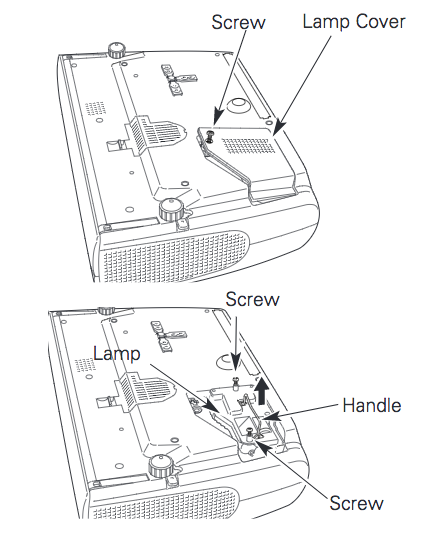
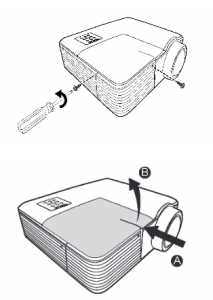
- Place on a padded surface and turn the projector upside down
- Loosen the screw holding the lamp cover in place
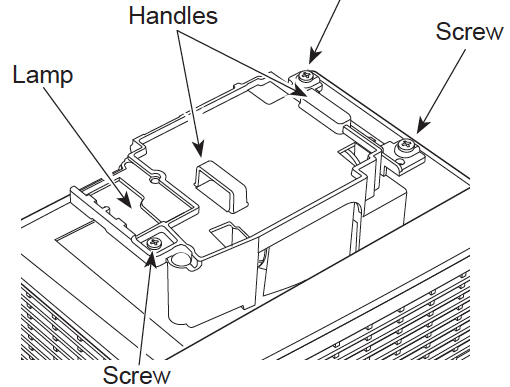
- Loosen the three screws holding the Canon LV-LP11 projector lamp cover in place.
- Using the handle pull outthe Canon LV-LP11 projector lamp assembly
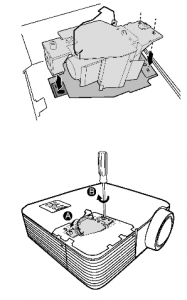
- Replace the lamp assembly with a new Canon LV-LP11 projector lamp. Be careful not to touch the actual bulb as oil from your fingers can leave black marks on the lamp. Tighten the screws on the new lamp.
- Replace the lamp cover and tighten the screw.
Resetting the lamp timer counter
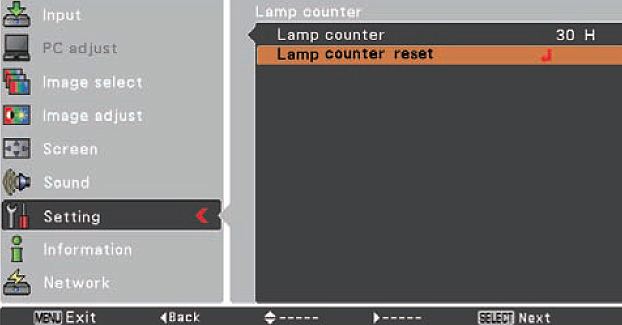
After replacing the Canon LV-7355 projector lamp, you’ll need to reset the lamp so the projector can accurately track the hours left.
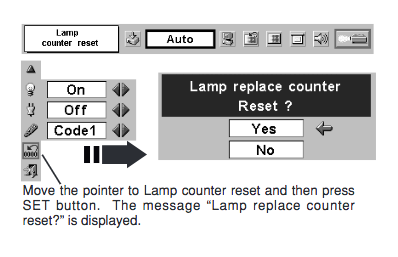
- Turn the projector on
- Press MENU button and ON-SCREEN MENU will appear.
- Press POINT LEFT/RIGHT button(s) to SETTING Menu icon
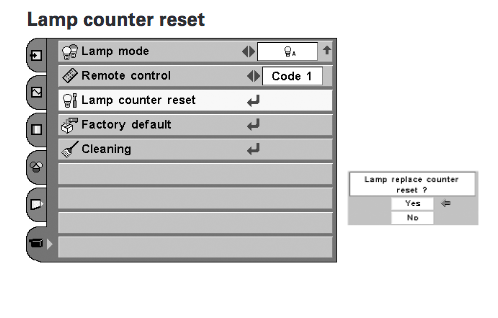
- Press POINT DOWN button to move to LAMP COUNTER RESET?
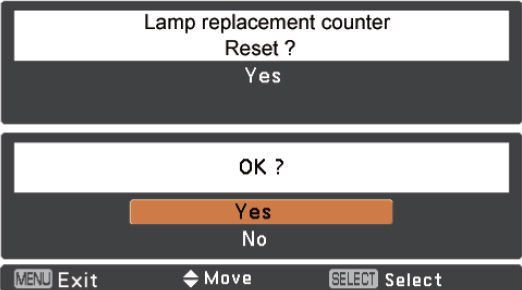
- Press SET button. The message “Lamp replace counter reset?” is displayed.
- Move the pointer to [Yes] and then press SET button.
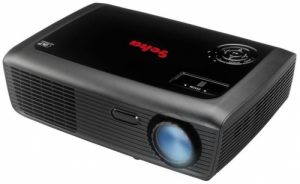 Use this guide to replace the Geha Compact 219 projector lamp


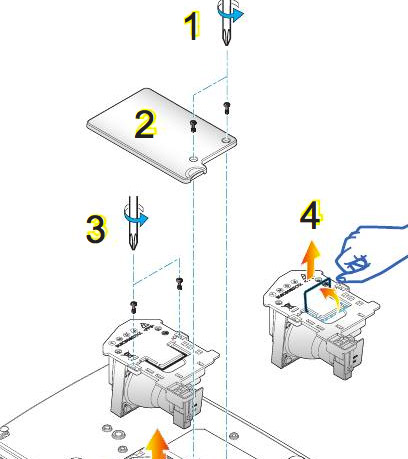
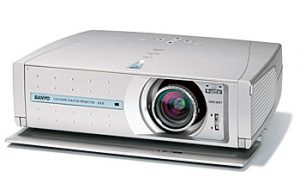 Install a new Sanyo PLV-Z1X projector lamp using our guide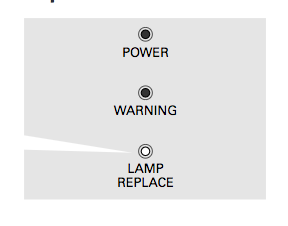
 Authentic projector lamps keep your projector working
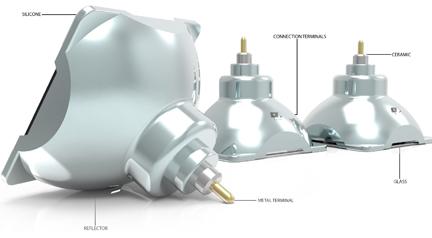
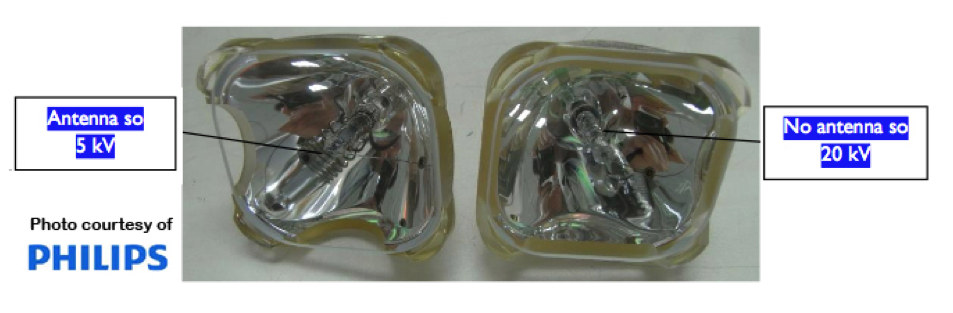 Projector lamps operate with a lamp driver with a 5kV ignition voltage. Lamps with metal antenna in the ignition chamber are 5kV lamps. Some lamps have their antenna in the front while others have the antenna in the rear. Some projectors need high ignition voltage of 20kV so have no antenna. Generic manufacturers often don’t have the specs needed to create the proper antenna for each projector lamp and instead create lamps that faulty antenna that short circuits in the projector.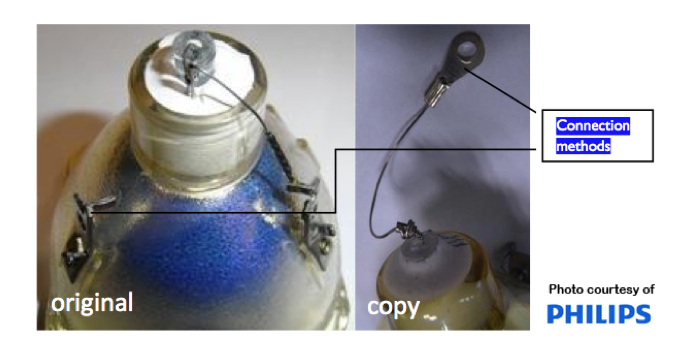
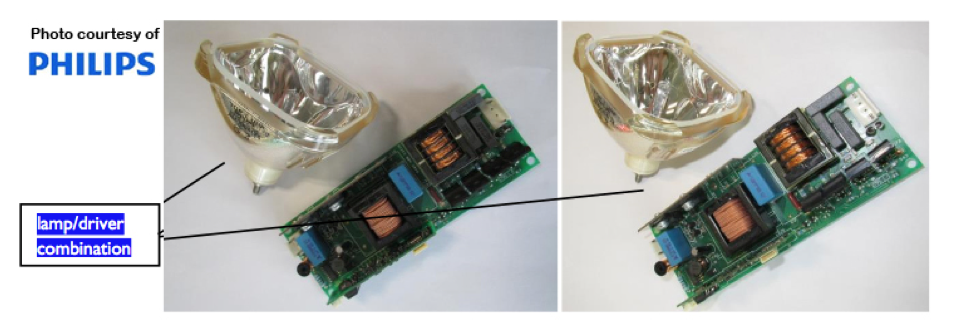 Projector lamps also work with the projector driver to bring the image to the screen. The combination of lamp and driver is unique to each projector model. Only authentic manufacturers know the specifications for each particular brands and how to use those specification to create OEM lamps. Generic lamps can never have the correct combination and installing them creates unbalanced electrical power with danger of explosions.
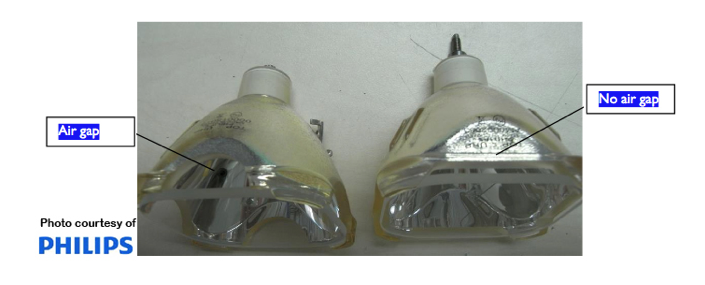
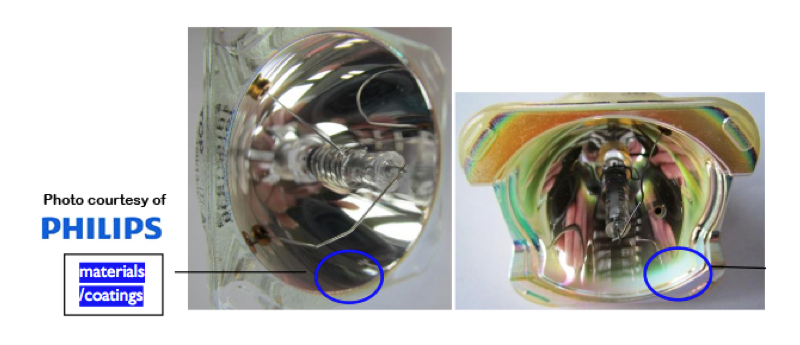
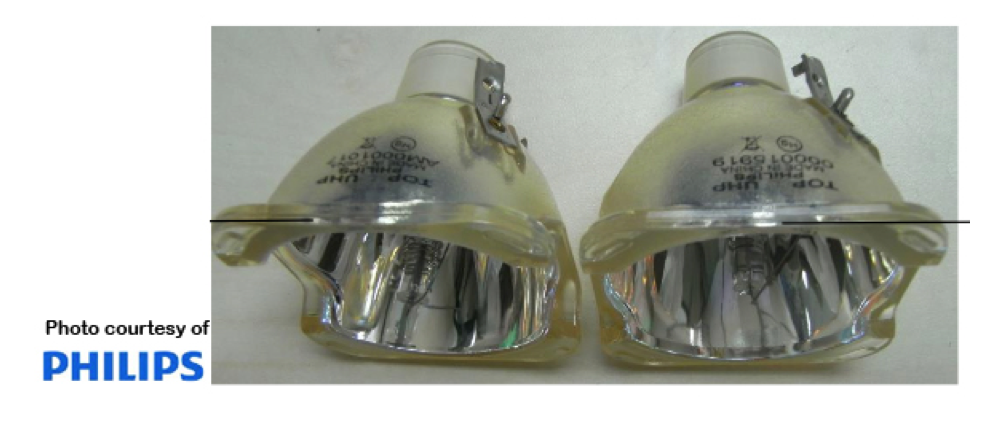 Almost all projector lamps have the same outer shape but the inner shape is dependent on the projector model. Most generics don’t have the correct specifications to create the correct inner shape. It creates a lamp with uneven light output distribution.

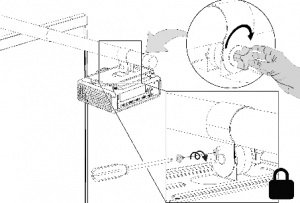
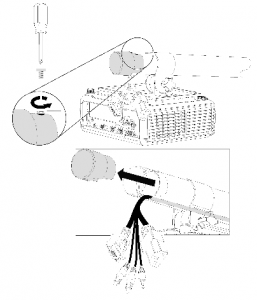 Using the screwdriver, remove the screw from the boom end cap, and then remove and set aside the boom end cap and screw.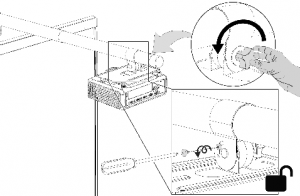
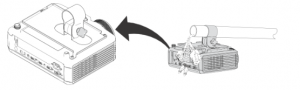 Slide the projector mounting plate and projector off of the boom.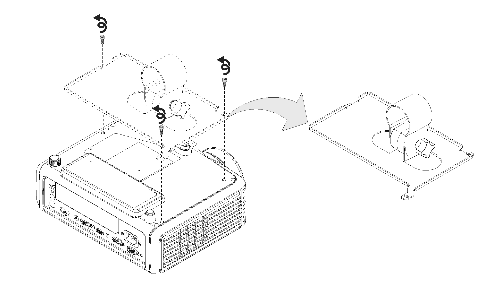
 Using the M3 hex wrench, remove the three screws connecting the projector mounting plate to the projector, and then set aside the projector mounting plate and screws.
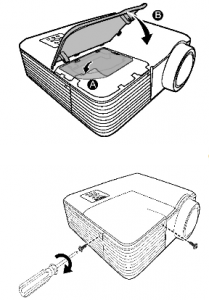
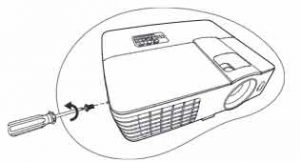
 Using the screwdriver, remove the two screws from the lamp cover.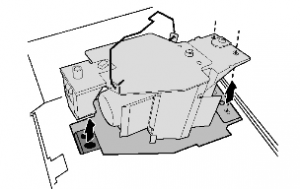
 Place the lamp protection film that came with the new lamp module over the slot.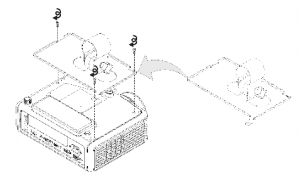
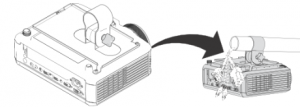
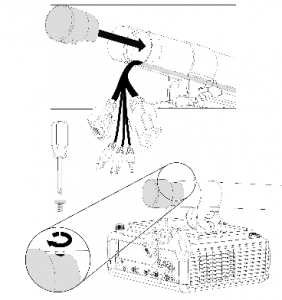 Replace the boom end cap. Connect the cables to the projector. Connect the power cable to a power outlet.
 Learn how to replace the BenQ MX710 projector lamp
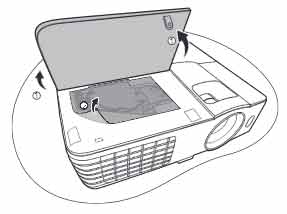
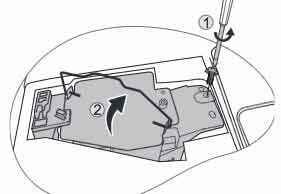
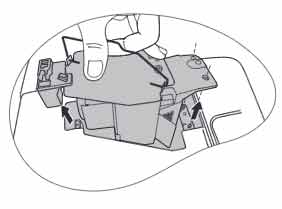
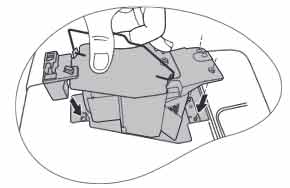 Insert the new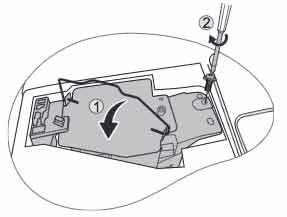
 Save time and money with authentic projector lamps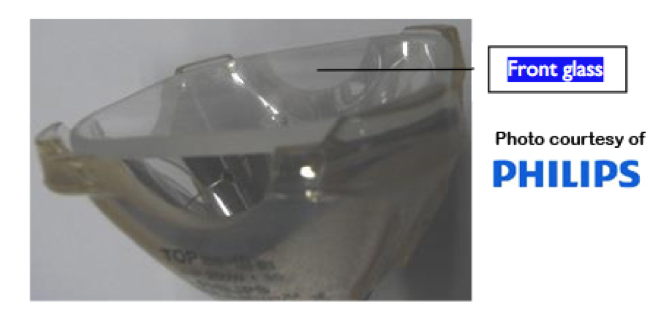
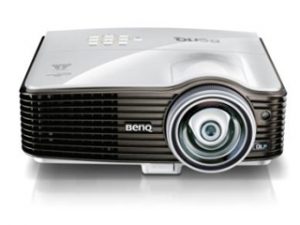 Replace the BenQ MW714ST projector lamp


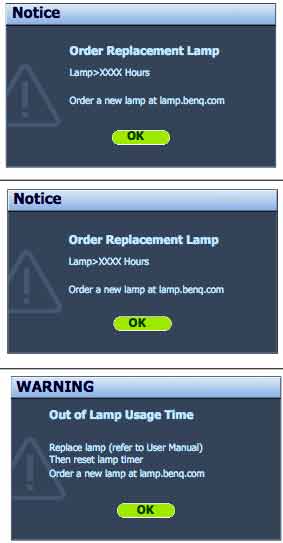
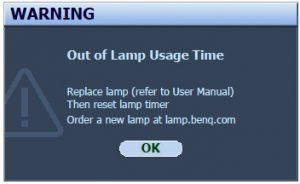 When the BenQ MW714ST projector lamp is reaching end of life, three warning messages will appear on screen. The lamp indicator on the projector will start flashing orange. You may notice the image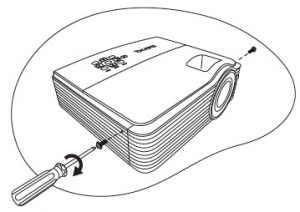
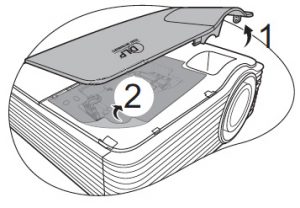
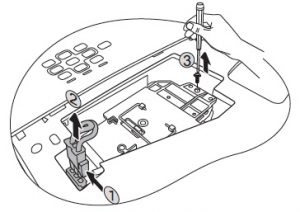
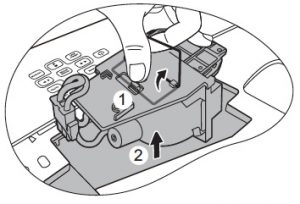
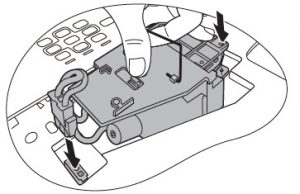
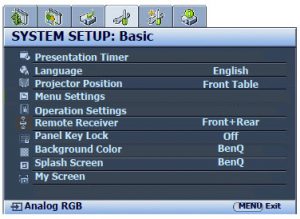 When the
 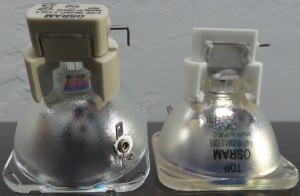 Authentic projector lamps save you time and money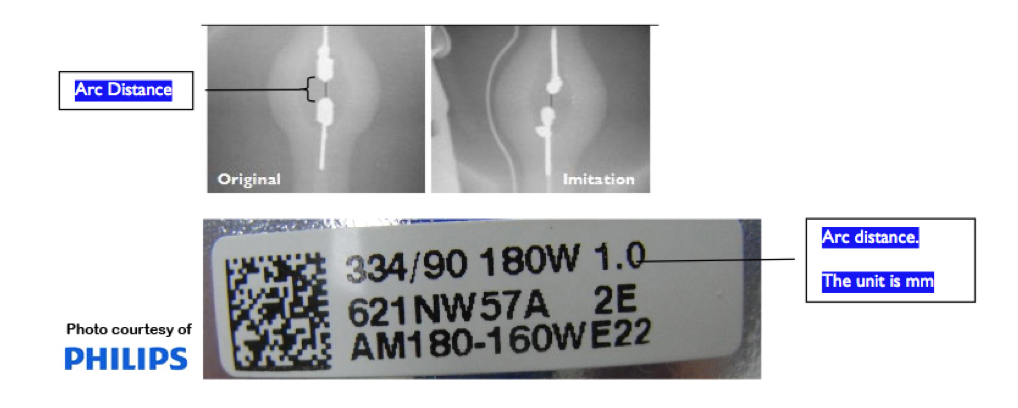
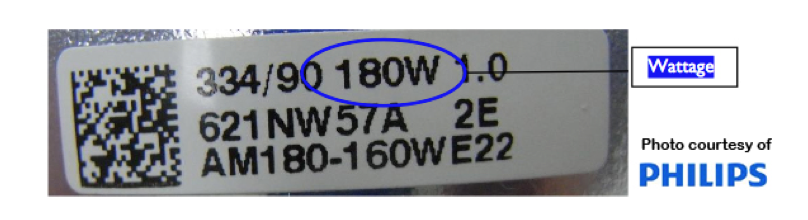 Wattage plays a critical role in lamp power as it supplies the amount of light displayed. Generics usually have higher wattage and when they come in contact with the low wattage ballast/driver (which controls the electrical ignition of the lamp), the projector’s electrodes can be damaged. Since the generic lamp produces too much light, there is often a flickering image, uncontrolled light exposure and overheating of the lamp and projector.
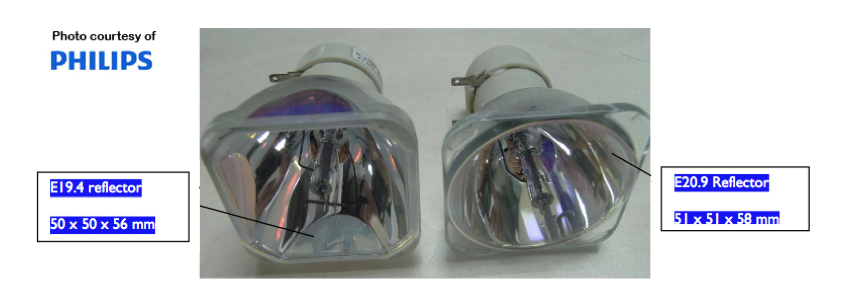 Generics often have a different sized reflector than original OEM lamps, which means they often don’t fit into the projector properly. Bad position of the lamp means the light does not go through the optical elements at the right angle causing damage to the optics and a short circuit of electrical components. This leakage of light can also affect your eyesight by exposing you to high intensity light.
 How to replace the Eiki LC-XBL25 projector lamp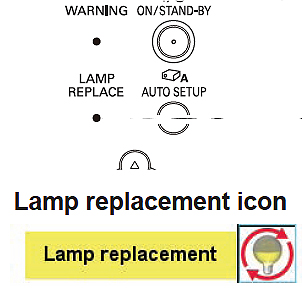


 or the Eiki LC-XBL25 projector. Loosen the screw to remove the cover.