Install a replacement Panasonic PT-AE1000 projector lamp

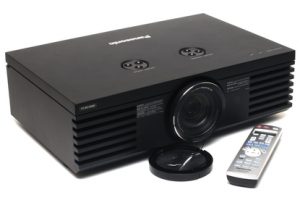 This instructional guide shows you how to install a new Panasonic Panasonic PT-AE1000 projector lamp.
Lamp life
At 1800 hours of lamp life, the Panasonic PT-AE1000 LAMP indicator lights red with an onscreen message REPLACE LAMP for 30 seconds. At 2000 hours, the message will appear and stay on screen until the projector lamp has been replaced. If the lamp usage time has passed 2000 hours, the projector will shut down. These hours are only an approximation. If you see a decrease in the brightness or quality of the on screen picture, your lamp may need replacing even if it hasn’t reached the 1800 hours.
The importance of authentic lamps
It’s easy to get duped into buying an inferior knock-off lamp posing as an authentic lamp. In order to keep your Panasonic PT-AE1000 working at its best, you should always install an authentic projector lamp. OEM projector lamps are calibrated to work in harmony with your projector. See below for reasons for avoiding counterfeit lamps.
Replacing the projector lamp
Your Panasonic PT-AE1000 uses the Panasonic ET-LAE1000 projector lamp. Follow these important safety tips before changing the projector lamp:
- Switch off the power to the projector.
- After waiting 30 seconds, disconnect the power cord.
- Allow the Panasonic PT-AE1000 projector to cool down for at least 30 minutes. If should be cool to the touch. This projector runs using high temperatures and you can burn yourself badly if you don’t allow the projector to cool down.
To replace the lamp:
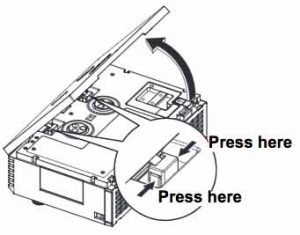
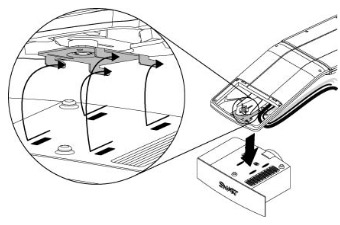
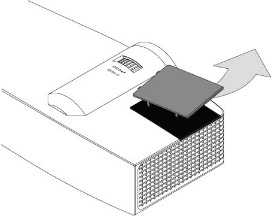
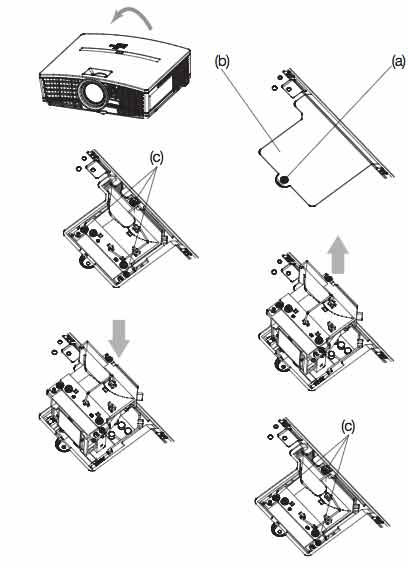
- To remove Panasonic PT-AE1000 lamps cover: Hold the top cover up and press one of the buttons of the hinge parts each to remove.
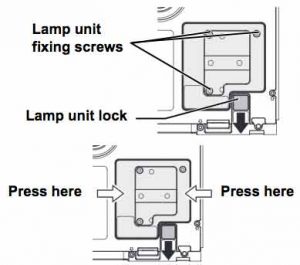
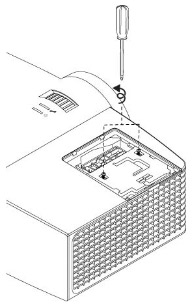
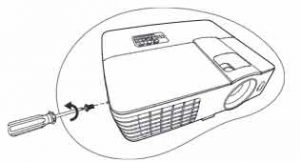
- Use a Phillips screwdriver to loosen the lamp screws.
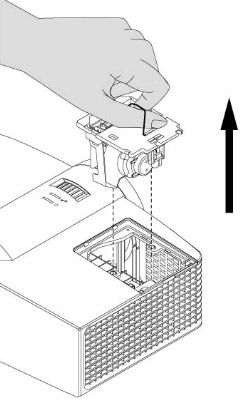
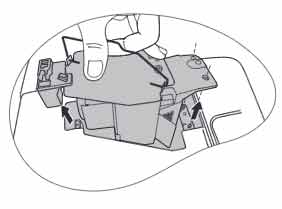
- Hold the handle of the lamp unit to release the lamp unit lock.Pull out Panasonic ET-LAE1000 projector lamp unit gently from the projector.
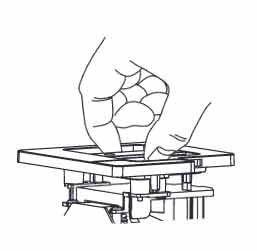
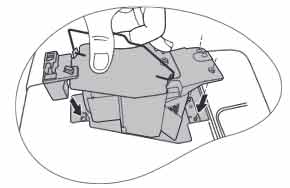
- Insert the new Panasonic ET-LAE1000 projector lamp.
- Be sure that the direction of the lamp is correct.
- If not securely installed, it may cause the protection circuit to be activated and the projector to stay off.
- Some parts of the lamp unit are sharpened and may cause injury
- Tighten the lamp unit fixing screws
- Be sure to recycle the burnt out Panasonic ET-LAE1000 as it contains mercury. Do NOT place it into regular garbage.
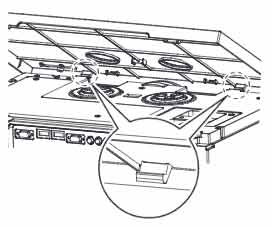 Attach the hinge parts of the Panasonic PT-AE1000 top cover to the projector and press slightly until it clicks.
- Hook the tabs of the top cover to the projector and lift down slowly.
- Press the back corner of the top cover gently until it clicks
Reset projector lamp timer
Each time you switch to a new Panasonic PT-AX100U projector projector lamp you need to reset the projector lamp timer.
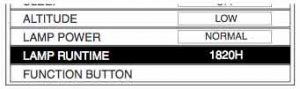
- To reset:
- Connect the Power cord to the projector and a wall socket, and switch the on the MAIN POWER.
- Switch the POWER button.
- Press the MENU button to display the menu.
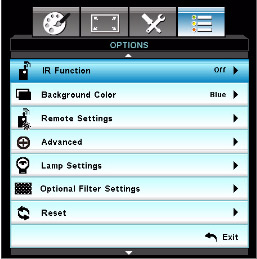
- Press the up and down arrow to select OPTION. Press ENTER.
- Press the up and down arrow to select LAMP RUNTIME.
- Press and hold the ENTER button for approximately 3 seconds.
- The confirmation screen will be displayed and select OK.
- Switch off the POWER to reset the duration of the LAMP RUNTIME.
- Confirm the duration of time in LAMP RUNTIME is reset to “0”.
6 reasons to avoid countefeits?
- inferior parts so are prone or overheat and explode
- shorter life and last half as long
- use toxic chemicals as substitutes
- can’t be calibrated properly and will damage your projector’s optics
- copycat manufacturers offer no guarantee or refunds
- installing a counterfeit lamp voids your warranty for your Panasonic PT-AE1000


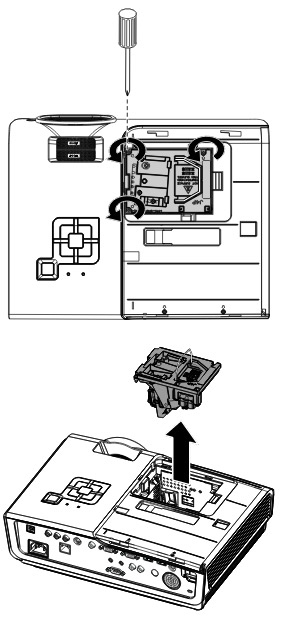
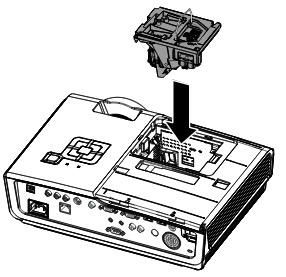 To finish the installation:
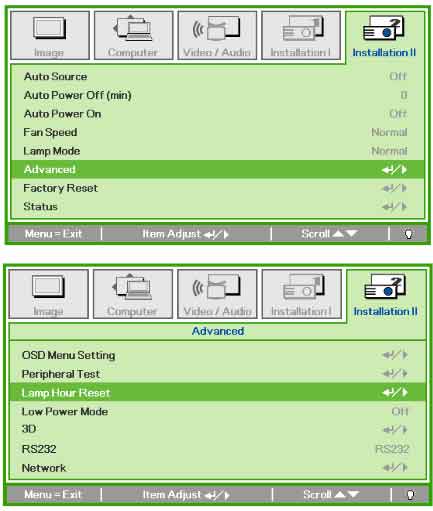 Resetting the projector lamp timer without changing the lamp can make it work beyond its recommended hours and cause harm to your Vivitek D965 projector.


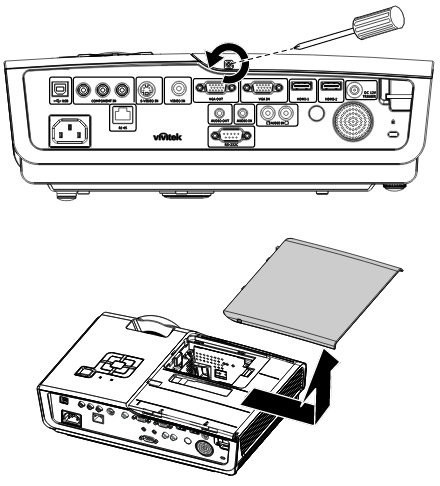
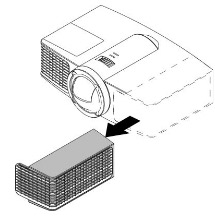
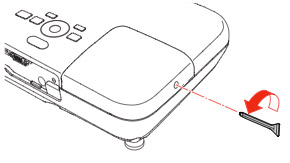 Loosen the lamp cover screw and slide the 500 projector lamp cover off.
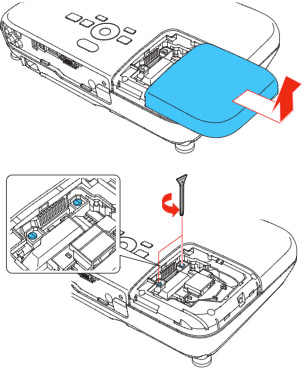 Loosen the two screws holding the
 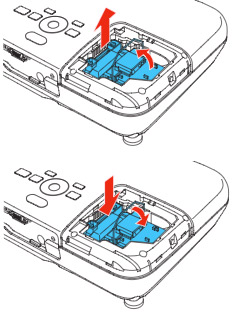 Grab the
 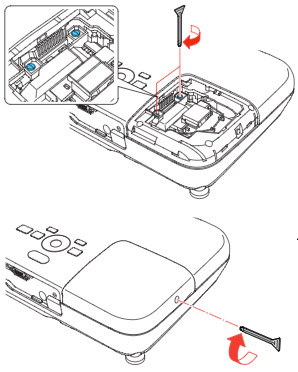 Tighten the screws on the new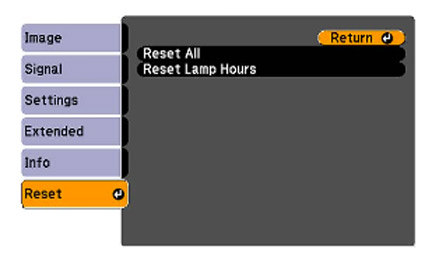


 The arc tube in counterfeit lamps is usually no filled with the proper gas. Authentic projector lamps use a mercury-argon mixture but this patented technology not available to counterfeit manufacturers. Most counterfeit manufacturers substitute
  Your projector emits an extremely bright lamp that does have some UV rays. All PHILIPS projector lamps have special coated reflectors to reduce harmful rays and protect your eyes if you do look into the projector. Without this coating, looking into the projector lamps is similar to looking directly into the sun.
 Our guide gives you step-by-step instructions on how to replace the BenQ MX613ST projector lamp.
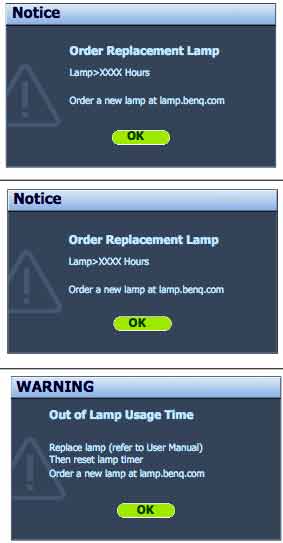
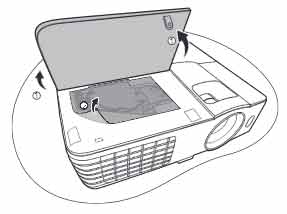 Q MX613ST projector.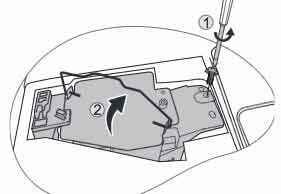
 Insert the new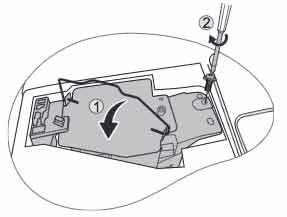
 Follow this step-by-step installation guide for installing a new Optoma W501 projector lamp


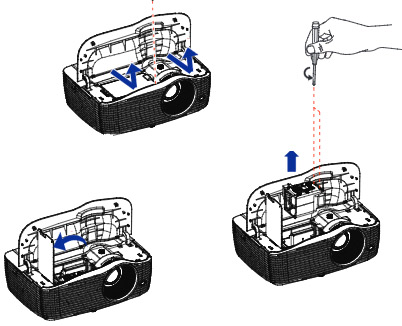
 hows how to install a new Epson PowerLite Home Cinema 3010 projector lamp.

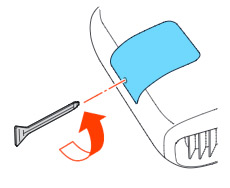 Loosen the screw holding the Epson PowerLite Home Cinema 3010 projector lamp cover in place.
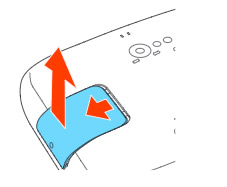 Slide the Epson PowerLite Home Cinema 3010 projector lamp cover off and place it to one side.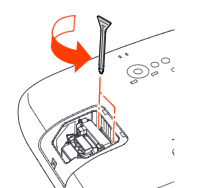
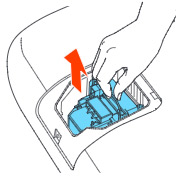
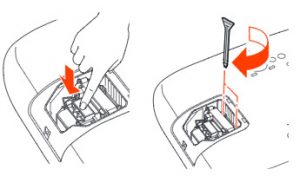 Slowly insert the
 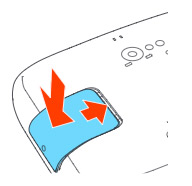 s the oil from your skin will case blackouts.


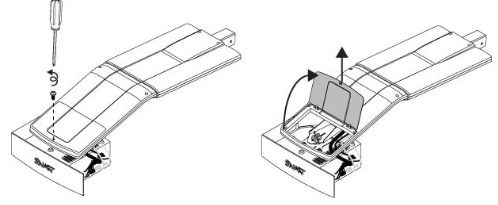 he projector and without applying pressure, remove the screw holding the cable cover in place. Lift the cover off.