Install a replacement Sharp PG-F200X projector lamp

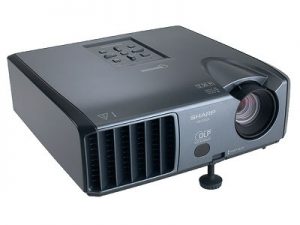 Change the Sharp PG-F200X projector lamp easily with this step-by-step guide.
Depending on the usage and maintenance, you can expect between 2,000-3,000 hours of life with your Sharp PG-F200X projector lamp.
Find this lamp on Amazon sold by these authorized dealers:
- Lutema an-m20lp/1-p03 Sharp Replacement DLP/LCD Cinema Projector Lamp
- SpArc Bronze for Sharp AN-M20LP/1 Projector Replacement Lamp with Housing
- AuraBeam Professional Replacement Projector Lamp for Sharp AN-M20LP/1 With Housing (Powered by Phoenix)


Checking lamp status
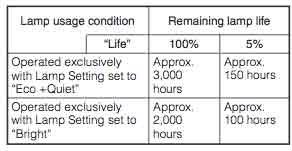 At 5% life (approx 150 hours) you’ll see the projector lamp indicator start flashing red. Other end of life signs include a deteriorating picture and color quality.
Installing the projector lamp
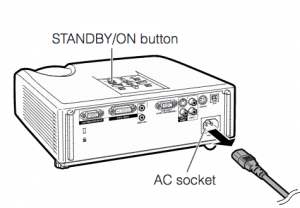
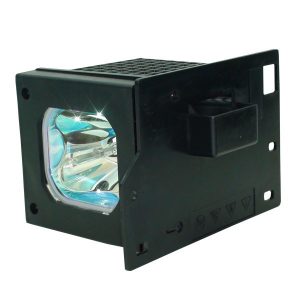
The Sharp PG-F200X projector uses the Sharp AN-M20LP projector lamp
Before replacing the Sharp PG-F200X projector lamp follow these important safety tips:
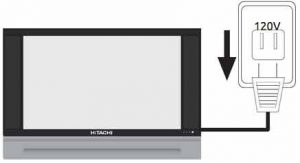
- Press STANDBY/ON on the projector or STANDBY on the remote control to put the projector into standby mode.
- Wait until the cooling fan stops.
- Disconnect the power cord.
- Unplug the power cord from the AC socket.
- Allow the projector to cool down for at least one hour. If should be cool to the touch. The Sharp PG-F200X projector uses high temperatures and you can burn yourself badly if you don’t allow the projector to cool down.
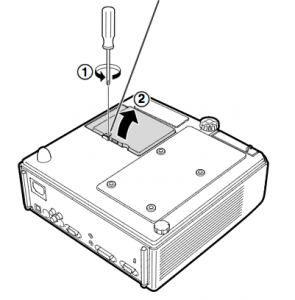
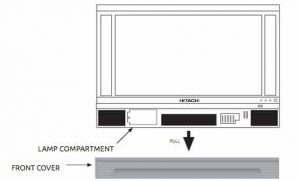
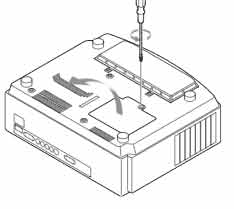
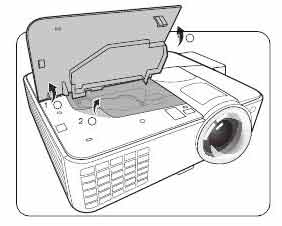
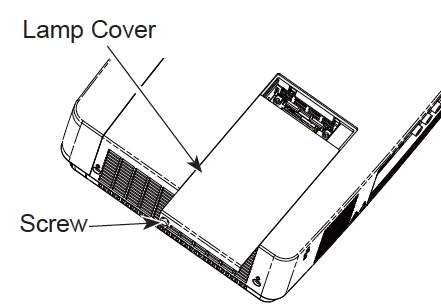
Turn over the Sharp PG-F200X projector onto a soft service and loosen the user service screw that holds the projector lamp cover on place. Slide the cover off away from the projector and place it to one side.
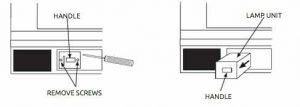
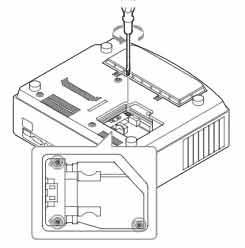
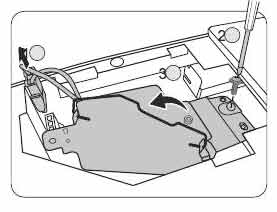
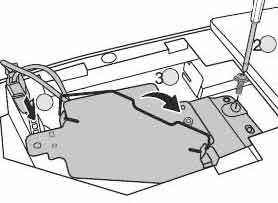
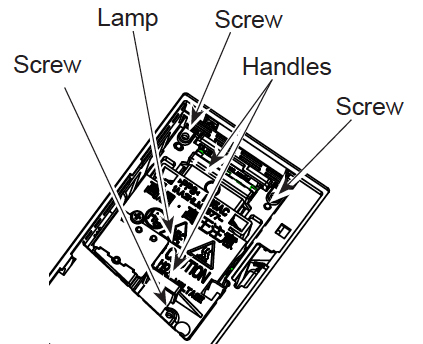
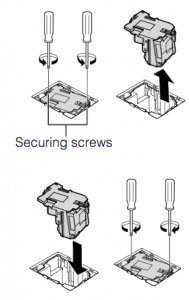 Remove the screws holding the Sharp AN-M20LP projector lamp in place.
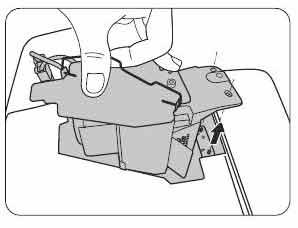
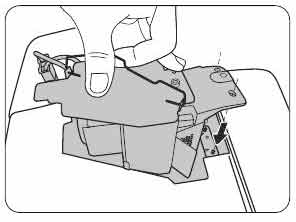
Hold the Sharp AN-M20LP projector lamp projector lamp by the indents and gently pull up. DO NOT tilt it.
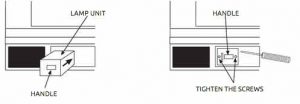
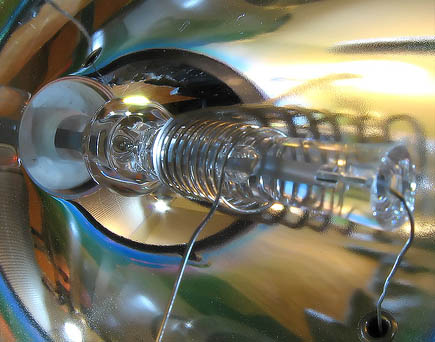
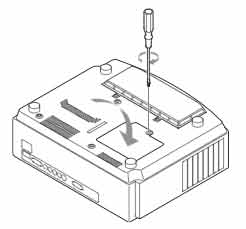
Take the new Sharp AN-M20LP projector lamp and gently press it into the lamp. Align the top tab on the lamp unit cover and place it while pressing the tab to close it. When it clicks into place, tighten the screws. Be careful not to touch the actual bulb as the oil from your fingers left on the lamp will burn black holes onto the lamp that appear on screen.
 Note: The used Sharp AN-M20LP projector lamp contains mercury and should be properly recycled. Don’t throw it into regular garbage.
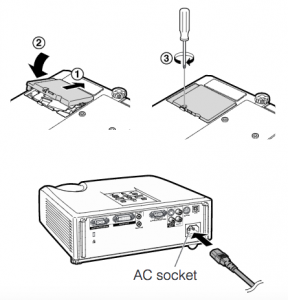
Slide the lamp cage cover back on in the direction of the projector. Tighten the screw holding the cover in place. Plug back in the AC power cord. You are now ready to reset the lamp timer.
Reset the lamp timer
To reset the projector lamp timer:
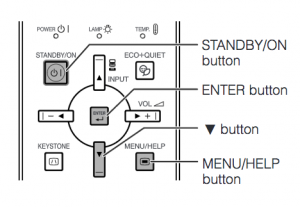
- Hold down MENU/HELP, ENTER and the down arrow on the projector and press the STANDBY/ON button on the projector.
“LAMP 0000H” is displayed, indicating that the lamp timer is reset
Extend the life of the Sharp AN-M20LP projector lamp:
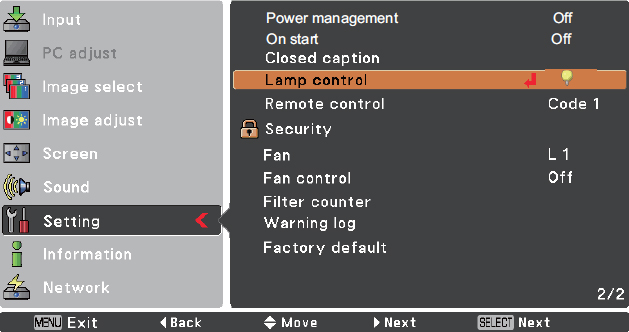
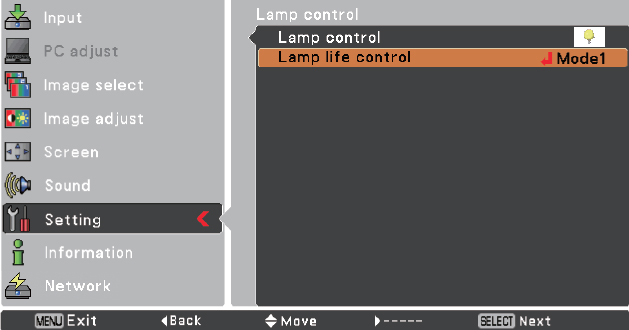
- Chose the ECO MODE mode to to dim the projector lamp and lower power consumption. This will extend the lamp life by up to 130%.
- Keep your air filters clean to avoid overheating the projector.
- Every 24 hours, turn off the projector and let it stand for 1 hour
- Make sure there is enough airflow around the Sharp PG-F200X projector particularly if it’s been permanently mounted.
- Learn more with Top tips for extending DLP projector lamp life.
Why invest in an authentic projector lamp
The Internet has been flooded with generic projector lamps claiming to be “compatible” with Sharp PG-F200X projector. For the few dollar you save, these projector lamps bring more problems to the table. Protect your investment and buy an OEM Sharp PG-F200X projector lamp.
7 reasons to avoid generic lamps:
- can damage the sensitive electronics in your projector
- shorter lamp life than original lamps
- no guarantee or refunds
- no safeguards to protect your eyesight
- created with toxic materials and carcinogenic parts including Krypton-85
- prone to explosions
- installing a generic lamp voids your projector’s warranty.
Invest in authentic. Don’t be fooled. How to recognize an authentic projector lamp.
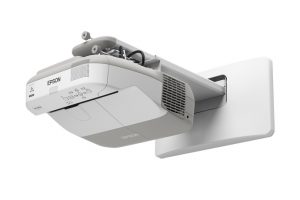 Our guide shows how to install a new Epson PowerLite 470 projector lamp.


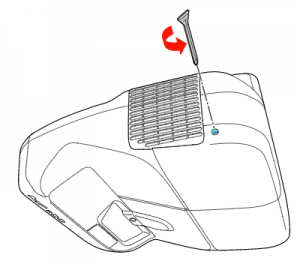 Loosen the screw holding the Epson PowerLite 470 projector lamp cover in place.
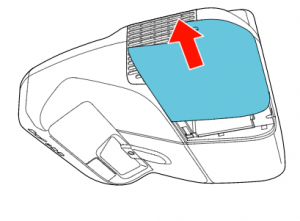 Slide the Epson PowerLite 470 lamp cover off and place it to one side.
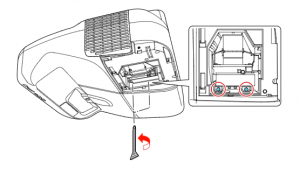 Loosen the two screws holding the Epson 470 projector lamp in place.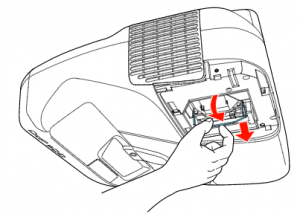
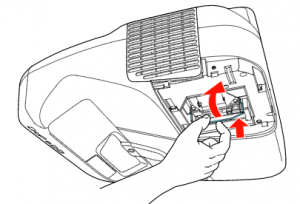 Slowly insert the
 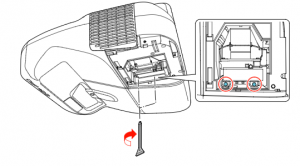 Tighten the screws on the newly installed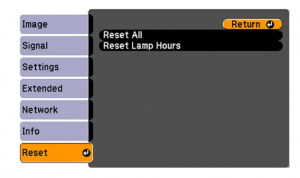

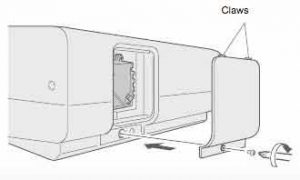
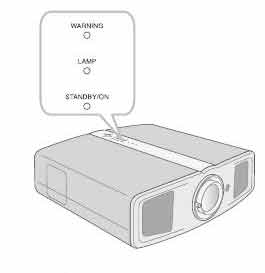
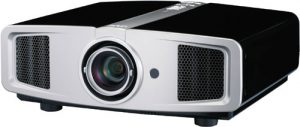 How to replace the JVC DLA-HD1 projector lamp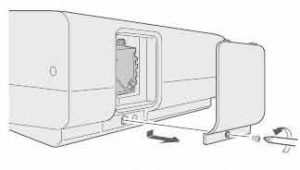
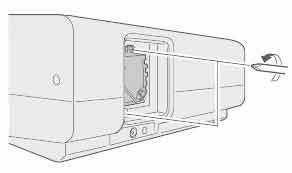 Loosen the two screws keeping the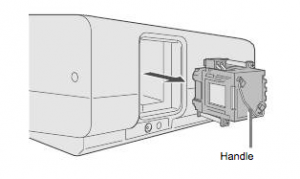

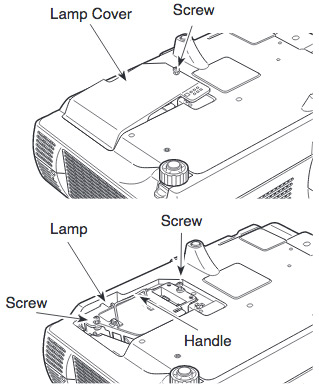
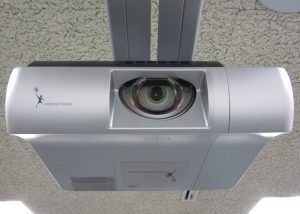 Replace the Sanyo Promethean PRM-10 projector lamp in three easy steps.
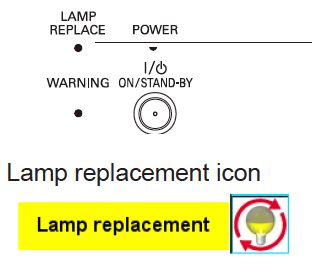
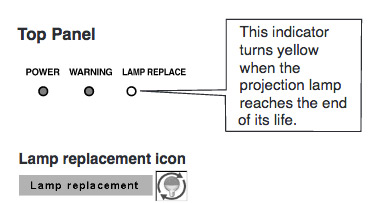 When it time to replace the Sanyo Promethean PRM-10 projector lamp the LAMP REPLACE indicator turns yellow light. Replace the lamp immediately. Other indications of end of lamp life can also be a poor picture, darker light or strange colours.


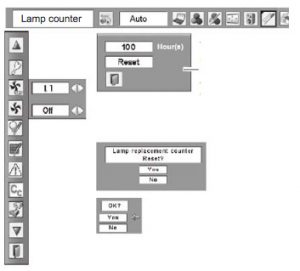 Reset the Sanyo Promethean PRM-10 Lamp Control Mode only when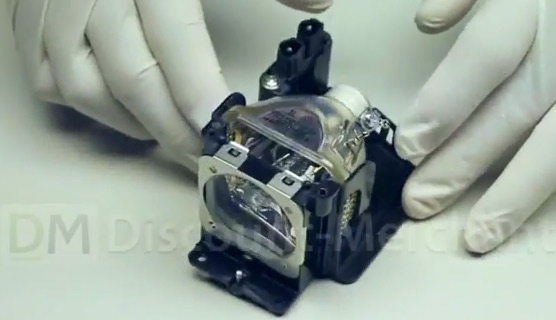
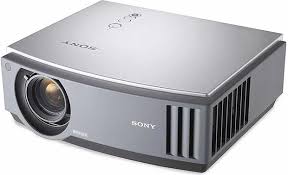 Our guide shows you how easy it is to replace the Sony VPL-AW10 projector lamp.
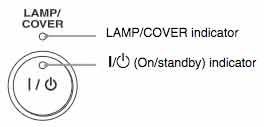 When Sony VPL-AW10 projector lamp is reaching end of life, the Lamp/Cover light will continue to flash red in 3 second intervals. The message “Please replace the Lamp/Filter” will also start flashing on screen. If the projector lamp dims or the color looks strange, change it immediately. Sony recommends replacing the air filter at the same as replacing the lamp.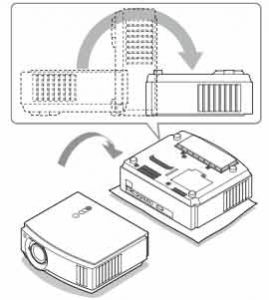
 Using a Philips screwdriver, loosen the screw holding the projector lamp cover in place. Slide the projector lamp cover. Put it to one side.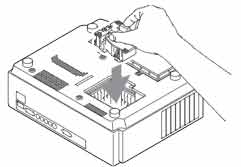
 Also don’t touch the actual bulb in the new lamp as oily fingerprints can burn a black spot on the lamp when it heats up. NOTE: The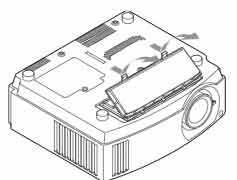


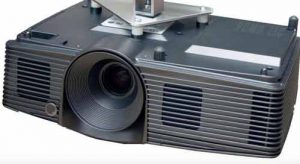 Change the BenQ DX818ST projector lamp


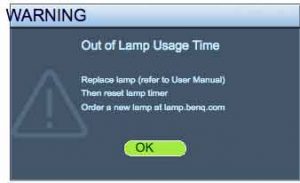 A flashing red light BenQ DX818ST projector lamp is reaching end of life. You’ll see four warning screens on the projector screen. You may also notice the image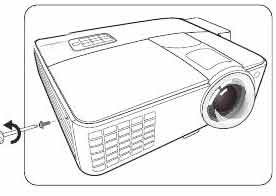
 When it’s time for a new Hitachi 50V720 TV lamp, use this guide to help you through the installation.