We're now Screen and Projector! For updated content, visit ScreenAndProjector.com and follow @screenandproj on social media!

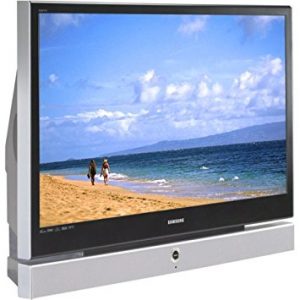
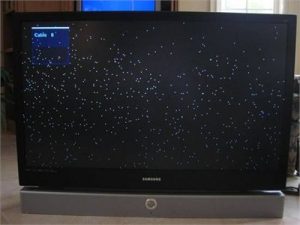
Samsun 50A650C1FXZA_TVWhite dots on the Samsumg 50A650C1FXZA means the DLP chip needs replacing

Replace your Samsung 50A650C1FXZA DLP chip for under $300 and get rid of those white dots.

Note: These instructions can also be used for the following Samsung models: 

H50A650C1FXZAHLT5055WX/XAA HLT5076SX/XAAHLT5087SX/XAAHLS5087WX/XAAHL56A650C1FXZAHLT5656WX/XAAHLT5676SX/XAAHLT5687SX/XAAHLT5687SAX/XAAHLT5689SX/XAAHLT6156WX/XAAHL61A650C1FXZAHL61A750A1FXZAHLT6156WX/XAA, HLT6176SX/XAAHLT6187SAX/XAAHLT6187SX/XAA, HLS6187WX/XAAHLT6189SX/XAAHL67A750A1FXZAHLT6756WX/XAAHL72A650C1FXZAHLT7288WX/XAA

Find this New Mitsubishi/Toshiba 4719-001997 DLP Chip 1910-6143W on Amazon.

Equipment needed

    • Electric Philips screwdriver
    • needle nose pliers or a 5mm nut driver
    • antistatic gloves OR plastic gloves used with an antistatic wrist band
    • soft cloth or brush

Replacing the 4719-001997 50A650C1FXZA DLP Chip
4719-001997 DLP Chip, Samsung 50A650C1FXZA RPTV

Step 1

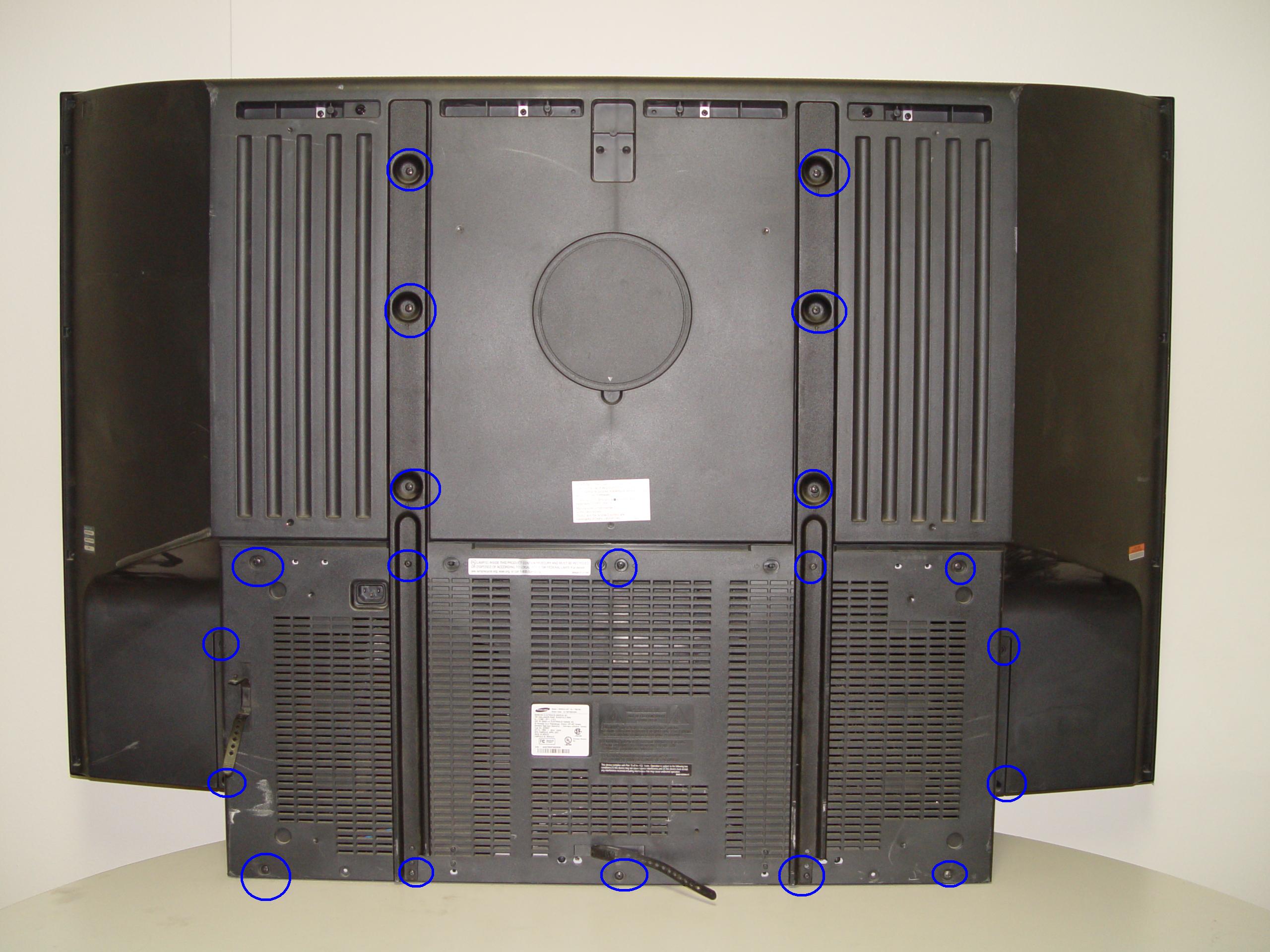
Step 1: Put on the plastic gloves. Loosen all the screws found on the back panel. Put the screws to one side and remove the back panel.
4719-001997 DLP Chip, Samsung 50A650C1FXZA RPTV

Step 2

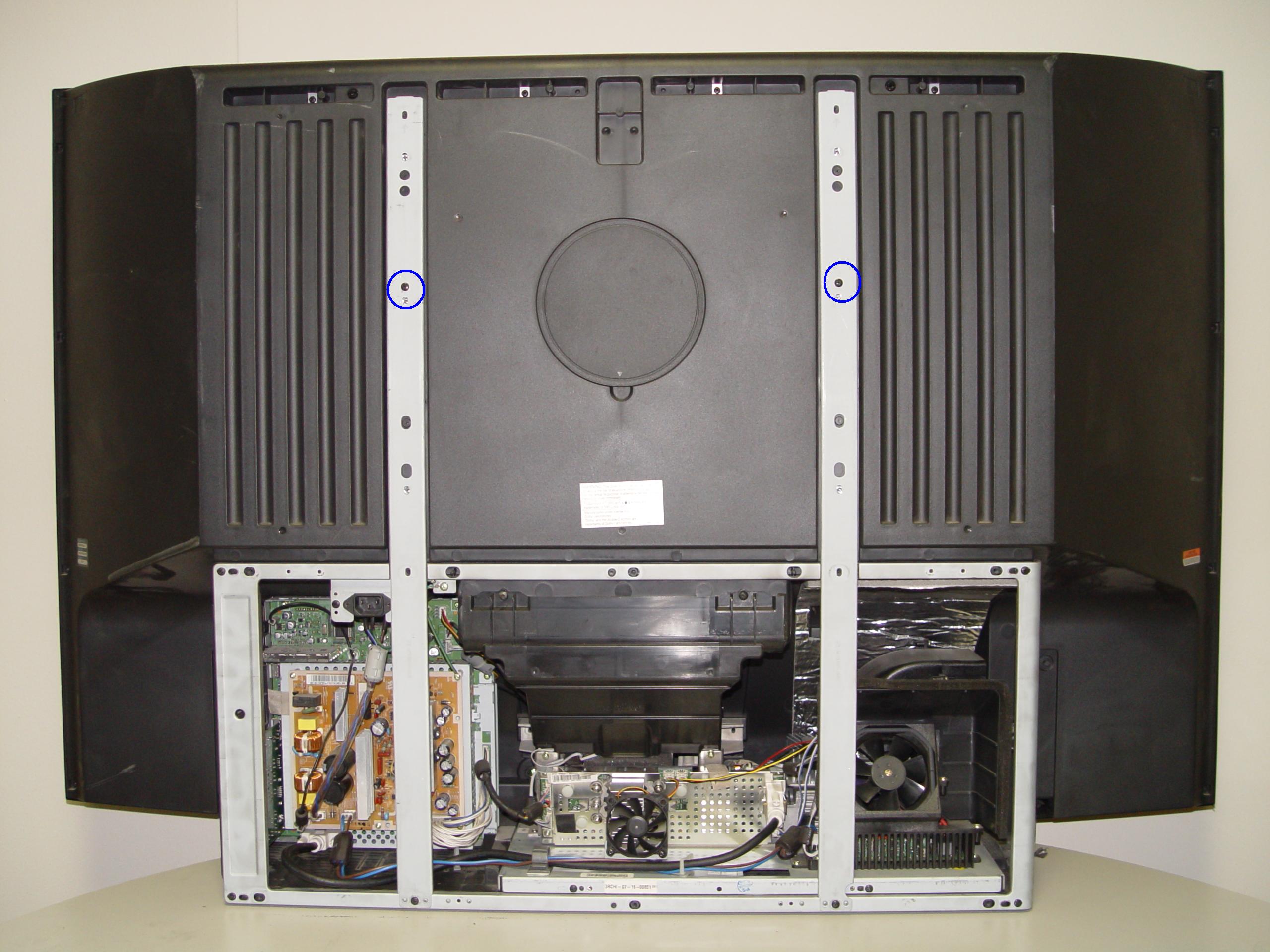
Step 2: Loosen the two screws holding the lamp bracket in place.
4719-001997 DLP Chip, Samsung 50A650C1FXZA RPTV

Step 3

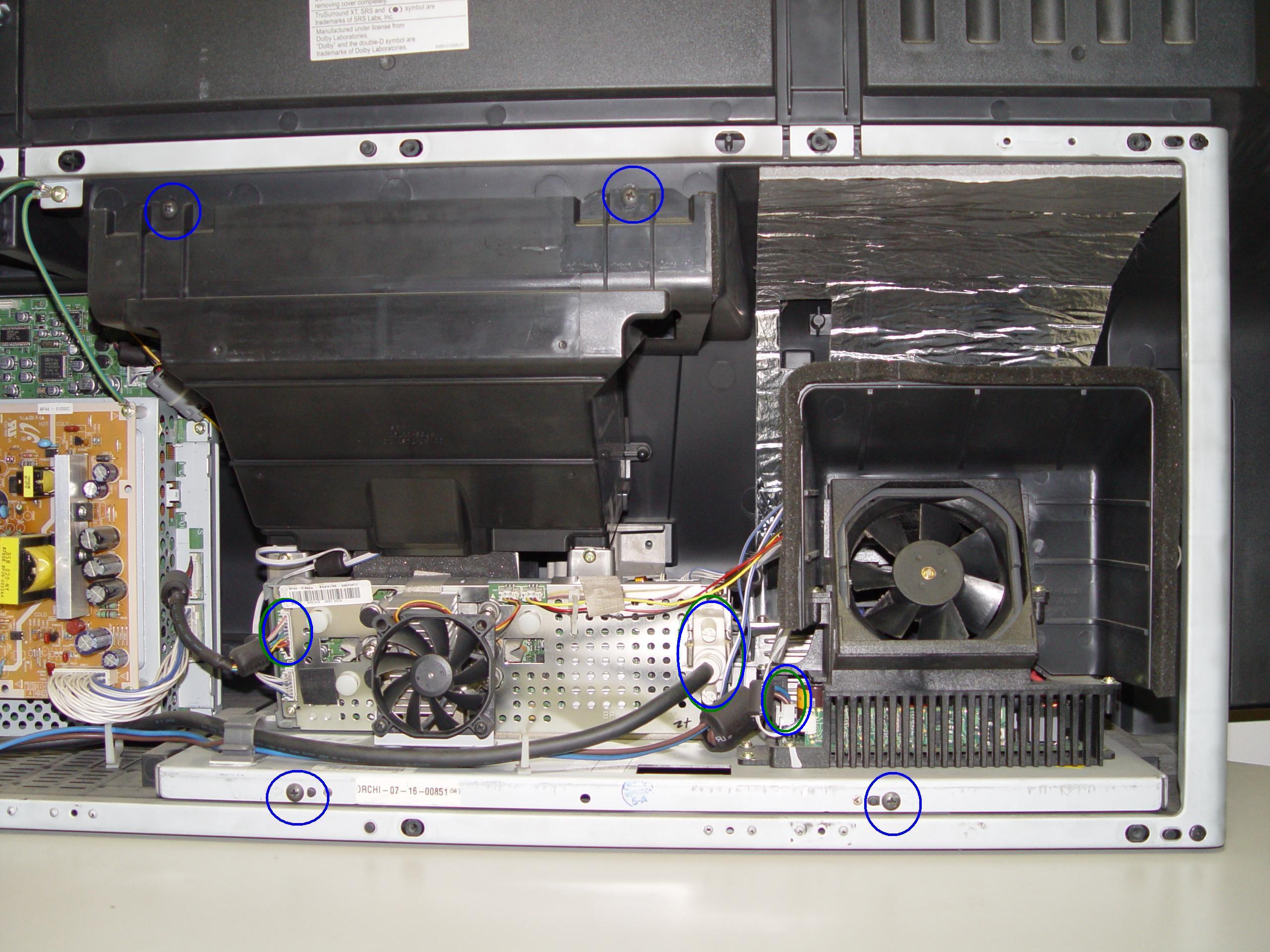
Step 3: Remove the 4 screws holding the lamp engine in place. Disconnect all the connectors. Important: don’t yank any cables.
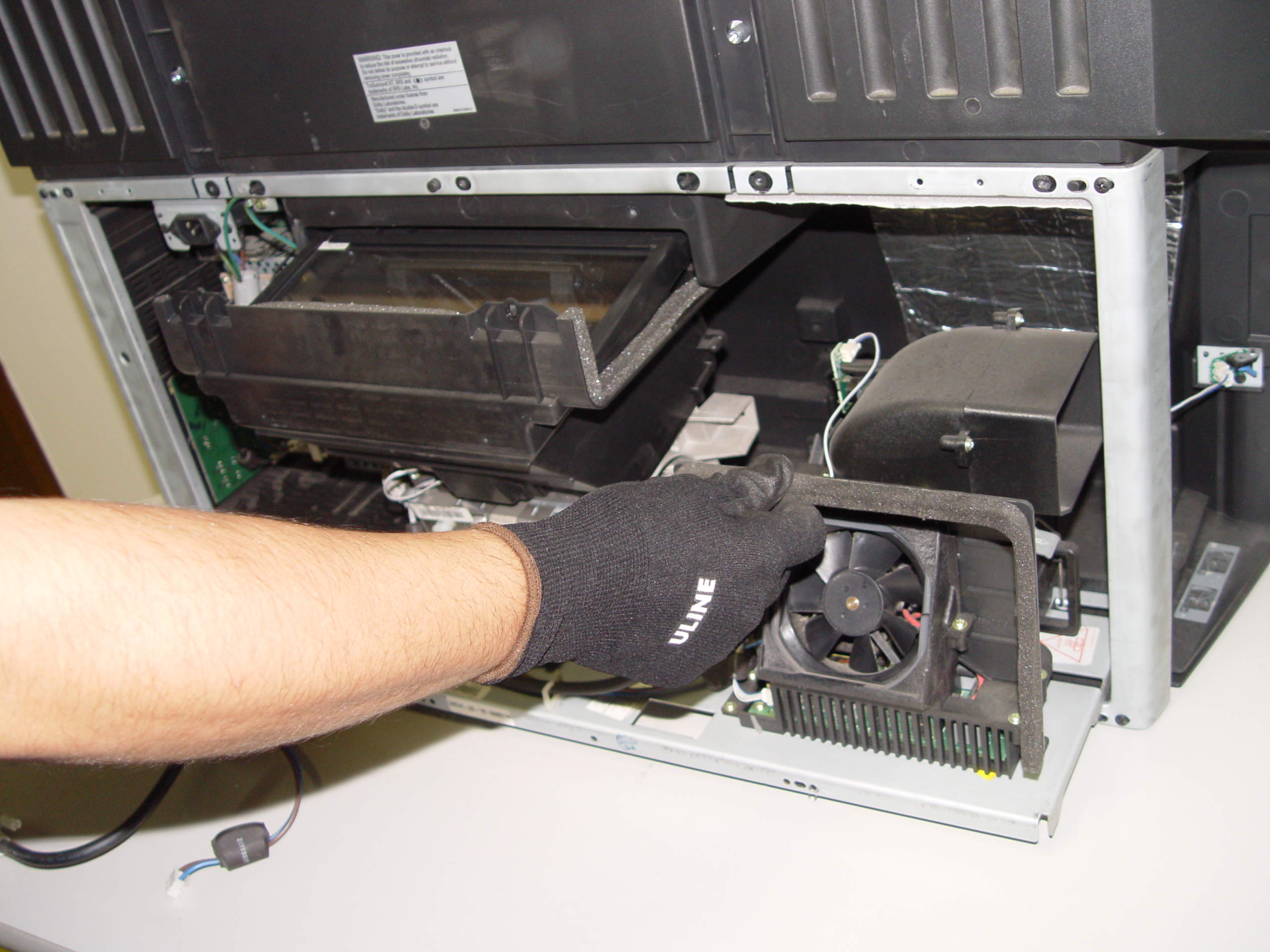
4719-001997 DLP Chip, Samsung 50A650C1FXZA RPTV

Step 4

Step 4: Carefully remove light engine from the cabinet.
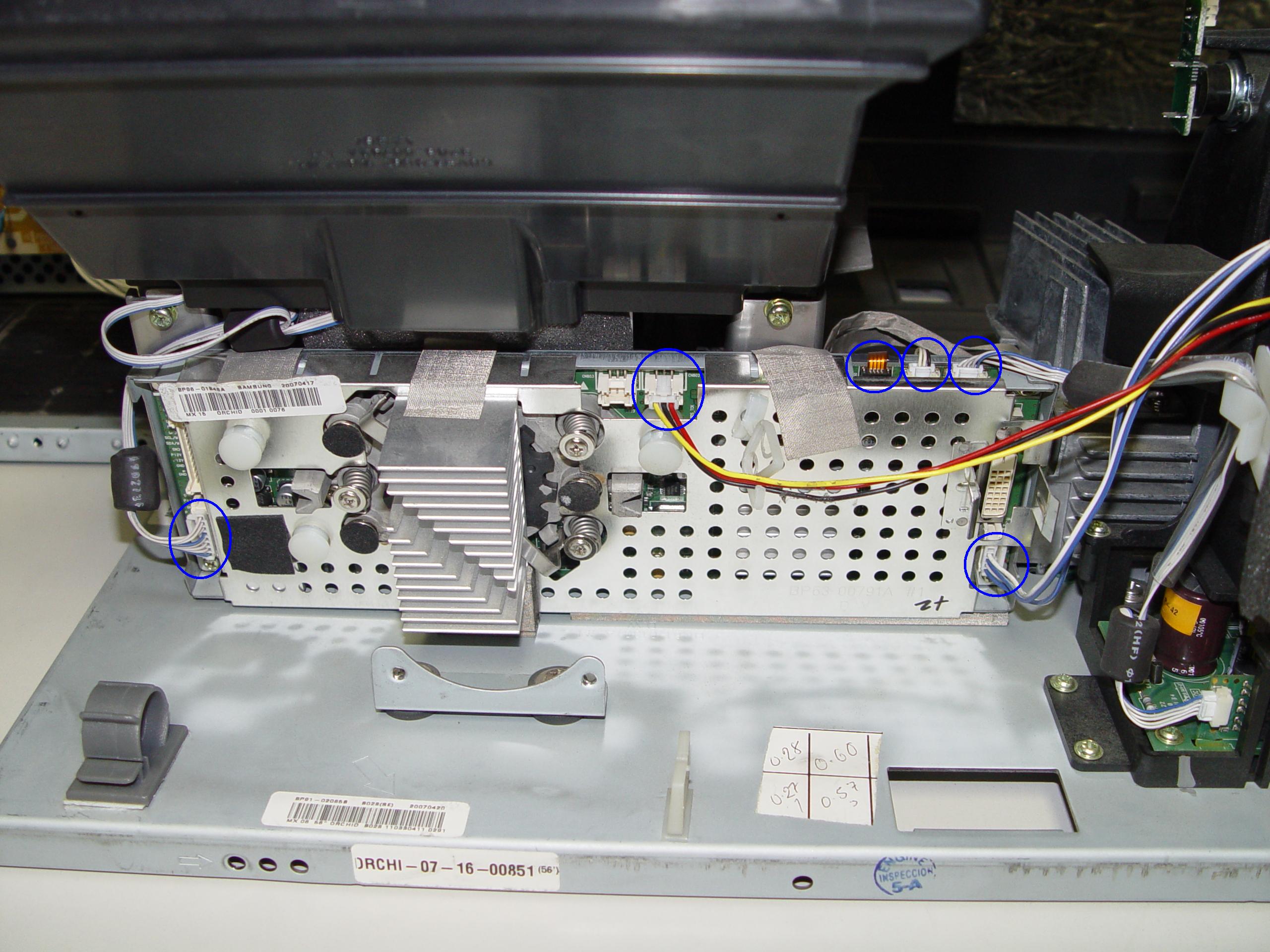
4719-001997 DLP Chip, Samsung 50A650C1FXZA RPTV

Step 5

Step 5: Remove the 2 screws holding the color wheel protective cover in it place. Avoid touching any of the optical components as this can affect the quality of your picture.
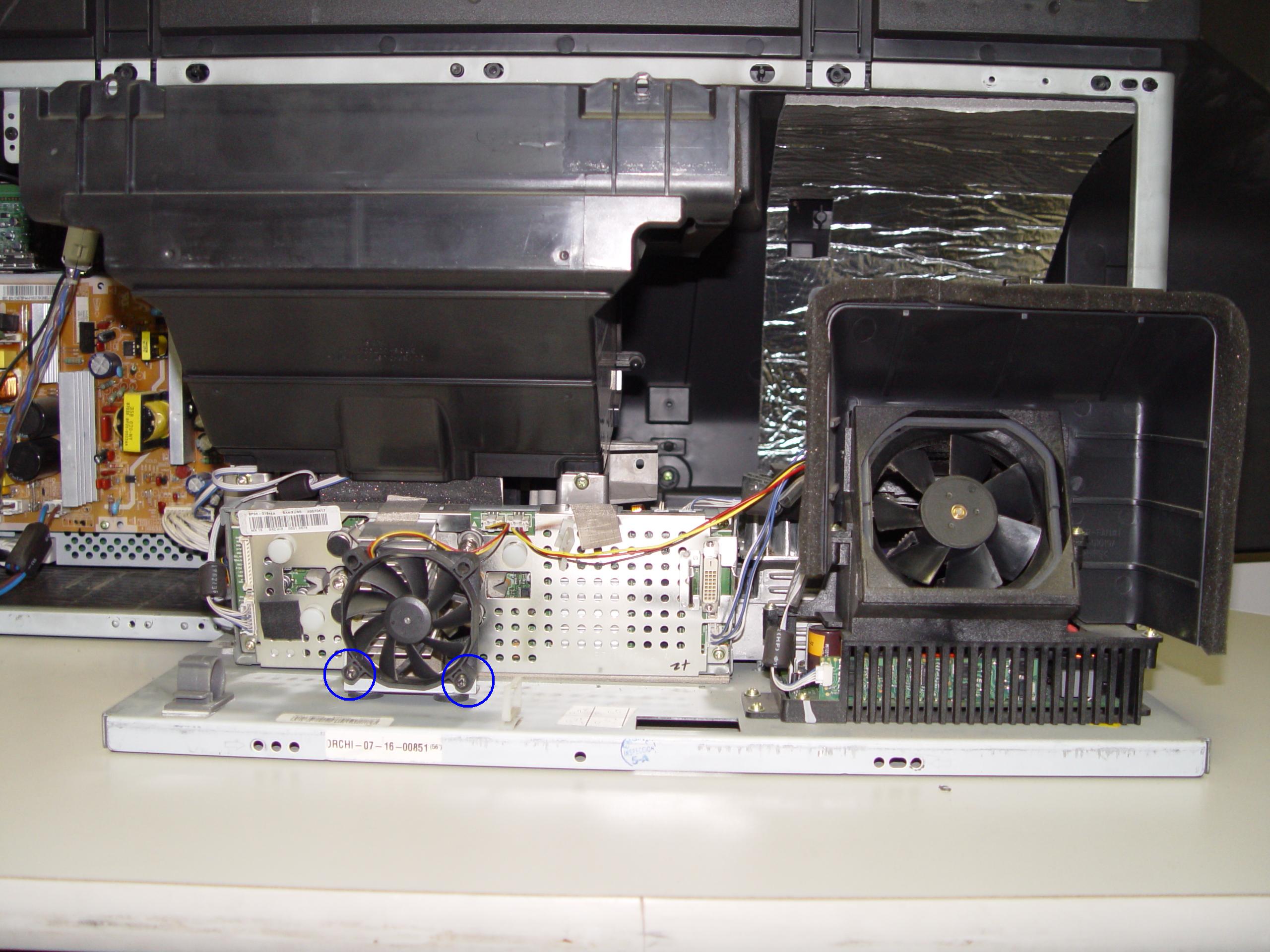
4719-001997 DLP Chip, Samsung 50A650C1FXZA RPTV

Step 6

Step 6: Carefully disconnect the cables between the terminal board and lamp.
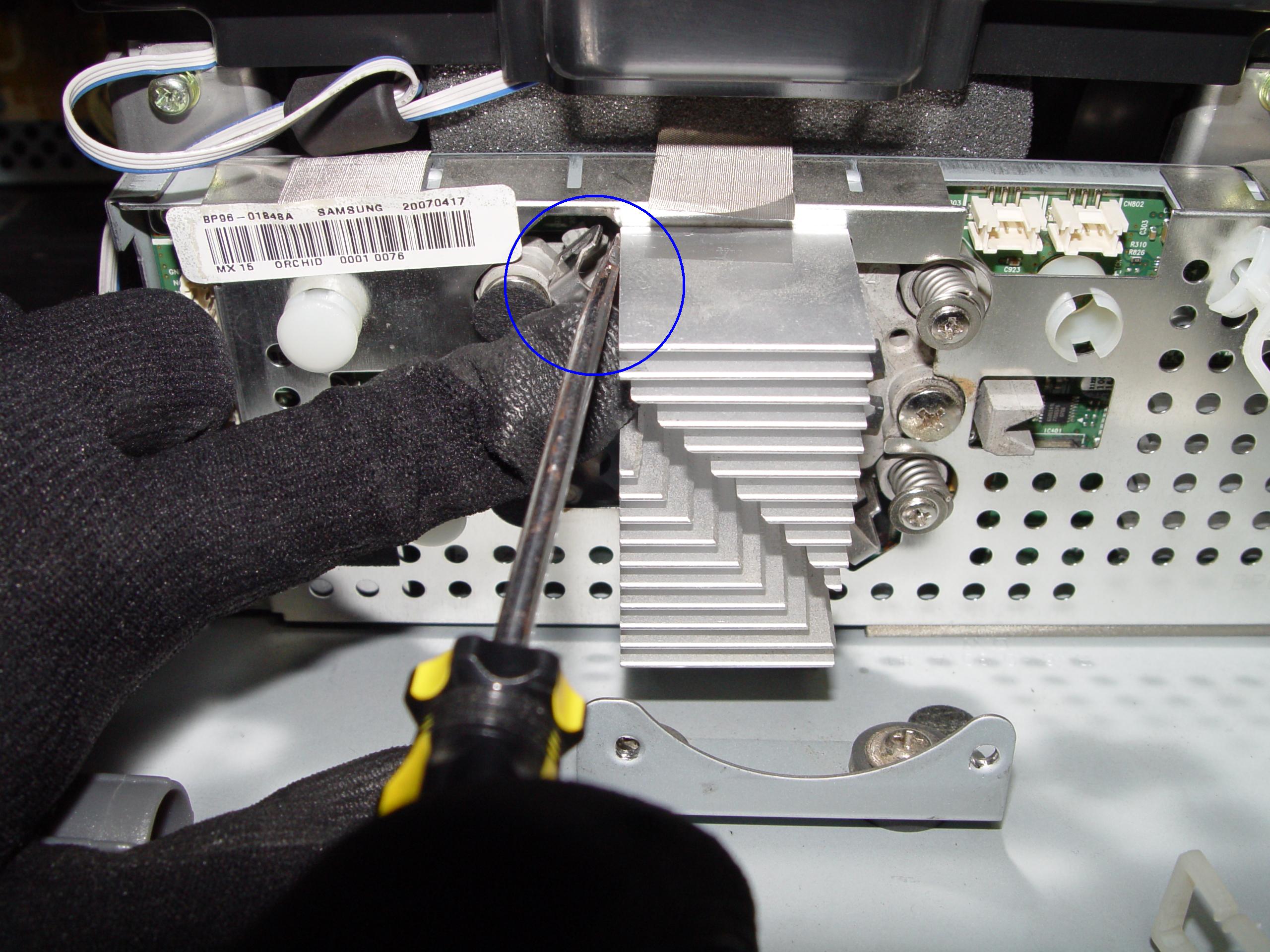
4719-001997 DLP Chip, Samsung 50A650C1FXZA RPTV

Step 7

Step 7: Disconnect the clip connecting the cooling unit.
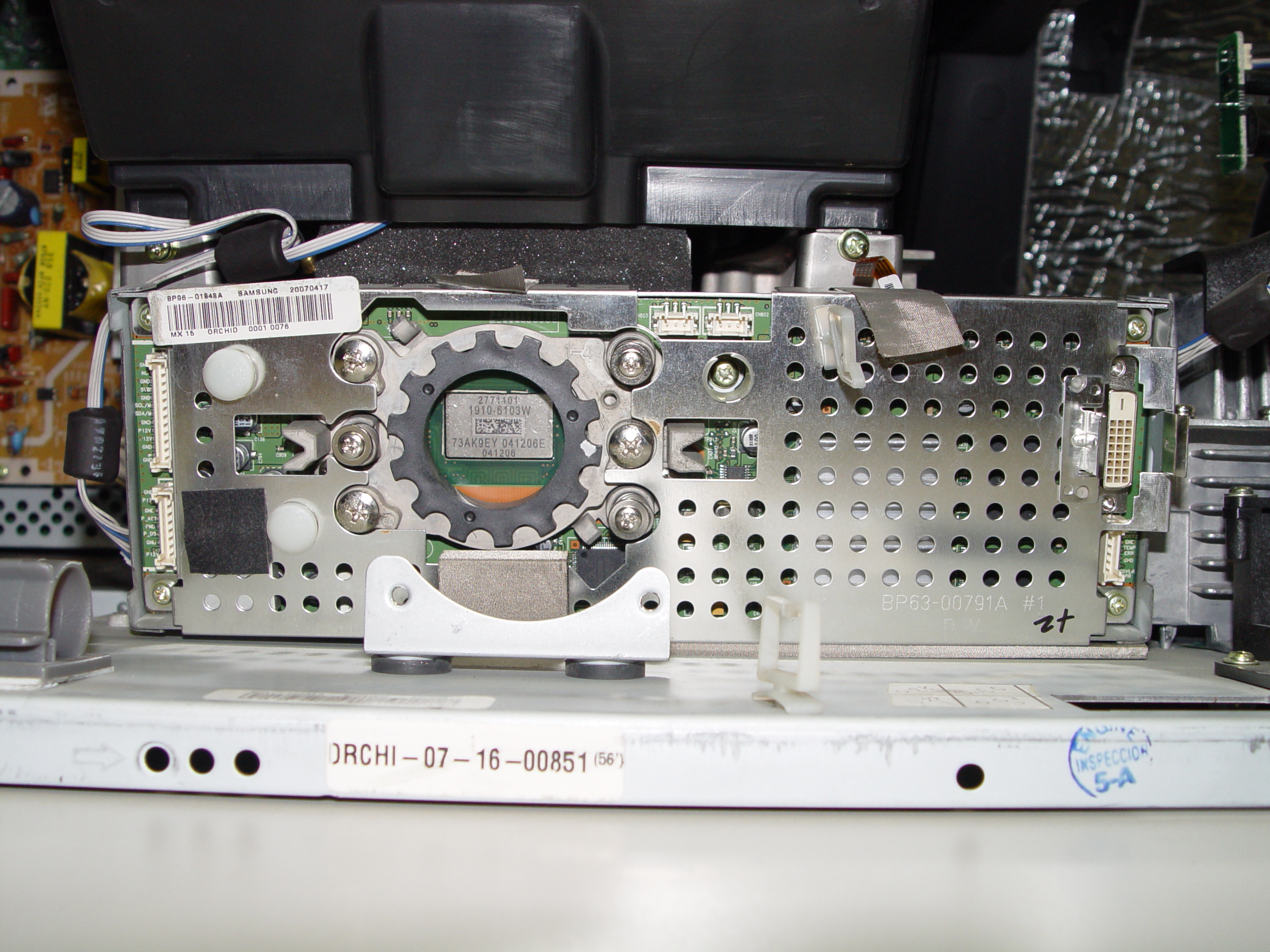
4719-001997 DLP Chip, Samsung 50A650C1FXZA RPTV

Step 8

Step 8: Remove the cooling unit and terminal board.
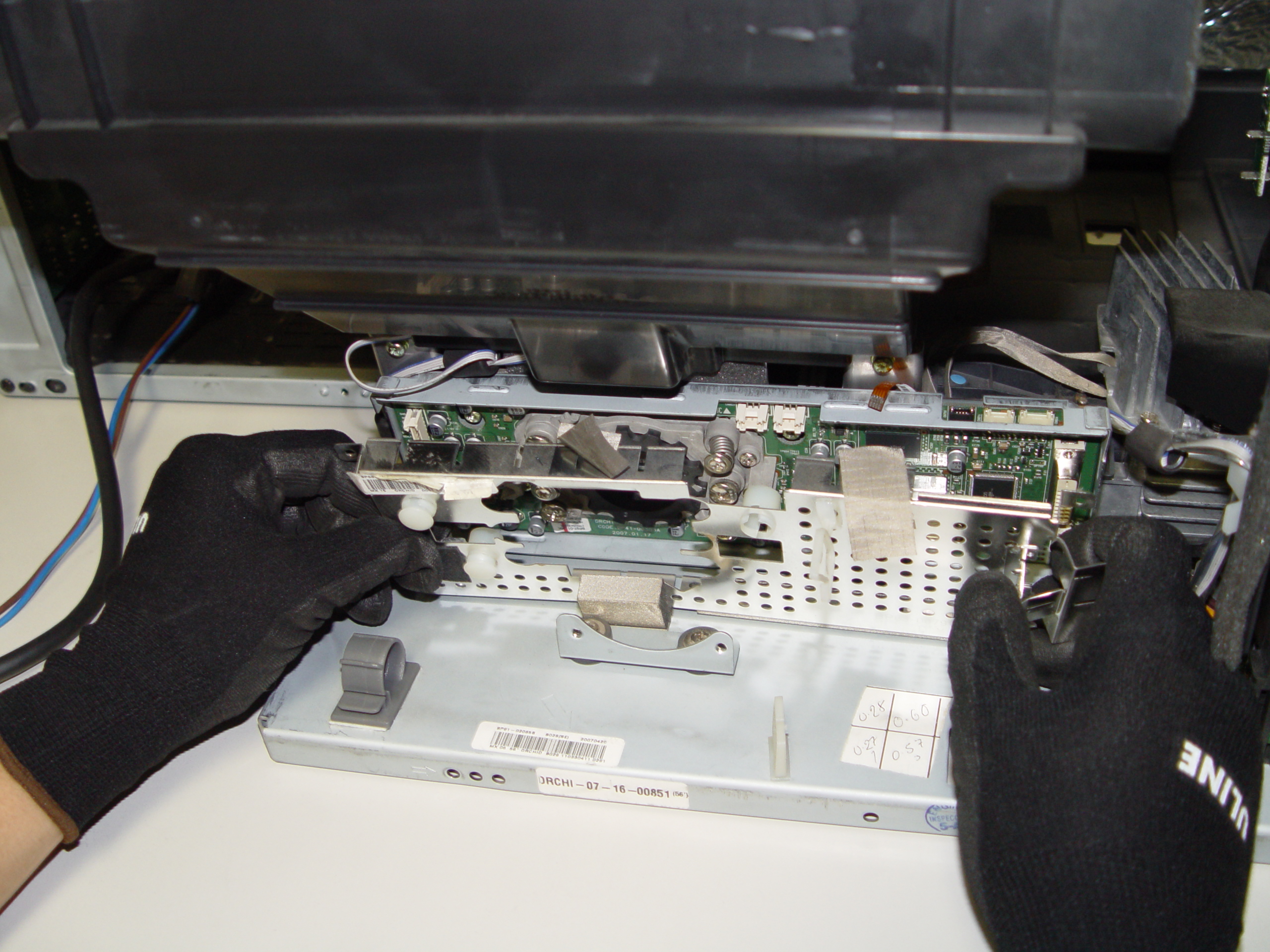
4719-001997 DLP Chip, Samsung 50A650C1FXZA RPTV

Step 9

Step 9: Remove the terminal board.
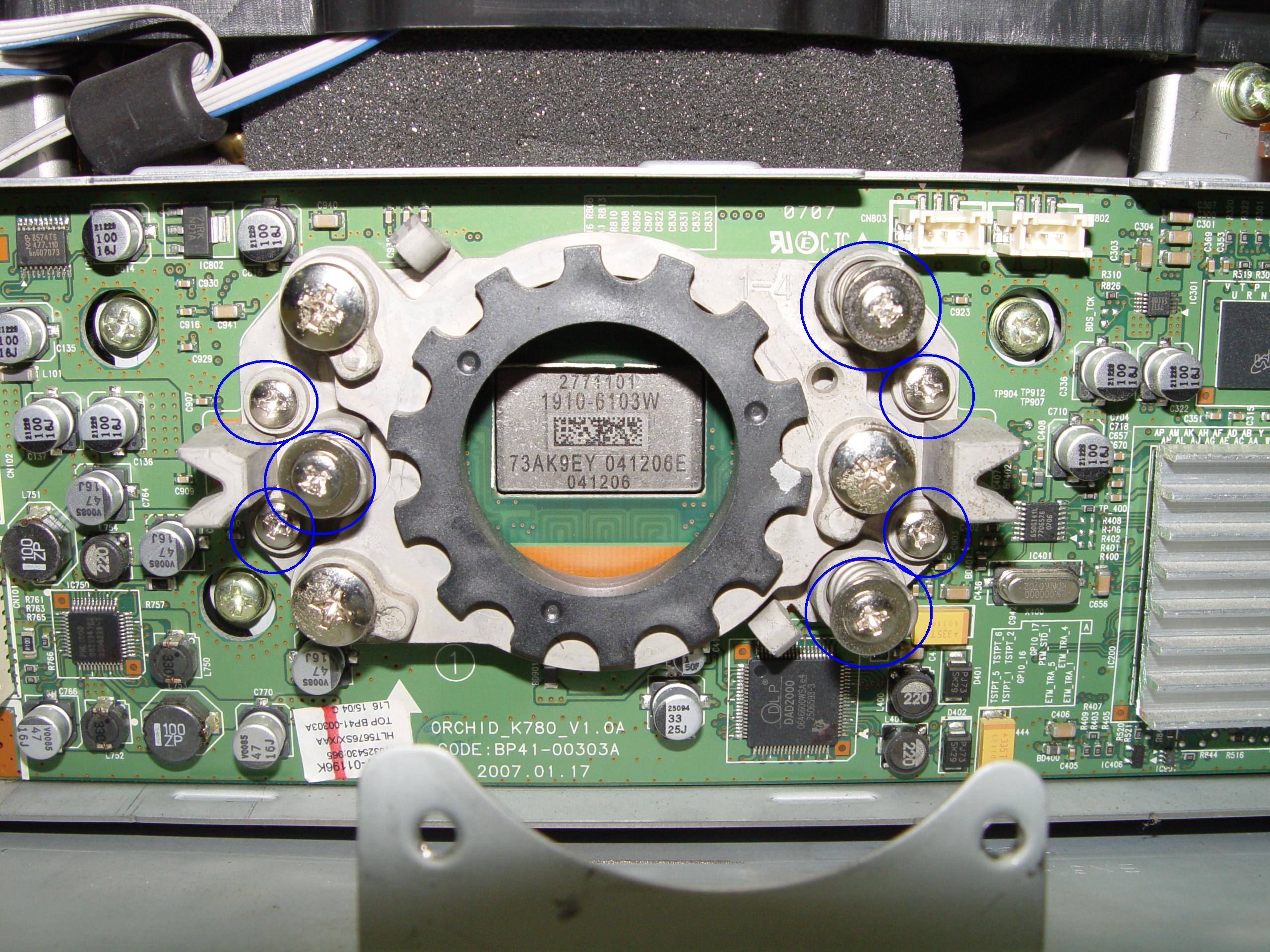
4719-001997 DLP Chip, Samsung 50A650C1FXZA RPTV

Step 10

Step 10: Loosen the 7 screws holding the terminal cover in place. (Good time to dust this section).
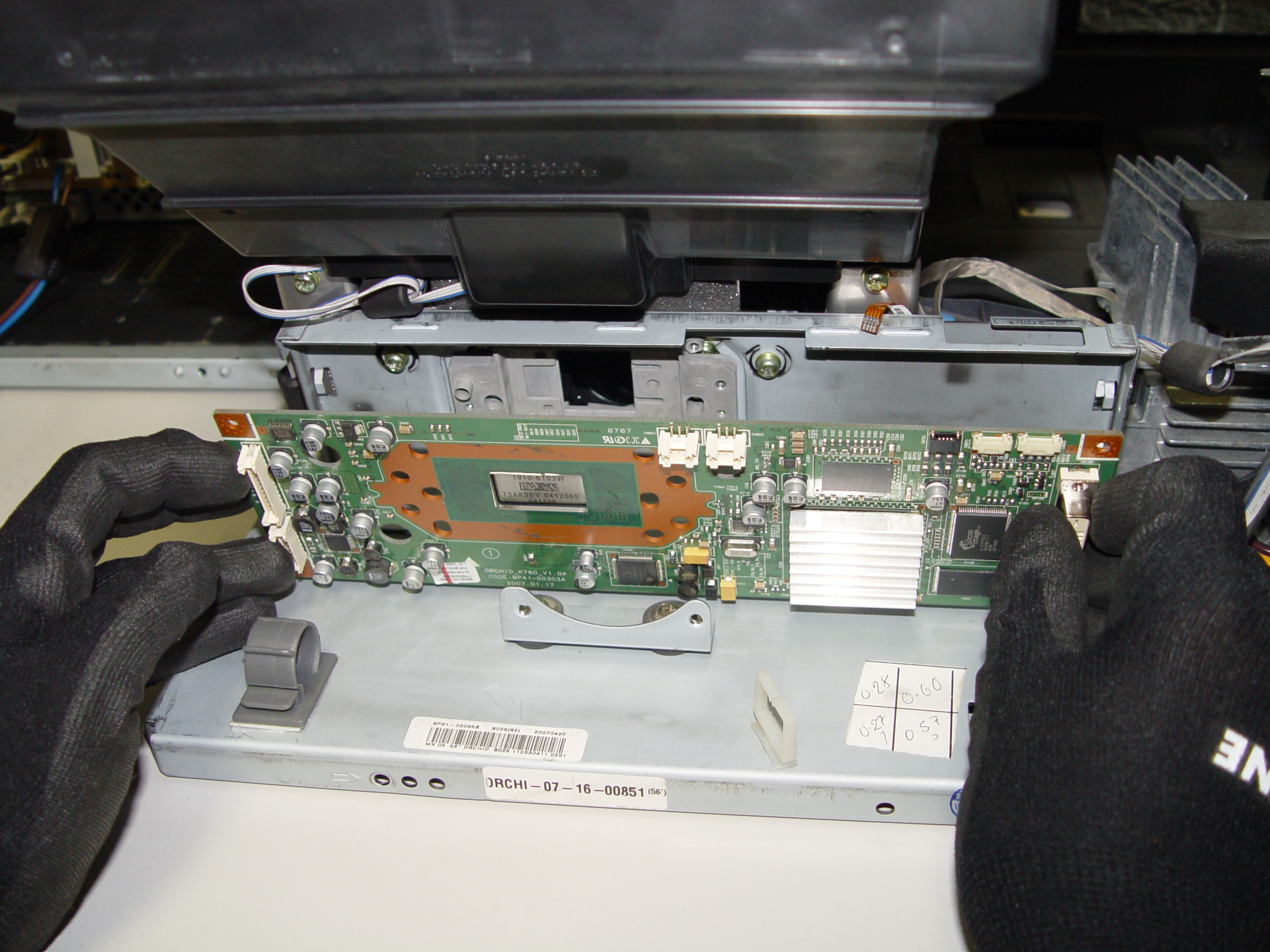
4719-001997 DLP Chip, Samsung 50A650C1FXZA RPTV

Step 11

Step 11: Carefully pop the terminal out of its holder.
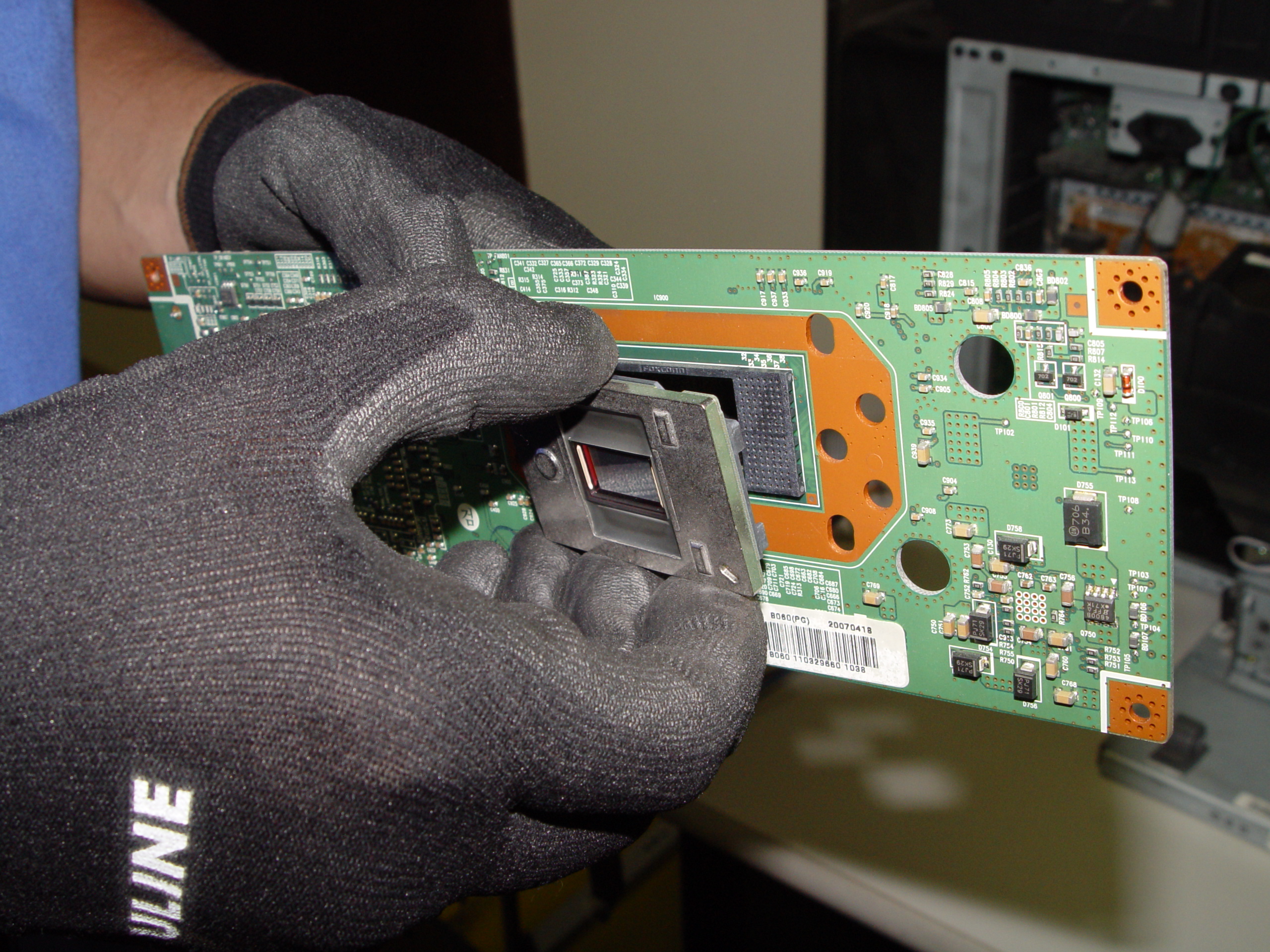
4719-001997 DLP Chip, Samsung 50A650C1FXZA RPTV

Step 12

Step 12: Unlock the old DLP Chip from the terminal. You may need to use a flat edged screwdriver to pop it out.
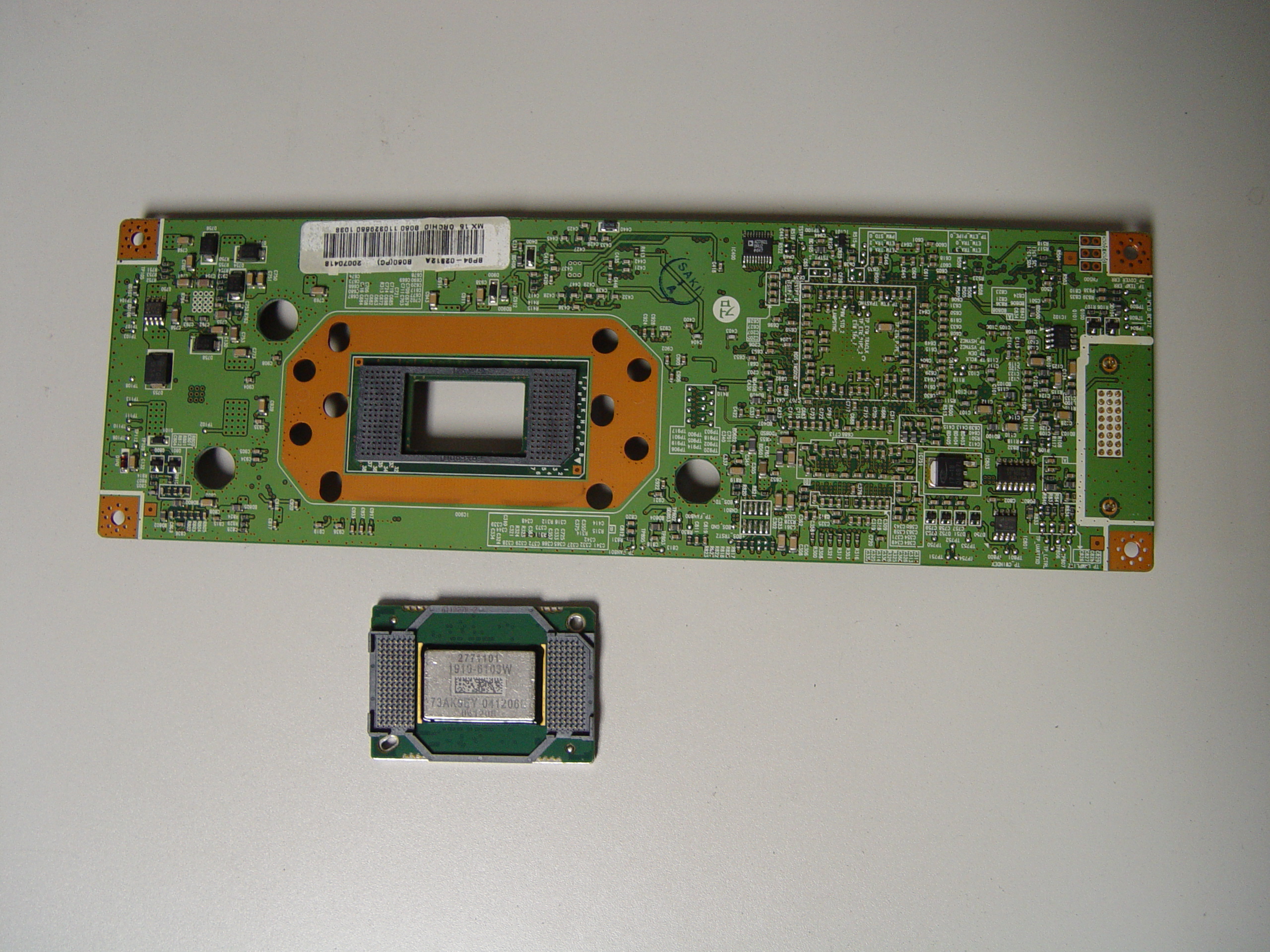
4719-001997 DLP Chip, Samsung 50A650C1FXZA RPTV

Step 13

Step 13: Place the new DLP chip into place. Handle the DMD DLP CHIP only by the edges because it is very sensitive to static electricity.

4719-001997 DLP Chip, Samsung 50A650C1FXZA RPTV

Step 14

Step 14: Put the terminal back into its holder.

4719-001997 DLP Chip, Samsung 50A650C1FXZA RPTV

Step 15

Step 15: Tighten the 7 screws holding the terminal in place.
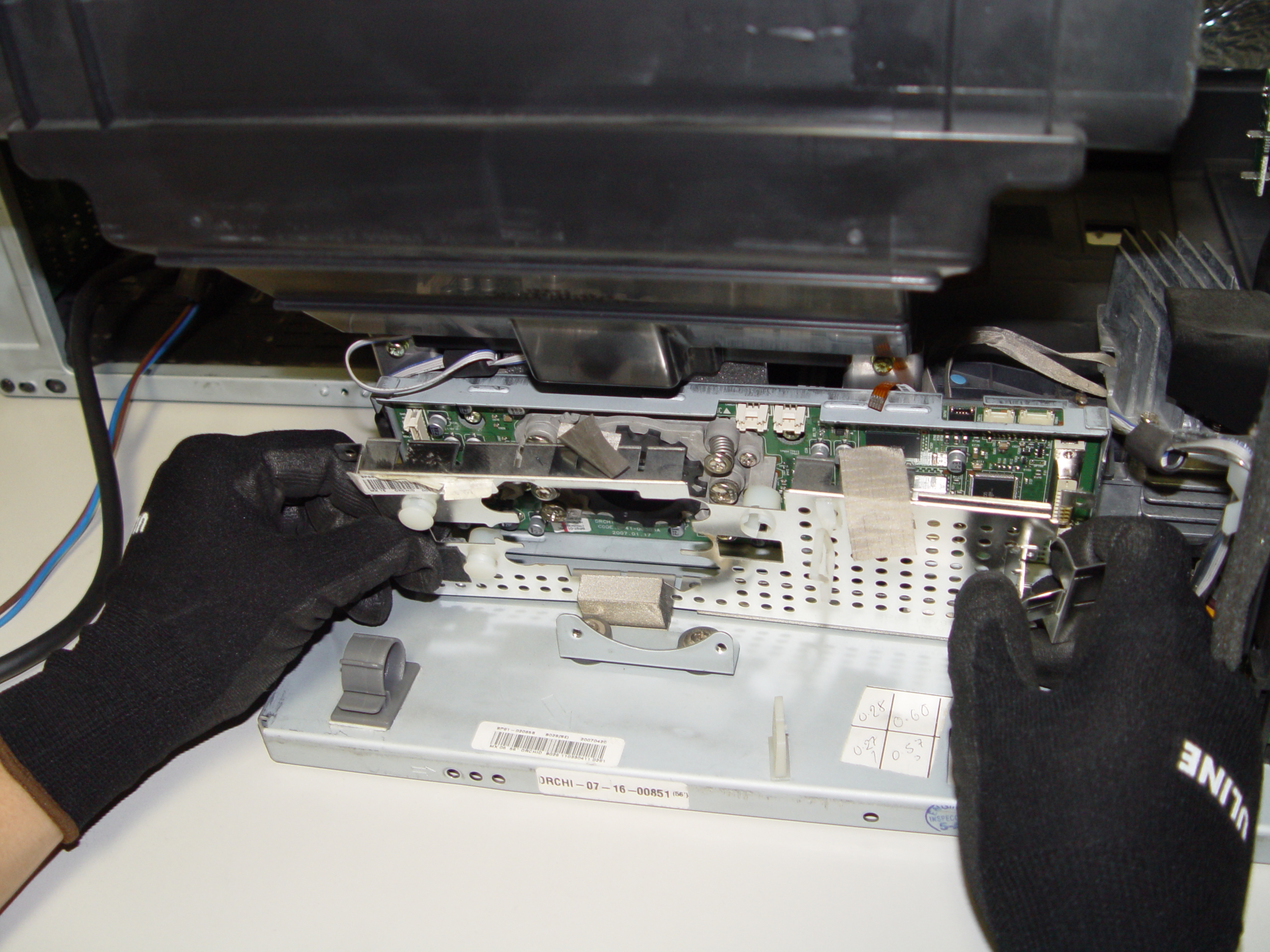
 

4719-001997 DLP Chip, Samsung 50A650C1FXZA RPTV

Step 16

Step 16: Replace the terminal board’s cover.
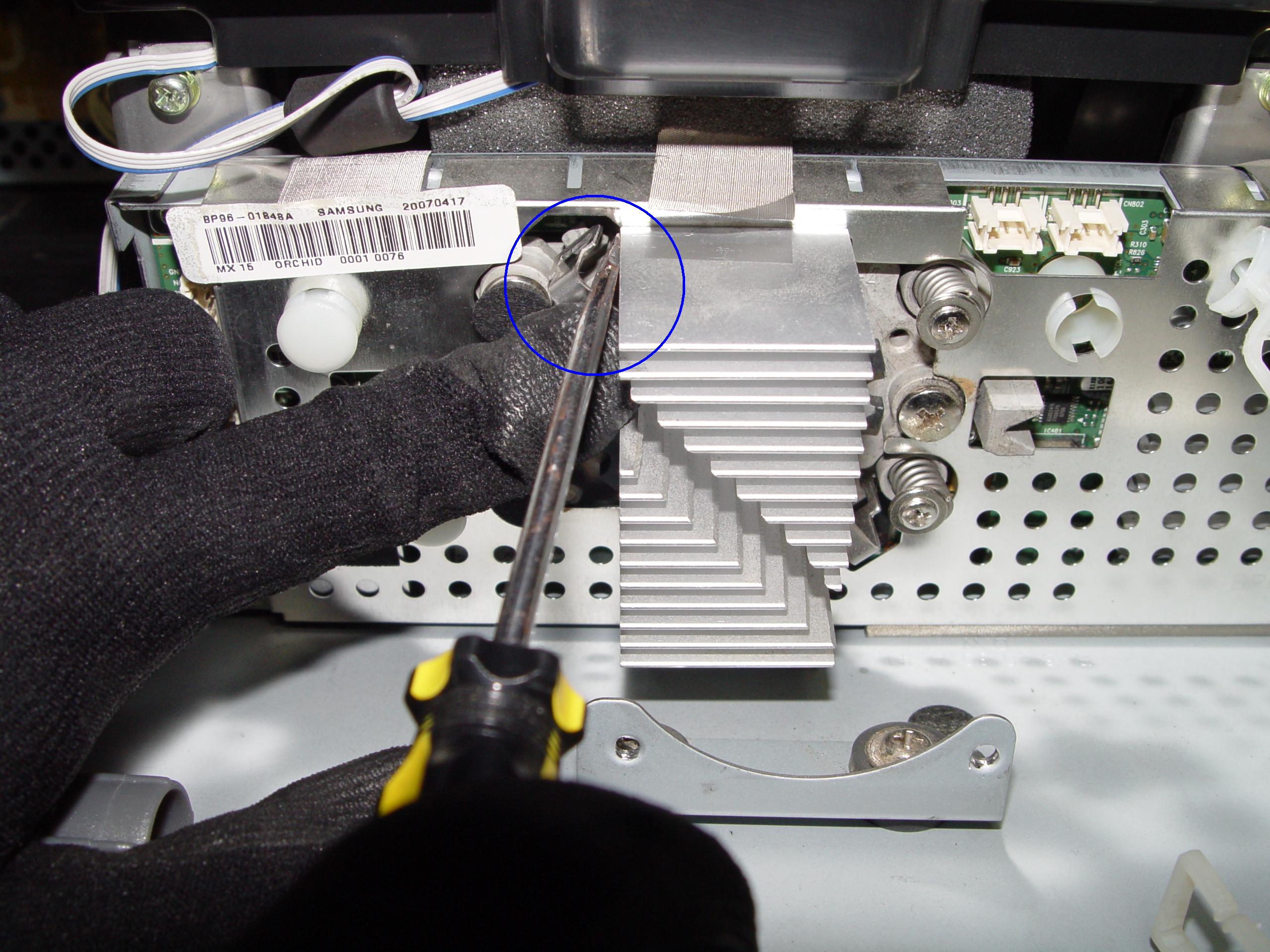
4719-001997 DLP Chip, Samsung 50A650C1FXZA RPTV

Step 17

Step 17: Reconnect the clip holding the cooling unit.
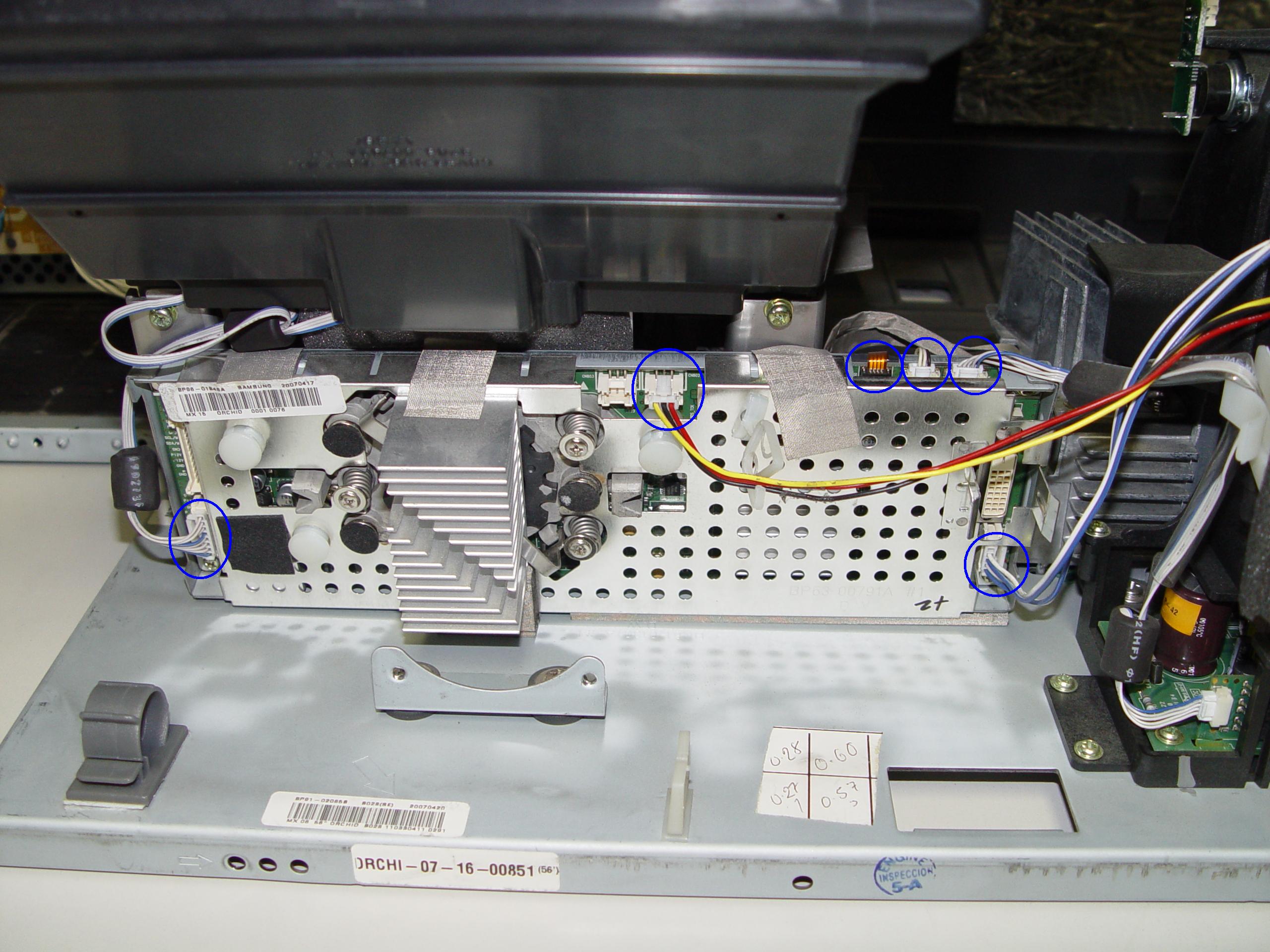
4719-001997 DLP Chip, Samsung 50A650C1FXZA RPTV

Step 18

Step 18: Re-connect the cables between the terminal board and lamp.
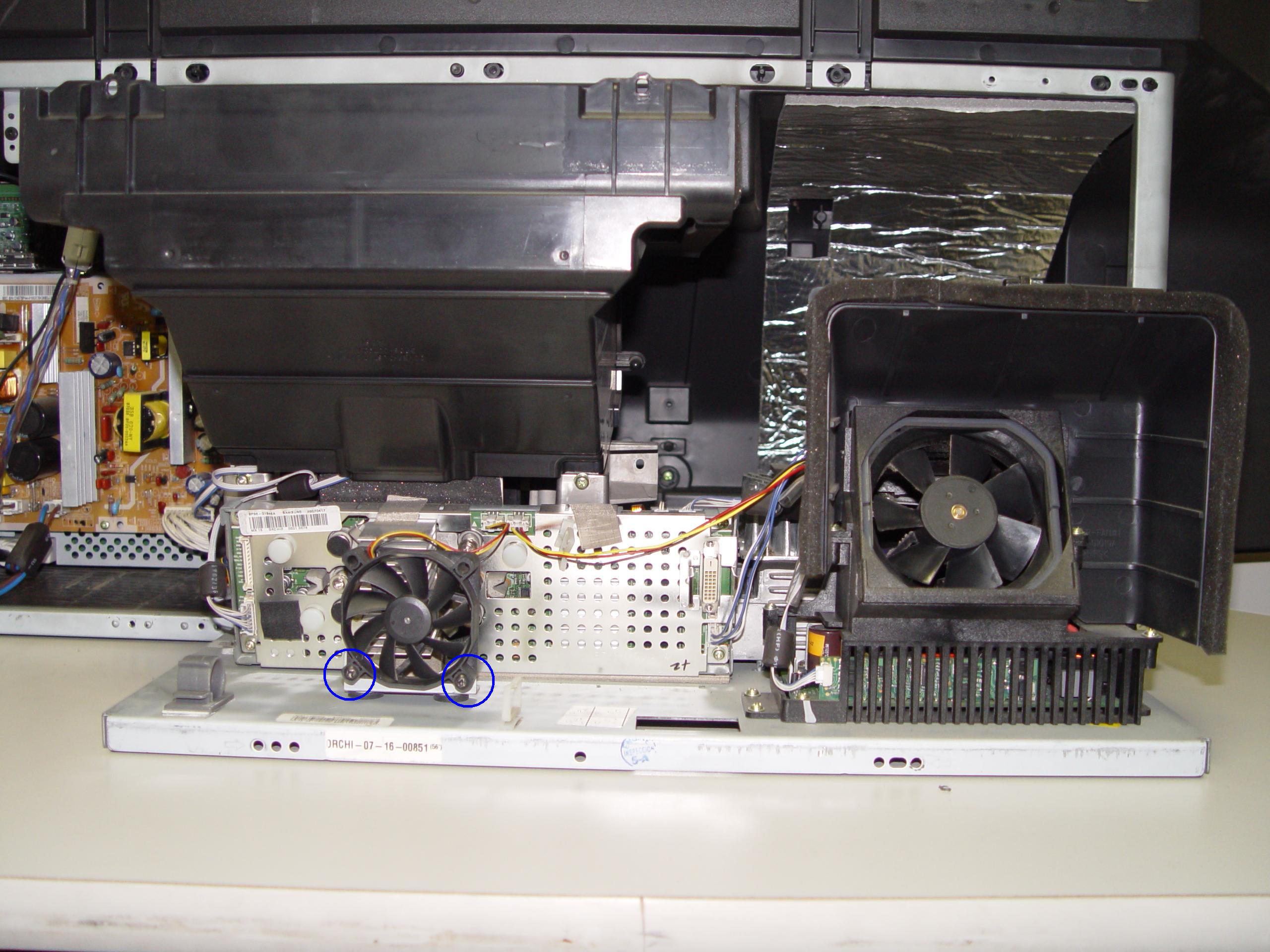
4719-001997 DLP Chip, Samsung 50A650C1FXZA RPTV

Step 19

Step 19: Tighten the 2 screws holding the color wheel protective cover in it place. Avoid touching any of the optical components as this can affect the quality of your picture.
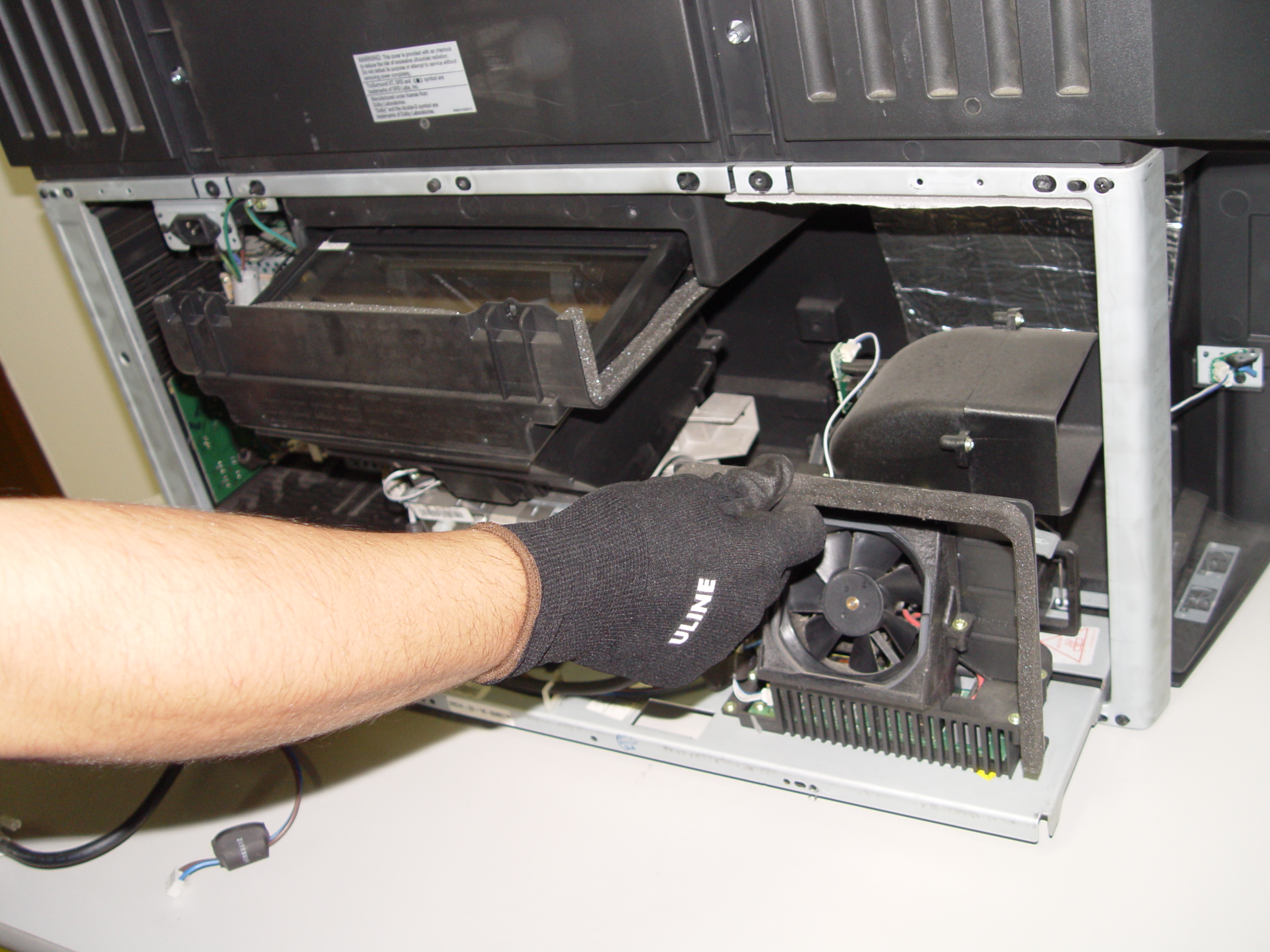
4719-001997 DLP Chip, Samsung 50A650C1FXZA RPTV

Step 20

Step 20: Carefully replace the light engine back into the cabinet.
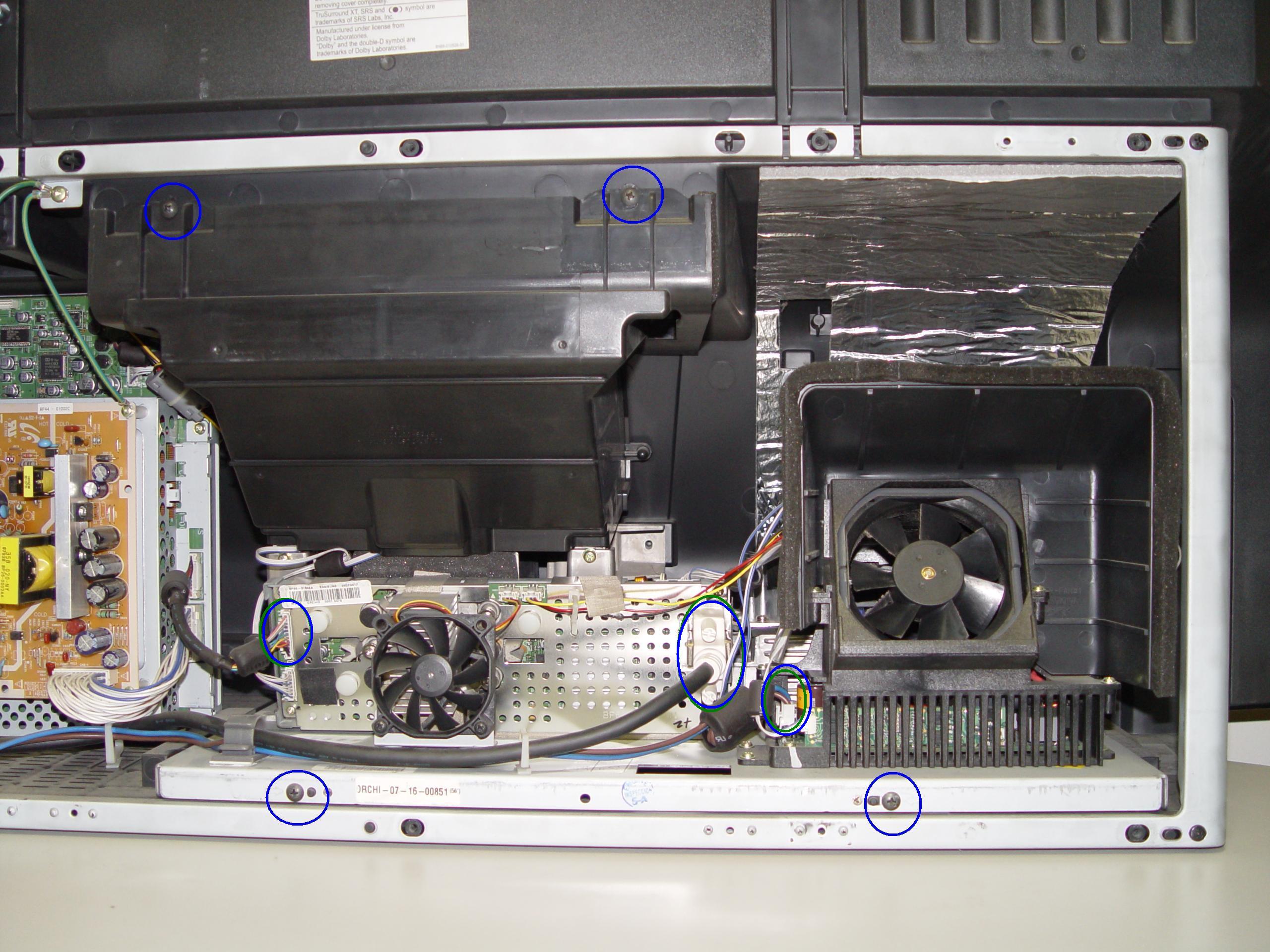
4719-001997 DLP Chip, Samsung 50A650C1FXZA RPTV

Step 21

Step 21: Replace and tighten the 4 screws holding the lamp engine in place. Re-connect all the connectors.
4719-001997 DLP Chip, Samsung 50A650C1FXZA RPTV

Step 22

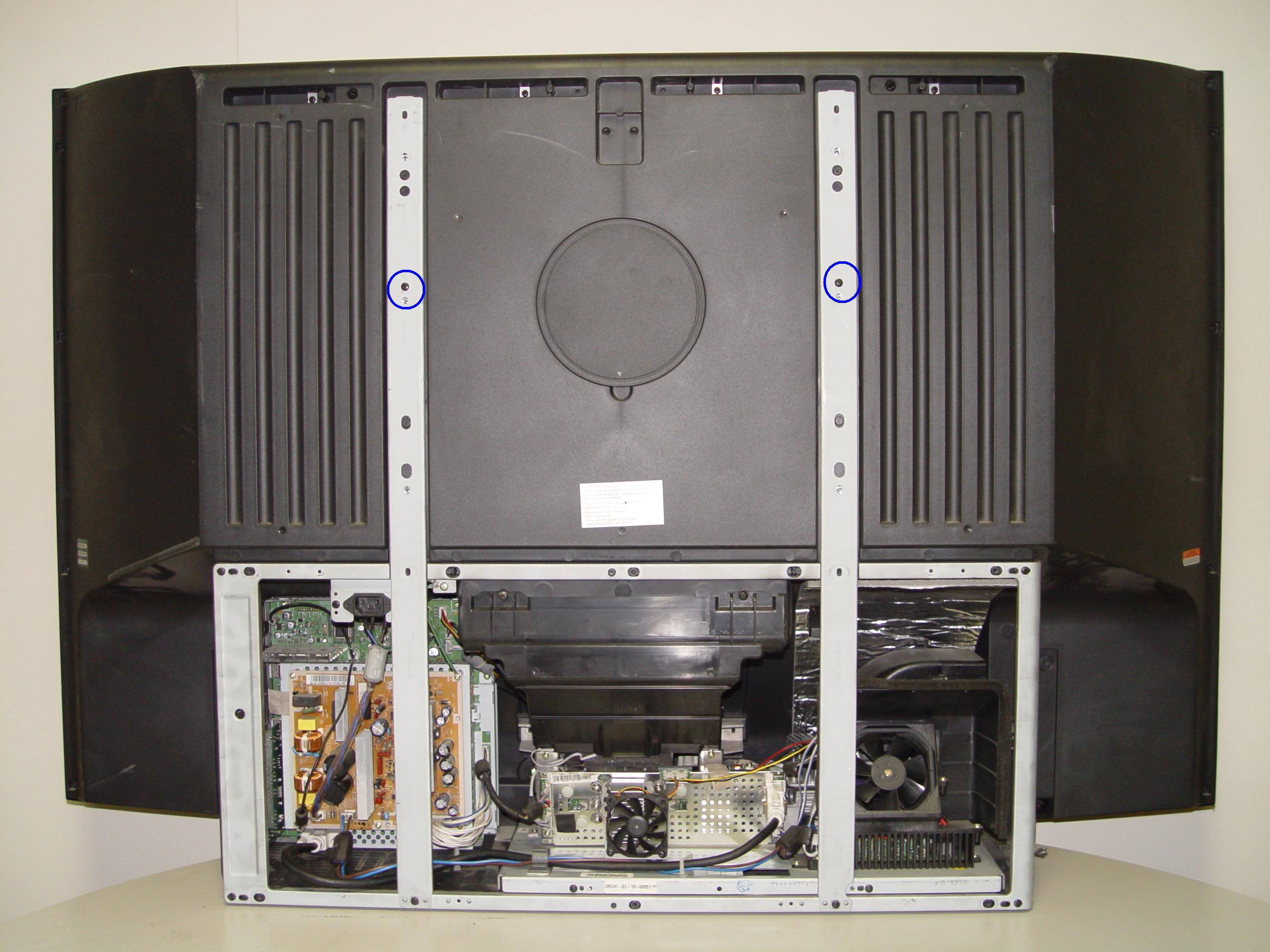
Step 22: Put the light engine back into the RPTV. Tighten both screws that keep the back bracket in place.

4719-001997 DLP Chip, Samsung 50A650C1FXZA RPTV

Step 23

Step 23: Put the back panel back onto the TV. Put the screws back into place and tighten them. Enjoy the crisp, clear picture on your Samsung 50A650C1FXZA RPTV.
Learn more about your Samsung 50A650C1FXZA RPTV:

Tagged with: , ,

White dots on Samsung HL72A650C1FXZA screen can easily be repaired
Samsung HL72A650C1FXZA white dots are a sign that your DLP chip has broken and needs to be replaced.

Note: These instructions can also be used for the following Samsung models: 

50A650C1FXZAHLT5055WX/XAA HLT5076SX/XAAHLT5087SX/XAAHLS5087WX/XAAHL56A650C1FXZAHLT5656WX/XAAHLT5676SX/XAAHLT5687SX/XAAHLT5687SAX/XAAHLT5689SX/XAAHLT6156WX/XAAHL61A650C1FXZAHL61A750A1FXZAHLT6156WX/XAA, HLT6176SX/XAAHLT6187SAX/XAAHLT6187SX/XAA, HLS6187WX/XAAHLT6189SX/XAAHL67A750A1FXZAHLT6756WX/XAAHL72A650C1FXZAHLT7288WX/XAA

Find this New Mitsubishi/Toshiba 4719-001997 DLP Chip 1910-6143W on Amazon.

Equipment needed

    • Electric Philips screwdriver
    • needle nose pliers or a 5mm nut driver
    • antistatic gloves OR plastic gloves used with an antistatic wrist band
    • soft cloth or brush

Replacing the 4719-001997 DLP Chip

4719-001997 DLP Chip, Samsung HL72A650C1FXZA

Step 1

Step 1: Put on the plastic gloves. Loosen all the screws found on the back panel. Put the screws to one side and remove the back panel.

4719-001997 DLP Chip, Samsung HL72A650C1FXZA

Step 2

Step 2: Loosen the two screws holding the lamp bracket in place.

4719-001997 DLP Chip, Samsung HL72A650C1FXZA

Step 3

Step 3: Remove the 4 screws holding the lamp engine in place. Disconnect all the connectors. Important: don’t yank any cables.

4719-001997 DLP Chip, Samsung HL72A650C1FXZA

Step 4

Step 4: Carefully remove light engine from the cabinet.

4719-001997 DLP Chip, Samsung HHL72A650C1FXZA RPTV

Step 5

Step 5: Remove the 2 screws holding the color wheel protective cover in it place. Avoid touching any of the optical components as this can affect the quality of your picture.

4719-001997 DLP Chip, Samsung HL72A650C1FXZA RPTV

Step 6

Step 6: Carefully disconnect the cables between the terminal board and lamp.

4719-001997 DLP Chip, Samsung HL72A650C1FXZA RPTV

Step 7

Step 7: Disconnect the clip connecting the cooling unit.

4719-001997 DLP Chip, Samsung HL72A650C1FXZA RPTV

Step 8

Step 8: Remove the cooling unit and terminal board.

4719-001997 DLP Chip, Samsung HL72A650C1FXZA RPTV

Step 9

Step 9: Remove the terminal board.

4719-001997 DLP Chip, Samsung HL72A650C1FXZA RPTV

Step 10

Step 10: Loosen the 7 screws holding the terminal cover in place. (Good time to dust this section).

4719-001997 DLP Chip, Samsung HL72A650C1FXZA RPTV

Step 11

Step 11: Carefully pop the terminal out of its holder.

4719-001997 DLP Chip, Samsung HL72A650C1FXZA RPTV

Step 12

Step 12: Unlock the old DLP Chip from the terminal. You may need to use a flat edged screwdriver to pop it out.

4719-001997 DLP Chip, Samsung HL72A650C1FXZA RPTV

Step 13

Step 13: Place the new DLP chip into place. Handle the DMD DLP CHIP only by the edges because it is very sensitive to static electricity.

4719-001997 DLP Chip, Samsung HL72A650C1FXZA RPTV

Step 14

Step 14: Put the terminal back into its holder.

4719-001997 DLP Chip, Samsung HL72A650C1FXZA RPTV

Step 15

Step 15: Tighten the 7 screws holding the terminal in place.


4719-001997 DLP Chip, Samsung HL72A650C1FXZA RPTV

Step 16

Step 16: Replace the terminal board’s cover.

4719-001997 DLP Chip, Samsung HL72A650C1FXZA RPTV

Step 17

Step 17: Reconnect the clip holding the cooling unit.

4719-001997 DLP Chip, Samsung HL72A650C1FXZA RPTV

Step 18

Step 18: Re-connect the cables between the terminal board and lamp.

4719-001997 DLP Chip, Samsung HL72A650C1FXZA RPTV

Step 19

Step 19: Tighten the 2 screws holding the color wheel protective cover in it place. Avoid touching any of the optical components as this can affect the quality of your picture.

4719-001997 DLP Chip, Samsung HL72A650C1FXZA RPTV

Step 20

Step 20: Carefully replace the light engine back into the cabinet.

4719-001997 DLP Chip, Samsung HL72A650C1FXZA RPTV

Step 21

Step 21: Replace and tighten the 4 screws holding the lamp engine in place. Re-connect all the connectors.

4719-001997 DLP Chip, Samsung HL72A650C1FXZA RPTV

Step 22

Step 22: Put the light engine back into the RPTV. Tighten both screws that keep the back bracket in place.

4719-001997 DLP Chip, Samsung HL72A650C1FXZA RPTV

Step 23

Step 23: Put the back panel onto the TV. Put the screws back into place and tighten them. Enjoy the crisp, clear picture on your Samsung HL72A650C1FXZA RPTV.

Learn more about your Samsung HL72A650C1FXZA RPTV:

Tagged with: , ,

ProjectionDesign Action! Model One projectorReplacement ProjectionDesign Action Model One projector lamp

Your ProjectionDesign Action Model One projector uses the ProjectionDesign 400-0003-00 Projector Lamp. Be sure to buy your ProjectionDesign Action Model 1 projector lamp from an authorized dealer to keep your projector working properly.

Find this replacement lamp on Amazon from the following authorized dealers:


6 reasons to avoid counterfeit lamps:

End of life warning signs

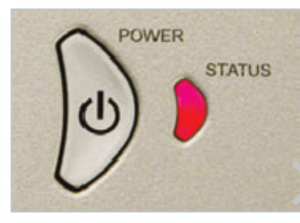
Projection_Design_Action_Mode_One_l400-0003-00 Projector Lamp_warningWhen it’s time to replace the ProjectionDesign Action Model 1 projector lamp the projector lamp status indicators will turn red. Other warning signs may include a darker screen or colors that appear washed out or an deteriorating screen image.
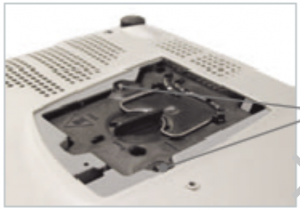
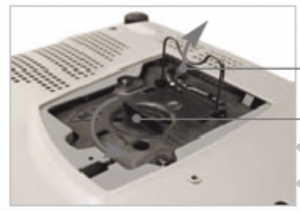
How to replace

Before installation follow these important safety steps:

  • Turn off the ProjectionDesign Action Model 1 projector:
  • Unplug the AC cord.
  • These projectors operate under high temperatures and there is a risk of burning if the projector has not cooled enough. Allow the ProjectionDesign Action Model One to cool for one hour. It should be cool to the touch.

Projection_Design_Action_Mode_One_l400-0003-00 Projector Lamp_cover

Projection_Design_Action_Mode_One_l400-0003-00 Projector Lamp_loosen_screws

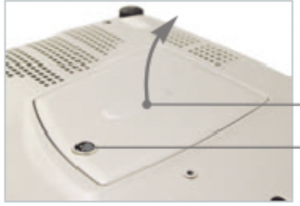
Remove the two screws from the ProjectionDesign Action Model 1 projector lamp cover. Remove the projector lamp cover.

Loosen the two screws holding the ProjectionDesign 400-0003-00 projector lamp in place.


Projection_Design_Action_Mode_One_l400-0003-
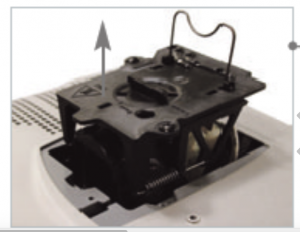
Turn the lamp knob counter clockwise to the unlocked position.

NOTE: The ProjectionDesign 400-0003-00 projector lamp contains mercury and should not be thrown into regular garbage. Recycle this lamp!


Projection_Design_Action_Mode_One_l400-0003-00 Projector Lamp_insert

Pull out the ProjectionDesign 400-0003-00 projector lamp.
Tighten the screws on the projector lamp lid.

Projection_Design_Action_Mode_One_l400-0003-00 Projector Lamp_replacement
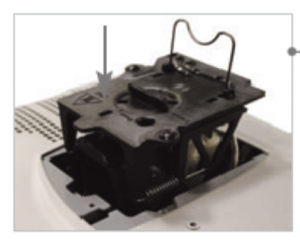
Place the new ProjectionDesign 400-0003-00 projector lamp into the projector. Take care not to touch the actual bulb. Oil from your fingerprints will create black spots onto the bulb.
Projection_Design_Action_Mode_One_l400-0003-00 Projector Lamp_tighten
Tighten the screws on the projector lamp. Turn the lamp knob
clockwise to the locked position.
Put the lamp cover back on and tighten the two screws holding the cover in place.


Resetting the projector lamp timer

Each time you replace the ProjectionDesign 400-0003-00 projector lamp you will need to reset the ProjectionDesign Action Model 1 lamp timer so the projector can accurately track the lamp hours. To reset the:
  • Open the MENU option. Press ENTER.
  • Scroll down to the UTILTIES submenu.
  • Press reset the lamp time.

Extending the projector lamp life

  • Use the Eco Mode for more lamp hours.
  • Keep your air filters clean to avoid overheating the projector.
  • Make sure there is enough airflow around the ProjectionDesign Action Model 1.
  • Learn more with Top tips for extending DLP projector lamp life

Learn more tips for extending lamp life.

Tagged with: , , , ,

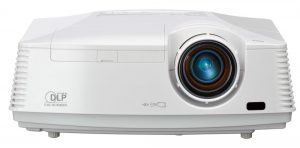
Mitsubishi WD570U projectorGuide to installing a new Mitsubishi WD570U projector lamp

The best investment you can make is to invest in an authentic Mitsubishi WD570U projector lamp. Knock-off counterfeit lamps have a shorter lamp life and have been created with toxic substitutes and are prone to explosions that s often damage the sensitive electronics in your projectors. Invest in authentic.

Replacing the projector lamp

Your Mitsubishi WD570U uses the Mitsubishi VLT-XD560LP projector lamp model.  The recommended interval of lamp replacement is 6000 hours of consecutive use depending on the usage. At 4500 hours the lamp indicator will blink between green and red; the LAMP REPLACEMENT message will appear on the screen for one minute. When the lamp has been used for about 5700 hours the LAMP REPLACEMENTwill appear on the screen for one minute every 30 hours. If you notice a decrease in luminescence and or color brightness your projector lamp may be reaching end of life. When the projector lamp is about to finish the message “LAMP EXCHANGE” will start blinking on the screen. The indicator will brink between green and red until the lamp is changed.
Buy this lamp on Amazon from the following retailers:

Changing the projector lamp

Before replacing the projector lamp, please follow these safety precautions.

  • Reduce the risk of electrical shock by disconnecting the power cord on the Mitsubishi WD570U projector.
  • Reduce the risk of severe burns by allowing the projector to cool for at least 45 minutes. It should be cool to the touch.
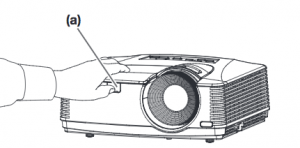
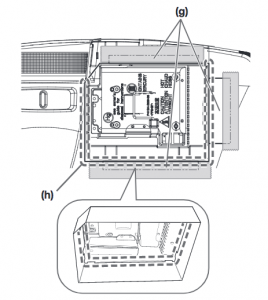
Mitsubishi_WD570U_projector_lamp_VLT-XD560LP_cover-1Step A: Remove the cover of the screw fixing the lamp cover with a fingernail or head screwdriver.
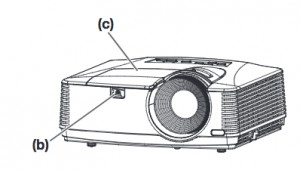
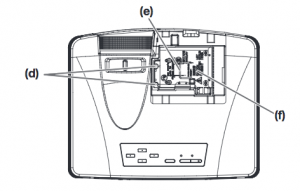
Mitsubishi_WD570U_projector_lamp_VLT-XD560LP_cover-2

Step B: Remove the screw holding the lamp cover in place.

Step C: Slide the lamp cover off the projector.

Mitsubishi_WD570U_projector_lamp_VLT-XD560LP_replace

Step D: Loosen the two screws holding the Mitsubishi VLT-XD560LP lamp in place.
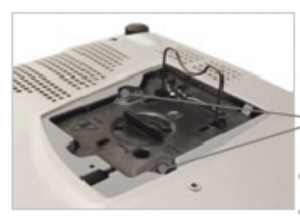
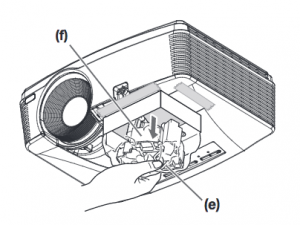
Step E & F: Using the lamp handles, pull out the lamp. Take care not to bang the lamp. _lamp_VLT-XD560LP_liner
INSTRUCTIONS FOR CEILING MOUNTED PROJECTORS
If your projector is mounted on the ceiling you should use the specially designed lining to replace the lamp.
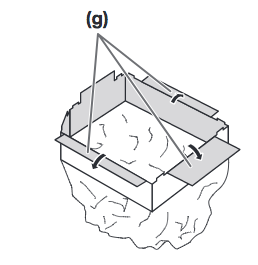
Step G: Fold the three portions of the replacement lamp attachment along the  folding line.

Step H: Fit the lamp replacement attachment to the edge of the lamp cover attachment. Using the tape provided. Once covered, gently lift out the old lamp unit.
Be sure to recycle the used Mitsubishi VLT-HC910LP as it contains mercury. Do NOT place it into regular garbage.

Mitsubishi_WD570U_projector_lamp_VLT-XD560LP_install_newStep E & F: Pull out the lamp unit in the bag by the handle. Remove the tape holding the attachment in place. Pull the lamp unit out of the projector slowly.
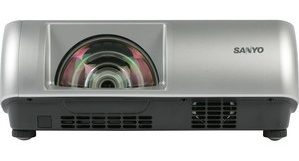
If it is pulled out quickly, the lamp may break,scattering glass fragments.
Insert the new Mitsubishi VLT-HC910L into the projector. Tighten the two screws holding it in place. Put the lamp cover back on and tighten the cover screw.
You are now ready to reset the Mitsubishi WD570U projector lamp timer.

Resetting the Lamp Hour Timer

It’s important to only reset the lamp timer when the Mitsubishi WD570U lamp has been replaced. Resetting the projector lamp timer without changing the lamp can make it work beyond its recommended hours and cause harm to your projector.

To reset the lamp operation time

  • Plug in the power cord
  • Reset the lamp operation time by holding down the ARROW key and the POWER button on the control panel at the same time.
  • Make sure that the STATUS indicator blinks twice and the lamp operation time is reset successfully.
  • IMPORTANT: Unless these three buttons are pressed at the same time, the lamp operation time isn’t reset.

Extending the life of the projector lamp:


Tagged with: , , ,

Sanyo PLC-WL2501 projector

How to install a new Sanyo PLC-WL2501 projector lamp

Invest in authentic

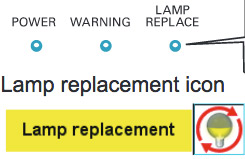
When it’s time to replace the Sanyo PLC-WL2501 projector lamp the replacement Icon will appear on screen and the LAMP REPLACE indicator lights up yellow.

Find this lamp on Amazon sold by:

Sanyo_projector_PLC-WL2501_Sanyo_POA-LMP_140_warning_lamp

End of life warning signs

There is a Lamp Replace Indicator at top of the Sanyo PLC-WL2501 projector. Other indicators of the lamp reaching end of life include distorted color and poor light.

Installing a new projector lamp

Before replacing any lamps follow these safety steps:

Sanyo_projector_PLC-WL2501_replace_Sanyo_POA-LMP_140_lamp

  • Turn off the PLC-WL2501 projector.
  • Unplug the power cord.
  • Allow the projector to cool down for at least 45 minutes. It should be cool to the touch. The Sanyo PLC-WL2501 operates under extremely high temperatures and you can seriously burn yourself if you don’t give the projector time to cool.


To install the lamps:

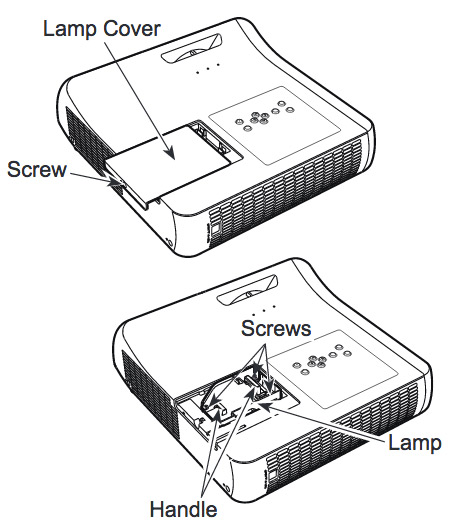
  • Remove the screw holding Sanyo PLC-WL2501 lamp cover in place. Put the cover to one side.
  • Loosen the three screws holding the Sanyo POA-LMP141. projector lamp in place.
  • Grasp the wire handle and gently pull out the defective Sanyo POA-LMP141 lamp. Place to one side. Note: Be sure to properly recycle projector lamp. Don’t throw this projector lamp into the regular garbage as it contains mercury.
  • Take the new Sanyo POA-LMP141 projector lamp by the handle and gently guide it into place.
  • Tighten the three screws holding the Sanyo POA-LMP141 projector lamp assembly in place.
  • Replace the Sanyo PLC-WL2501 Lamp Cover and tighten the screw to hold the lamp cover in place. Reset the Lamp Counter.

Reset the projector lamp counter

Each time you install a new Sanyo POA-LMP141 projector lamp, you’ll need to reset the lamp counter in order that the lamp life can be properly tracked.

Sanyo_projector_PLC-WL2501_reset_Sanyo_POA-LMP_140_lamp_timer

  • Turn the PLC-WL2501projector on.
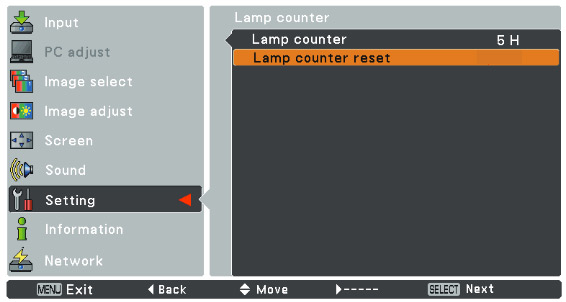
  • Press the MENU button to display the On-Screen Menu. Press enter.
  • Scroll down to the Setting option. Press Select.
  • Scroll over to select the Lamp Counter Reset
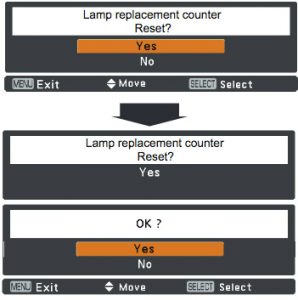
  • Sanyo_projector_PLC-WL2501_reset_Sanyo_POA-LMP_140_lamp_timer-2The Lamp Reset message appears.
  • Select YES to continue.
  • The Lamp replacement counter reset option will appear.
  • Click on YES.
  • Another confirmation dialog box appears.
  • Select YES to reset the lamp counter back to zero.

Extend the lamp life

Extend the life of your newly installed Sanyo POA-LMP141 projector lamp by following these helpful tips:

  • Don’t operate the projector continuously without letting it stand for at least one hour turned off every 24 hours.
  • Cleaning the air filter regularly will also prolong the life of the Sanyo POA-LMP141 projector lamp and prevent the PLC-WL2500 projector from overheating.

Read more Top tips for extending DLP projector lamp life.

Shop for this lamp on Amazon:

Tagged with: , , ,

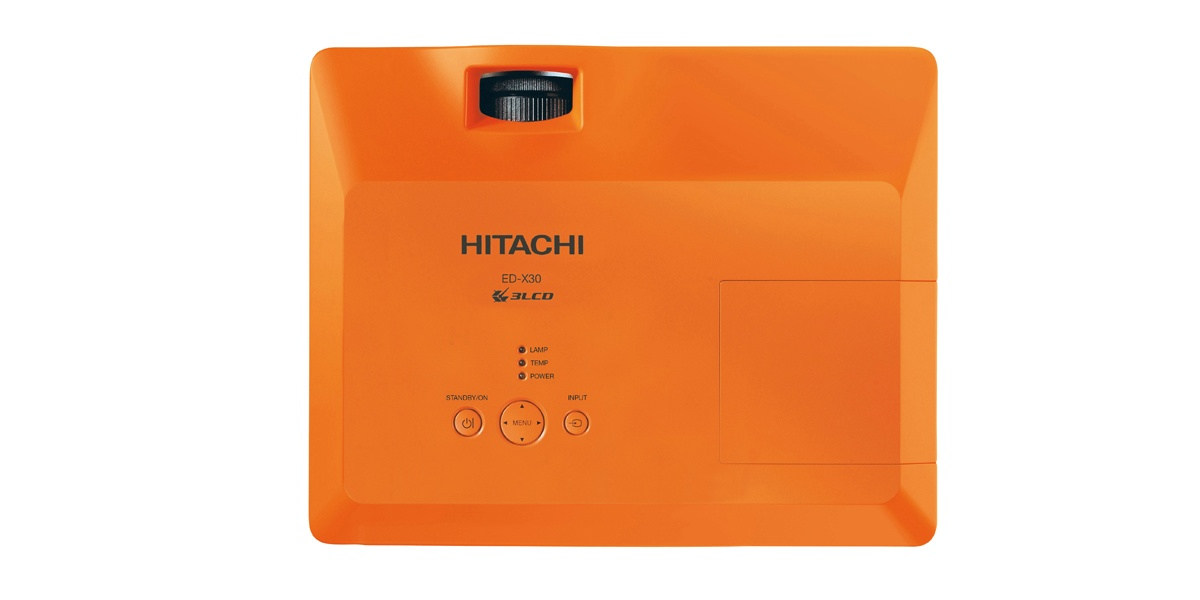
hitachi_edx30-projector

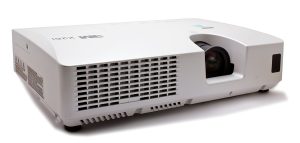
This guide shows how to replace the Hitachi ED-X30 projector lamp

Keep track o so you’ll know when to replace its time to replace the f the Hitachi ED-X30 projector lamp. Watch for these signs that indicated the projector lamp is reaching its end of life:

  • The Power and Lamp Indicators will begin blinking.
  • Color tone on the screen may also appear weak or washed out.
  • Picture has poor color quality.

Find this lamp on Amazon from the following authorized dealers:

Install the replacement projector lamp

Before installing the replacement follow these important safety tips:

  • Turn off the Hitachi ED-X30 projector.
  • Unplug the power cord.
  • Allow the projector to cool for at least 45 minutes. It should be cool to the touch. This projector works using high heat and there is danger you can be burned.
  • NOTE: If the projector is mounted on the ceiling, don’t stand underneath the projector while opening the cover.

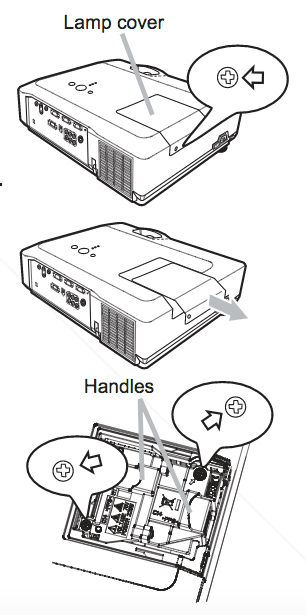
Hitachi_ED-X30_projector_lamp_DT00841

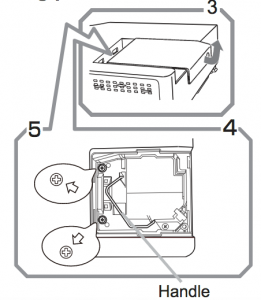
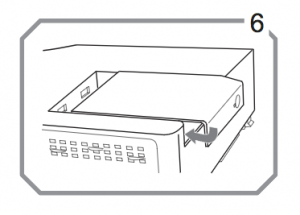
  • Loosen the screw (marked by arrow) of the lamp cover and then slide the lamp cover to the side to remove it.
  • Loosen the 2 screws (marked by arrow) of the projector lamp, and slowly pick up the lamp by the handles. Be careful not to bang the lamp.

NOTE: The Hitachi DT0084 projector lamp contains mercury and must be recycled properly. Don’t place in regular garbage.

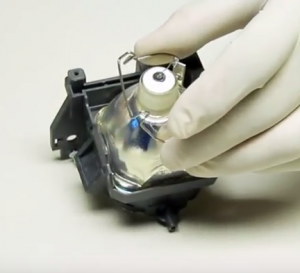
  • Insert the new lamp, taking care not to touch the actual bulb. Oil in your fingers will cause a dark spot on the lamp when it heats up.
  • Tighten the 2 screws of the Hitachi DT0084 projector lamp that were loosened to remove the old projector lamp.
  • Slide the lamp cover back in place and firmly fasten the screw of the lamp cover.
  • Turn on the projector and set the lamp timer

To reset the projector lamp timer:

Reset the projector lamp time only when you have replaced the lamp so the Hitachi ED-X30 projector can properly track the lamp life. Otherwise you run the risk of using the lamp beyond its lamp life.

  • Press the MENU button
  • Scroll down to the GO TO ADVANCED MENU option. Press ENTER
  • Scroll down to the OPTION menu in the left column and press ENTER.
  • Scroll down to LAMP TIME. Press ENTER To make a dialogue field appear
  • Scroll up to the RESET option on the dialogue box.
  • The lamp setting will be set to zero.

Why avoid buying counterfeits

Despite their bargain prices, counterfeits have a number of major problems:

Green your projector

Hitachi_ED-X30_projector_lamp_DT00841 -video

Recycle your lamp housing by only replacing the Hitachi ED-X30 bulb. Our training video shows you how to do it. It’s easy!

Shop for this lamp on Amazon:

Tagged with: , , ,

3M X26i projectorThis guide shows how to install a new 3M X26i projector lamp

When it’s time to change the 3M X26i projector lamp you may notice the colors on screen are faded or distorted. Invest in authentic

Invest in an authentic and look for the seal of approval before buying your projector lamp. Scroll down for more information on why you should avoid counterfeit lamps.

Find this lamp on Amazon sold by:

Replacing the projector lamp

Your 3M X26i projector uses the 3M 78-6972-0106-5 projector lamp. Be sure to follow these important safety steps before installing a new projector lamp:

  • Step 1: Unplug the projector.
  • Step 2: Wait until the projector is cool to the touch before removing the lamp. This projector works at a high temperatures and you can get badly burned if you try to replace the lamp before the cool down.

3M 78-6972-0106-5_replace

  • Step 3: Loosen the lamp cover screw (marked by an arrow on the side or the projector).  Remove the cover. Place it to one side.
  • Step 4: Unscrew the two projector lamp screws (marked by arrows) . Grab the lamp handle. projector lamp or it may break. Learn how to do a proper clean up if the lamp breaks or explodes.
  • NOTE: The 3M 78-6972-0106-5 projector lamp contains mercury and should not be thrown into regular garbage. Recycle this lamp.
  • Insert the new 3M 78-6972-0106 projector lamp. Tighten the two screws on the new projector lamp. Being careful not to touch the actual bulb as the oil from your fingers will burn black marks when the lamp heats up.
  • 3M X26i_projector_lamp_3M 78-6972-0106-5_replace_doorRe-install the 3M X26i projector lamp cover. Tighten the lamp cover screw. You are now ready to reset the lamp timer.
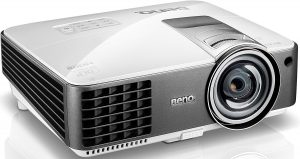
Reset the lamp timer

After changing the 3M 78-6972-0106- projector lamp you need to reset the lamp timer so the 3M X26i projector will turn back on. To reset:

  • Turn the projector on.
  • Use the LAMP TIME option on the OPTION menu.
  • Press the MENU button.
  • Scroll down to the ADVANCED MENU. Press ENTER.
  • Scroll over the the OPTION menu. Press ENTER.
  • Scroll over to the OPTION menu. Press ENTER.
  • A dialogue field will appear asking to reset the lamp timer.
  • Scroll over and choose OK. The lamp timer is now reset to zero.

Extend the 3M X26i projector lamp life

  • Keep your air filters clean to avoid overheating the projector.
  • Turn off the 3M X26i projector projector projector and let it stand for at least one hour ever 24 hours. An average use of four to five hours per day will ensure longer lamp life.
  • Make sure there is enough airflow around the projector particularly if it’s been permanently mounted.
  • Learn more with Top tips for extending DLP projector lamp life

Why avoid counterfeits

One of the best things you can do to keep your 3M X26i projector is to install an OEM projector lamp. Counterfeit lamps can create a number of problems:

Tagged with: , , ,

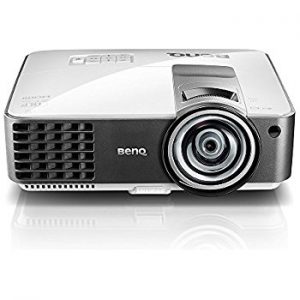
BenQ MX819ST_projectorReplace the BenQ MX819ST projector lamp

This step-by-step guide shows how to install a replacement BenQ MX819ST projector lamp. Start off on the right foot with an authentic projector lamp. Counterfeit prices are tempting but they end up more problems including:

Find this lamp on Amazon sold by:

Check lamp hours

When the projector is in operation, lamp life is automatically calculated by the built-in timer. To obtain the lamp hour information:

  • Press MENU/EXIT and then press the side arrow keys to move to the SYSTEM SETUP: Advanced Menu.
  • Press to highlight Lamp Settings and press MODE/ENTER. The Lamp Settings page is displayed.
  • You will see the Equivalent Lamp Hour information appearing on the menu.
  • To leave the menu, press MENU/EXIT.
  • You can also get the lamp hour information on the INFORMATION menu.
  • Press MODE/ENTER to dismiss the message

End of life warning

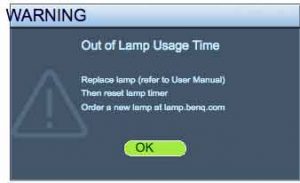
BENQ_Projector_MX819ST_Lamp_5J.J9A05.001_replacementA flashing red light BenQ MX819ST projector lamp is reaching end of life. You’ll see four warning screens on the projector screen. You may also notice the image deteriorating or the color looking off. Change the projector lamp immediately when the final warning screen “Out of Lamp Usage Time” appears or the projector will simply shut down.
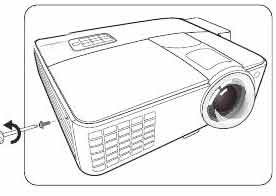
Replacing the BenQ MX819ST projector lamp

Your BenQ MX819ST projector uses the BenQ 5J.J9A05.001 lamp.

Before changing the lamp:

  • Reduce the risk of electrical shock by disconnecting the power cord on the BenQ MX819ST projector.
  • Reduce the risk of severe burns by allowing the projector to cool for at least 45 minutes.

To replace the projector lamp

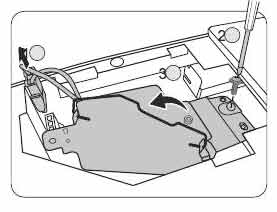
BENQ_Projector_MX819ST_Lamp_cover_screw_5J.J9A05.001BENQ_Projector_MX819ST_Lamp_Cover_off_5J.J9A05.001BENQ_Projector_MX819ST_Lamp__screw_5J.J9A05.001


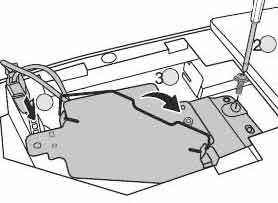
Loosen the screw that secures the BenQ MX819ST lamp cover on the side of the projector until the lamp cover loosens. Remove the BenQ MX819ST lamp cover from the projector. Disconnect the BenQ MX819ST lamp connector. Loosen the screw that secures the lamp in place.

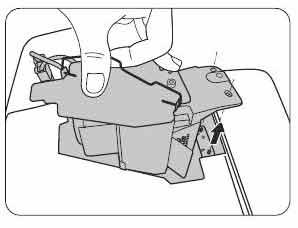
BENQ_Projector_MX819ST_Lamp_Remove_5J.J9A05.001


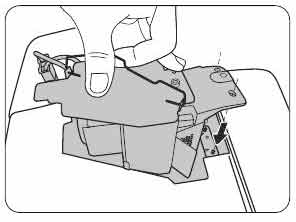
BENQ_Projector_MX819ST_Lamp_New_5J.J9A05.001

Slowly and gently pull the BenQ 5J.J9A05.001 projector lamp out of the projector. Pulling too quickly can cause the bulb to shatter. Learn what to do should the bulb shatter.

NOTE: The BenQ 5J.J9A05.001 projector lamp contains mercury and should not be thrown into regular garbage. It needs to be properly recycled. Insert the new lamp.

BENQ_Projector_MX819ST_Lamp__connectors_5J.J9A05.001

Make sure the handle is fully locked. Re-install the lamp connectors. Tighten the projector lamp screw. If the screw is too loose or too tight, the projector may not turn on. Replace the lamp cover. You are now reacy to reset the lamp timer.

Reset the projector lamp counter

When the BenQ 5J.J9A05.001 projector lamp in the BenQ MX819ST projector has been changed the projector lamp timer must be reset to zero. To reset the lamp timer:

  • Turn on the BenQ MX819ST projector.
  • After the startup logo, open the On-Screen Display (OSD) menu.
  • Go to the SYSTEM SETUP.
  • Scroll over to Advanced > Lamp Settings menu.
  • Press MODE/ENTER to display Lamp Settings page is displayed.
  • Highlight Reset lamp timer. A warning message is displayed asking if you want to reset the lamp timer.
  • Highlight Reset and press MODE/ENTER. The lamp time will be reset to “0”.

How to extend the life of the BenQ MX819ST projector lamp:

  • Keep your air filters clean to avoid overheating the projector.
  • Use the Lamp Power option on the BenQ MX819ST projector lamp and set to Economic Mode to reduce the amount of power used but extend lamp life.
  • Learn more with Top tips for extending DLP projector lamp life.ows you how step-by-step.
Tagged with: , , ,

Change the BenQ DX819ST projector lamp

This guide shows how to install a replacement BenQ DX819ST projector lamp.

Check lamp hours

When the projector is in operation, lamp life is automatically calculated by the built-in timer. To obtain the lamp hour information:
  • Press MENU/EXIT and then press the side arrow keys to move to the SYSTEM SETUP: Advanced Menu.
  • Press to highlight Lamp Settings and press MODE/ENTER. The Lamp Settings page is displayed.
  • You will see the Equivalent Lamp Hour information appearing on the menu.
  • To leave the menu, press MENU/EXIT.
  • You can also get the lamp hour information on the INFORMATION menu.
  • Press MODE/ENTER to dismiss the message

Find this lamp on Amazon sold by:

End of life warning

BENQ_Projector_DX819ST_Lamp_5J.J9A05.001A flashing red light BenQ DX819ST projector lamp is reaching end of life. You’ll see four warning screens on the projector screen. You may also notice the image deteriorating or the color looking off. Change the projector lamp immediately when the final warning screen “Out of Lamp Usage Time” appears or the projector will simply shut down.
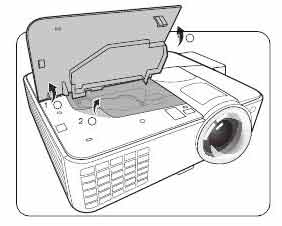
Be sure to buy an authentic projector lamp. Counterfeit prices are tempting but they end up more problems. (Scroll down to find out more.)

Replacing the BenQ DX819ST projector lamp

Your BenQ DX819ST projector uses the BenQ 5J.J9A05.001 lamp.

Before changing the lamp:

  • Reduce the risk of electrical shock by disconnecting the power cord on the BenQ DX819ST projector.
  • Reduce the risk of severe burns by allowing the projector to cool for at least 45 minutes.

To replace the projector lamp

BENQ_Projector_DX8189ST_Lamp_cover_screw_5J.J9A05.001BENQ_Projector_DX819ST_Lamp_Cover_off_5J.J9A05.001BENQ_Projector_DX819ST_Lamp__screw_5J.J9A05.001


Loosen the screw that secures the BenQ DX819ST lamp cover on the side of the projector until the lamp cover loosens. Remove the BenQ DX819ST lamp cover from the projector. Disconnect the BenQ DX819ST lamp connector. Loosen the screw that secures the lamp in place

BENQ_Projector_DX819ST_Lamp_Remove_5J.J9A05.001


BENQ_Projector_DX819ST_Lamp_New_5J.J9A05.001

Slowly and gently pull the BenQ 5J.J9A05.001 projector lamp out of the projector. Pulling too quickly can cause the bulb to shatter. Learn what to do should the bulb shatter.

NOTE: The BenQ 5J.J9A05.001 projector lamp contains mercury and should not be thrown into regular garbage. It needs to be properly recycled.  Insert the new lamp.

BENQ_Projector_DX819ST_Lamp__connectors_5J.J9A05.001

Make sure the handle is fully locked. Re-install the lamp connectors. Tighten the projector lamp screw. If the screw is too loose or too tight, the projector may not turn on. Replace the lamp cover. You are now reacy to reset the lamp timer.

Reset the projector lamp counter

When the BenQ 5J.J9A05.001 projector lamp in the BenQ DX819ST projector has been changed the projector lamp timer must be reset to zero. To reset the lamp timer:

  • Turn on the BenQ DX819ST projector.
  • After the startup logo, open the On-Screen Display (OSD) menu.
  • Go to the SYSTEM SETUP.
  • Scroll over to Advanced > Lamp Settings menu.
  • Press MODE/ENTER to display Lamp Settings page is displayed.
  • Highlight Reset lamp timer. A warning message is displayed asking if you want to reset the lamp timer.
  • Highlight Reset and press MODE/ENTER. The lamp time will be reset to “0”.

How to extend the life of the BenQ DX819ST projector lamp:

  • Keep your air filters clean to avoid overheating the projector.
  • Use the Lamp Power option on the BenQ DX819ST projector lamp and set to Economic Mode to reduce the amount of power used but extend lamp life.
  • Learn more with Top tips for extending DLP projector lamp life.ows you how step-by-step.

Why buy authentic

Start off on the right foot with an authentic projector lamp. Counterfeit prices are tempting but they end up more problems including:

Protect your health and keep your BenQ DX819ST projector by investing in an authentic projector lamp.

Tagged with: ,

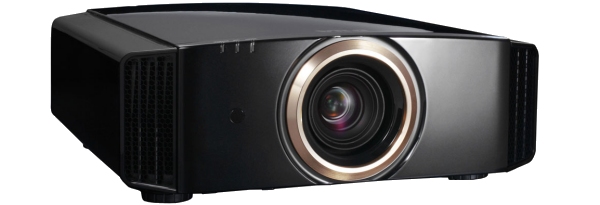
jvc-rs40_projectorReplace the JVC DLA-RS40 projector lamp

When it’s time to replace the JVC DLA-RS40 projector lamp follow this guide.

Warning signs for end of lamp life

When the JVC DLA-RS40 projector lamp has reached end of life the LAMP indicator will start flashing. Replace the lamp immediately. Other indications of end of lamp life can also be a poor picture, flicker lights darker light or strange colors.

Lamp life is approximately 3000 hours but may vary depending on maintenance and usage.

Find this lamp on Amazon from the following authorized dealers:


Buy authentic

Be sure to invest in an authentic lamp for your JVC DLA-RS40 projector lamp. This projector uses the JVC PK-L2210UP projector lamp. Be sure to invest in an authentic lamp.

Why avoid counterfeit projector lamps:

Projector lamp replacement

BEFORE replacing the lamp:

  • Turn off the projector and unplug the AC cord.
  • Allow the JVC DLA-RS40 projector lamp to cool for at least one hour. Don’t open the projector until it is cool to the touch. These projectors operate under high temperatures and you can run the risk of burning yourself.

JVC_DLA-RS40_projector_lamp_PKPK-L2210UP_cover

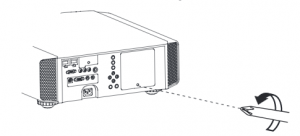
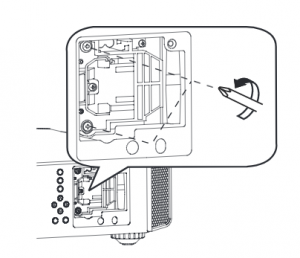
  • Loosen the screw holding the projector lamp cover into the projector. Place the cover to one side.
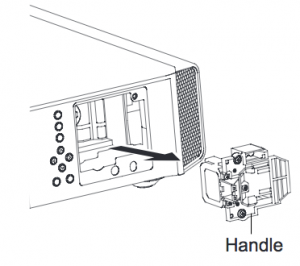
  • Loosen the two screws keeping the JVC PK-L221 projector lamp in place. Grab wire handle and gently pull the lamp out taking care not to hit the lamp.

  • Take the JVC PK-L2210UP projector lamp by the wire handle and gently pull it from the projector. NOTE: This lamp contain mercury and can’t be placed into regular garbage. Recycle this lamp.
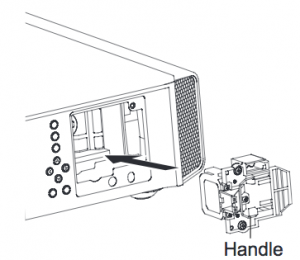
  • Place the replacement JVC PK-L2210UP into the JVC DLA-RS40 projector. Avoid touching the glass or the bulb since the oil from your fingers may cause black spots on the bulb when the projector heats up.
  • Tighten the two screws on the new JVC PK-L2210UP lamp.
  • Replace the JVC DLA-HD1 projector lamp cover. You’ll need to reset the Lamp Counter.

Resetting the projector lamp timer

Each time you replace the JVC DLA-RS40 projector lamp you need to reset the lamp timer to zero. Not resetting the lamp timer will result in your projector not turning back on because it thinks the old lamp has not been replaced.

To reset the lamp:

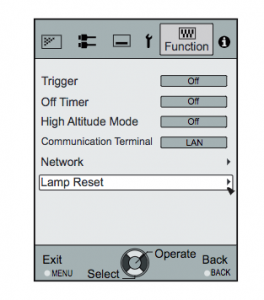
  • Display the Main Menu screen. Scroll over to select the FUNCTION option
  • Scroll down to the LAMP RESET option
  • Press the Enter button
  • A second option screen will open asking toe Reset Lamp Timer
  • Scroll down to select YES
  • The lamp timer will be reset to zero.

Tips for longer projector lamp life:

  • Avoid frequent on and offs to avoid power surges.
  • Don’t let the JVC DLA-RS40 projector overheat as this puts stress on the lamp. Make sure there is enough airflow around the projector particularly if it’s been permanently mounted.
  • Let the projector stand unused for at least one hour ever 24 hours. An average use of four to five hours per day will ensure longer lamp life.
  • Keep the air filters clean and free of dust so it can do its job and keep the projector lamp for overheating.

Learn more with Top tips for extending DLP projector lamp life.

Save

Save

Tagged with: , ,
Join the discussion on Facebook! All your questions, answered! The Screen & Projector Group